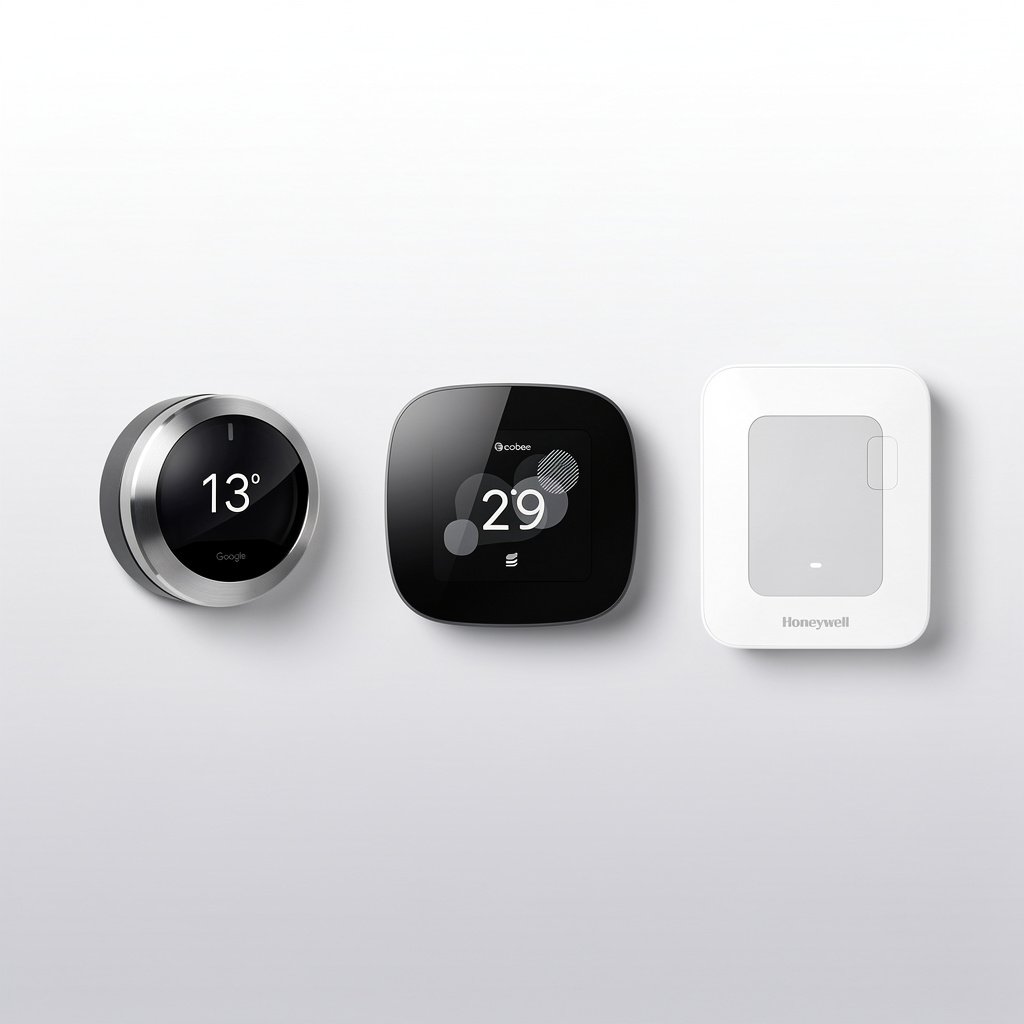
Smart thermostats are one of the best investments you can make in your connected home. They pay for themselves through energy savings, keep your home comfortable year-round, and reduce your carbon footprint—all while giving you complete control from your phone.
Whether you're looking to slash your heating and cooling bills, automate your home's climate, or simply upgrade from that clunky old thermostat, this guide will help you find the perfect smart thermostat for your needs and budget.
Quick Picks: Best Smart Thermostats at a Glance
| Category | Product | Price | Best For |
|---|---|---|---|
| Best Overall | Google Nest Learning Thermostat (4th Gen) | $279 | Hands-off automation, learning your schedule |
| Best Runner-Up | Ecobee Smart Thermostat Premium | $249 | Remote sensors, complete control |
| Best Budget | Amazon Smart Thermostat | $79 | Alexa users on a budget |
| Best for Renters | Sensibo Air Pro | $149 | Window AC/ductless mini-split control |
| Best for HomeKit | Ecobee Smart Thermostat Enhanced | $189 | Apple ecosystem integration |
| Best Basic | Honeywell Home T6 Pro | $149 | Simple, reliable, no frills |
| Best with Sensors | Ecobee Premium with SmartSensors | $249 | Multi-room temperature balancing |
Best Smart Thermostats by Category
Best Overall: Google Nest Learning Thermostat (4th Gen) – $279
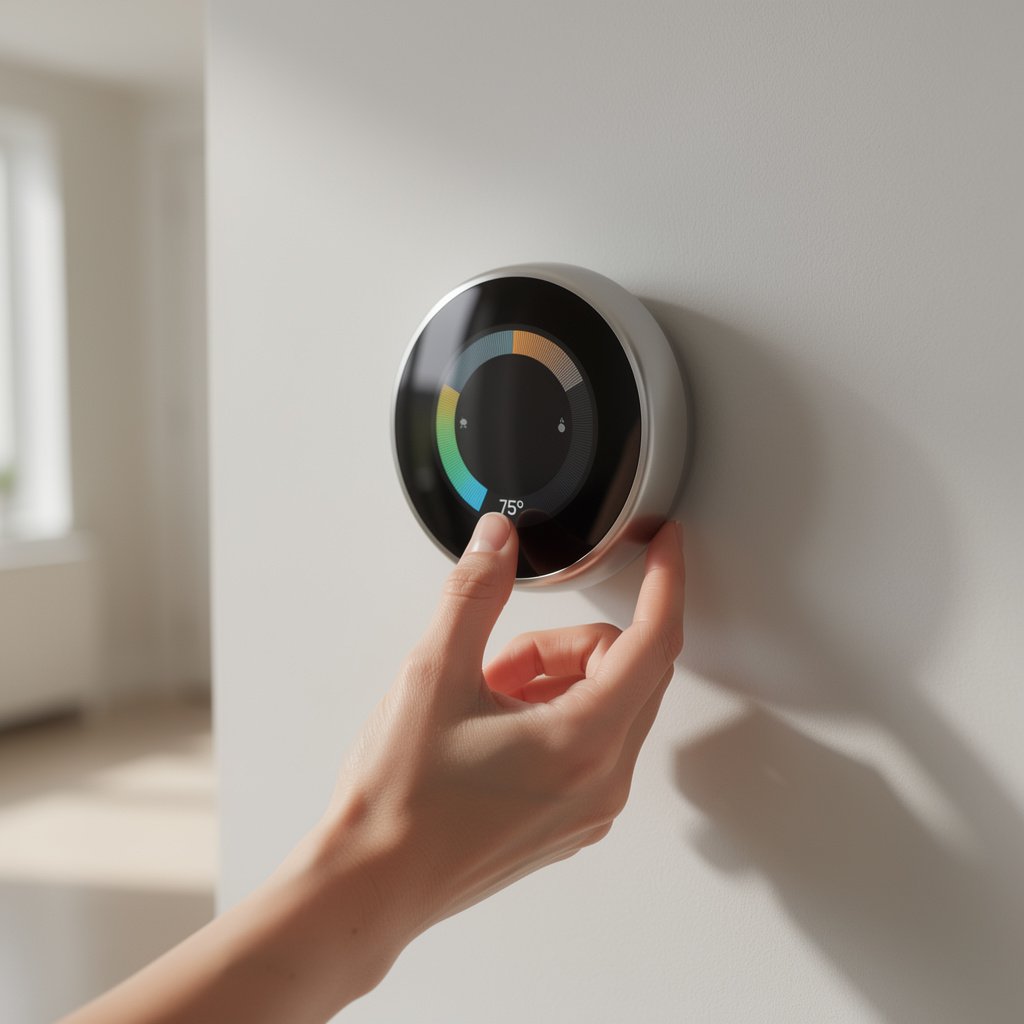
The Google Nest Learning Thermostat remains the gold standard for smart thermostats. Its biggest advantage? It literally learns your schedule automatically—no programming required.
Why It's Our Top Pick:
- Auto-learning technology: After about a week, Nest learns when you're home, when you're away, and what temperatures you prefer
- Stunning design: The high-resolution display and premium metal finish look incredible on any wall
- Energy savings: Independent studies show Nest saves users an average of 10-12% on heating and 15% on cooling
- Farsight feature: The display lights up when you walk by, showing time, weather, or temperature from across the room
- Works with everything: Compatible with Alexa, Google Assistant, and even Matter for future-proofing
- Home/Away Assist: Uses your phone's location to automatically adjust when you leave
What We Like: The Nest is genuinely hands-off. Set your preferred temperatures for a week, and it takes over from there. The energy history shows exactly how much you're saving, and the app is beautifully designed and easy to use.
What Could Be Better: No remote sensors (unlike Ecobee), and it's pricier than most competitors. The learning process takes time—expect about 1-2 weeks before it fully adapts.
Perfect For: Homeowners who want a “set it and forget it” solution with premium design and proven energy savings.
Best Runner-Up: Ecobee Smart Thermostat Premium – $249
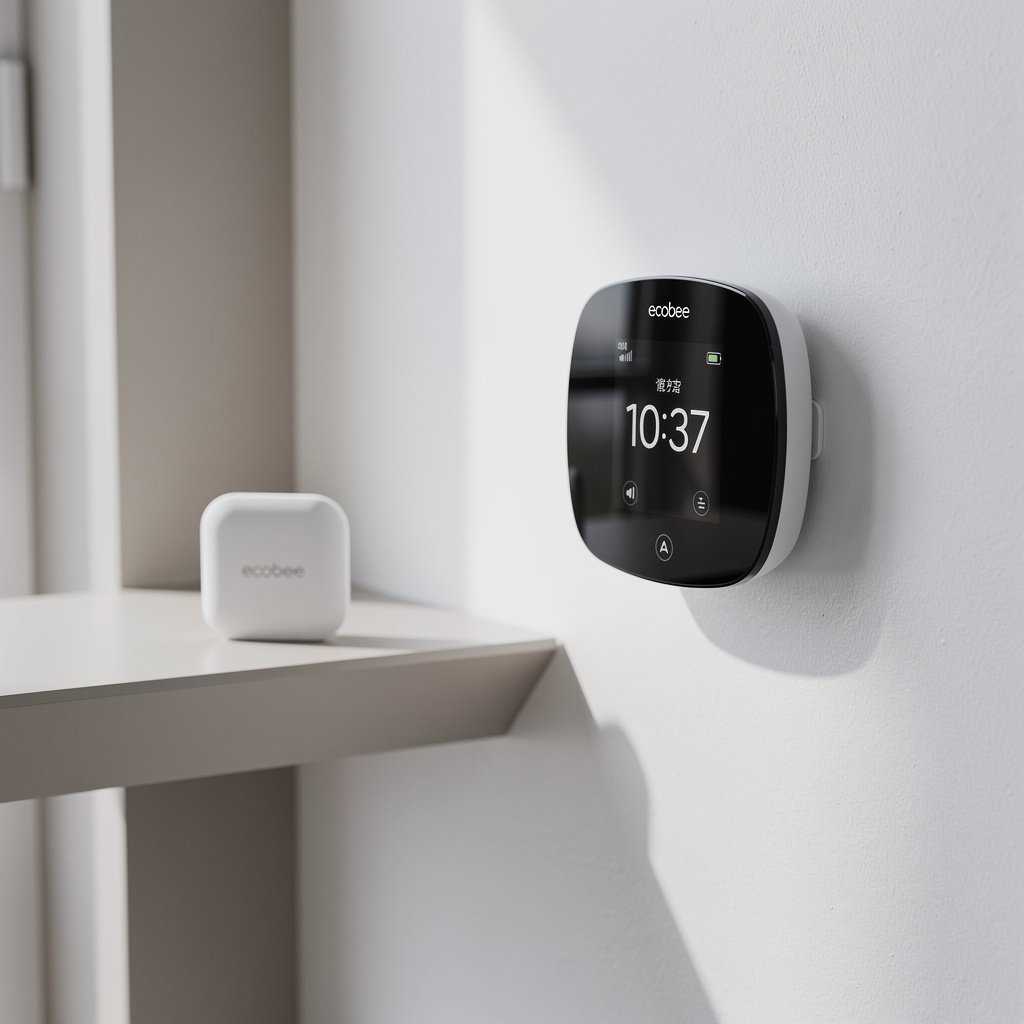
If you want more control than Nest offers, the Ecobee Smart Thermostat Premium is the answer. It comes with a remote SmartSensor and includes Alexa built-in, so it doubles as a smart speaker.
Why We Love It:
- SmartSensor included: Place the wireless sensor in your bedroom or office to balance temperatures across multiple rooms
- Built-in Alexa: Control your smart home, play music, and get weather updates right from the thermostat
- Air quality monitoring: Built-in air quality sensor alerts you when indoor air quality drops
- More customization: Detailed scheduling, vacation modes, and advanced comfort settings
- Works with everyone: Alexa, Google Assistant, Apple HomeKit, SmartThings, and IFTTT
- Radar-based occupancy: Detects presence more accurately than motion sensors
What We Like: The SmartSensor solves the biggest problem with thermostats—uneven temperatures. If your bedroom is always too hot or your office is freezing, Ecobee can prioritize those rooms during specific times.
What Could Be Better: The interface feels slightly more technical than Nest's elegant simplicity. The built-in speaker isn't as good as a dedicated Echo or Nest speaker.
Perfect For: Tech enthusiasts who want complete control, multi-room temperature balancing, and the most ecosystem compatibility.
Best Budget: Amazon Smart Thermostat – $79
The Amazon Smart Thermostat is shockingly good for the price. Made in partnership with Honeywell, it delivers reliable smart home control without the premium price tag.
What Makes It Great:
- Incredible value: At $79 (often on sale for $59), it's less than a third of premium options
- Alexa integration: Deep integration with Amazon's ecosystem, including Hunches and Routines
- Energy Star certified: Qualified for utility rebates in many areas (check your local utility)
- Honeywell reliability: Built on proven HVAC technology from a trusted brand
- Simple setup: Easy installation with clear instructions and video guides
- Auto-schedule: Creates a basic schedule based on your adjustments
What We Like: It just works. No fancy features, no learning curve—just reliable smart thermostat control at an unbeatable price. The Alexa integration is seamless, and voice control works perfectly.
What Could Be Better: No remote sensors, no display (just LED indicators), and Alexa-only (no Google or HomeKit support). The design is functional but basic.
Perfect For: Alexa households on a budget, renters who don't want to invest heavily, or anyone wanting to test smart thermostats without commitment.
Best for Renters: Sensibo Air Pro – $149
Most smart thermostats require replacing your existing thermostat—not ideal for renters. The Sensibo Air Pro is different: it adds smart control to window AC units, ductless mini-splits, and heat pumps without any installation.
Why Renters Love It:
- No installation required: Just plug it in and point it at your AC unit
- Universal compatibility: Works with virtually any remote-controlled AC or heat pump
- Climate React: Uses temperature, humidity, and occupancy to optimize comfort automatically
- Air quality monitoring: Built-in sensors track temperature, humidity, and air quality
- Geofencing: Automatically turns AC on/off based on your location
- Works with everything: Alexa, Google, HomeKit, SmartThings, and even IFTTT
What We Like: It's the perfect renter's solution. Take it with you when you move, and it works with multiple units if you have mini-splits in different rooms.
What Could Be Better: Only works with IR-controlled units (not central HVAC systems). Requires line of sight to your AC unit.
Perfect For: Renters, apartment dwellers, homes with window AC units or ductless mini-splits, and anyone who can't (or doesn't want to) replace their thermostat.
Best for Apple HomeKit: Ecobee Smart Thermostat Enhanced – $189
While the Premium model also supports HomeKit, the Enhanced version offers excellent value for Apple users who don't need the premium features.
HomeKit Highlights:
- Native HomeKit support: Full integration with Apple Home app and Siri
- HomeKit Secure Video ready: Future-proof for Apple's security features
- Automation paradise: Create complex scenes and automations with other HomeKit devices
- Privacy focused: Data processed on-device when using HomeKit
- SmartSensor compatible: Add sensors later for multi-room control
- Clean interface: Matches Apple's design aesthetic
What We Like: It's the most reliable HomeKit thermostat on the market. Siri control works flawlessly, and it integrates perfectly into complex HomeKit automations.
What Could Be Better: Costs more than the Amazon thermostat while offering fewer features than the Ecobee Premium. No built-in speaker.
Perfect For: Apple ecosystem loyalists who want native HomeKit integration and reliable Siri control.
Best Basic Smart Thermostat: Honeywell Home T6 Pro – $149
Sometimes you don't need all the bells and whistles. The Honeywell T6 Pro delivers rock-solid performance with a straightforward approach to smart climate control.
Why We Recommend It:
- Honeywell reliability: Decades of HVAC expertise in a smart package
- Professional-grade: Often used by HVAC contractors for installations
- Flexible scheduling: 7-day programming with 4 periods per day
- Multi-platform support: Works with Alexa, Google, Samsung SmartThings, and IFTTT
- Geofencing: Adjusts temperature based on your location
- Clear display: Easy-to-read touchscreen with backlight
What We Like: It's straightforward and dependable. The app is simple (maybe too simple), but that means there's nothing complicated to learn. It just works.
What Could Be Better: The app lacks polish compared to Nest or Ecobee. No learning features or auto-scheduling. Design is functional but not inspiring.
Perfect For: People who want smart home control without complexity, contractors installing for clients, or anyone who values reliability over features.
Best with Room Sensors: Ecobee Premium with SmartSensors – $249
If you have a multi-story home, rooms that are always too hot or too cold, or a bedroom far from the thermostat, the Ecobee Premium with SmartSensors is worth every penny.
The SmartSensor Advantage:
- Multi-room comfort: Balance temperatures across your entire home
- Occupancy detection: Heat/cool only occupied rooms during specific times
- Time-based priorities: Focus on bedrooms at night, living areas during the day
- Wireless placement: Battery-powered sensors go anywhere
- Expandable system: Add up to 32 sensors (sold separately at $79 for 2-pack)
- All Premium features: Includes Alexa, air quality monitoring, and radar occupancy
What We Like: The SmartSensor technology genuinely solves real problems. If your master bedroom is always freezing because the thermostat is downstairs, this fixes it.
What Could Be Better: Additional sensors are expensive. Setup requires some planning to optimize sensor placement.
Perfect For: Multi-story homes, houses with temperature inconsistencies, families with different comfort preferences, or anyone wanting the ultimate climate control.
How Smart Thermostats Save Money
Smart thermostats aren't just convenient—they genuinely reduce your energy bills. Here's how the savings break down:
Average Energy Savings
- Heating: 10-12% reduction in heating costs
- Cooling: 15% reduction in cooling costs
- Annual savings: $131-145 on average (EPA Energy Star estimate)
- ROI timeline: Most smart thermostats pay for themselves within 2 years
How They Save Energy
1. Automatic Scheduling
No more heating an empty house all day. Smart thermostats adjust temperatures when you're away and bring things back to comfortable before you arrive home.
2. Geofencing
Using your phone's location, they know when everyone has left and can switch to eco mode automatically.
3. Learning Algorithms
Models like the Nest learn your home's thermal properties—how quickly it heats up and cools down—to optimize when the HVAC runs.
4. Remote Control
Forgot to adjust before vacation? Change it from anywhere. Coming home early? Warm things up from the road.
5. Energy Reports
Detailed reports show exactly how much energy you're using and offer personalized tips for additional savings.
6. Utility Rebates
Many power companies offer rebates ($50-100+) for installing Energy Star certified smart thermostats. Check your local utility's website.
Learning vs Programmable: Which Type Is Right for You?
Learning Thermostats (Like Nest)
How They Work: You manually adjust the temperature for about a week, and the thermostat learns your preferences and creates a schedule automatically.
Best For:
- People with consistent routines
- Those who hate programming schedules
- Homeowners who want hands-off automation
- Anyone who forgets to adjust their thermostat
Not Ideal For:
- Irregular schedules (shift workers, frequent travelers)
- People who prefer manual control
- Homes with multiple occupants with different schedules
Programmable Smart Thermostats (Like Ecobee, Honeywell)
How They Work: You create custom schedules (wake, away, home, sleep) and the thermostat follows them precisely.
Best For:
- People with predictable schedules
- Those who want exact control
- Multi-family homes with shared preferences
- Anyone who likes customization
Not Ideal For:
- People intimidated by technology
- Anyone who doesn't want to create schedules
- Extremely variable routines
The Verdict: Most modern smart thermostats offer both learning and programmable features, so you can use whichever approach works better for you.
HVAC Compatibility: What You Need to Know
The C-Wire Requirement
Most smart thermostats require a “C-wire” (common wire) for continuous power. Here's what you need to know:
Check Your Existing Thermostat:
- Remove the faceplate and look at the wires
- If you see a wire connected to a terminal labeled “C,” you're good to go
- No C-wire? You have several options
Solutions If You Don't Have a C-Wire:
- Use the included adapter: Models like the Ecobee include a Power Extender Kit (PEK) that provides power without a C-wire
- Install a C-wire: An HVAC technician can run one for $100-200
- Use a C-wire adapter: Aftermarket adapters like the Venstar Add-A-Wire ($25) work with most systems
- Choose a battery-powered model: Some models work without a C-wire (though features may be limited)
System Type Compatibility
Smart thermostats work with most HVAC systems, but verify compatibility before buying:
- Forced air: Gas, oil, or electric furnaces ✓ (all models)
- Heat pumps: Including multi-stage ✓ (verify model supports heat pumps)
- Central AC: Single and multi-stage ✓ (all models)
- Boilers: Hot water and steam ✓ (most models)
- Radiant floor heating: ✓ (some models—check specs)
- Dual fuel systems: ✓ (Ecobee and Nest support this)
- Ductless mini-splits: Use Sensibo instead of wall thermostat
- Baseboard heaters: Limited compatibility—check first
Pro Tip: Use the manufacturer's online compatibility checker (Nest, Ecobee, and Honeywell all offer them) by entering your current wiring configuration.
Ecosystem Comparison: Alexa vs Google vs HomeKit
| Feature | Amazon Alexa | Google Home | Apple HomeKit |
|---|---|---|---|
| Voice Control | Excellent | Excellent | Excellent (Siri) |
| Routines | Very good | Very good | Very good (Automations) |
| Geofencing | Yes | Yes | Yes |
| Best Thermostat | Amazon Smart ($79) Ecobee Premium ($249) | Nest Learning ($279) Nest Thermostat ($129) | Ecobee Enhanced ($189) Ecobee Premium ($249) |
| Smart Home Integration | Massive device support | Excellent Google integration | Privacy-focused, growing catalog |
| Price Range | $79-249 | $129-279 | $189-249 |
Which Ecosystem Should You Choose?
- Choose Alexa if: You have Echo devices, want the most affordable option, or use Amazon services heavily
- Choose Google if: You have a Google/Android phone, use Google services, or want the Nest's learning features
- Choose HomeKit if: You're all-in on Apple, value privacy, or want the tightest iPhone integration
- Want flexibility? The Ecobee Premium works with all three ecosystems
Installation Guide: DIY vs Professional
DIY Installation (30-60 Minutes)
Most smart thermostats are DIY-friendly if you're comfortable with basic home projects.
What You'll Need:
- Screwdriver (usually Phillips head)
- Smartphone for setup
- Your WiFi password
- Label stickers (usually included)
- 10-15 minutes of time
Basic Steps:
- Turn off power at the breaker (safety first!)
- Remove old thermostat and label each wire
- Take a photo of the wiring for reference
- Install new backplate and connect wires to matching terminals
- Attach thermostat to backplate
- Turn power back on
- Follow app setup to connect to WiFi and configure settings
- Test heating and cooling to confirm it works
DIY Difficulty Rating: Easy to Moderate
When to Hire a Professional
Consider professional installation ($100-200) if:
- You don't have a C-wire and need one installed
- Your HVAC system is unusual or complex
- You have a heat pump with emergency heat
- You're uncomfortable working with electrical systems
- Your wiring doesn't match standard configurations
- You have a high-voltage system (rare, but requires licensed electrician)
Pro Tip: Many utility companies offer free or discounted professional installation as part of their rebate programs.
How We Test Smart Thermostats
We don't just read spec sheets—we install and live with every thermostat we recommend. Here's our testing process:
Installation Testing
- DIY installation difficulty and time
- Quality of instructions and setup app
- C-wire adapter performance (if included)
- Compatibility with different HVAC systems
Performance Testing
- Temperature accuracy (±0.5°F is our standard)
- Learning effectiveness (for learning models)
- Schedule adherence
- Geofencing reliability
- Response time to manual and app adjustments
- Energy usage tracking accuracy
App & Interface Testing
- App intuitiveness and design
- Feature completeness (can you do everything in the app?)
- Connection reliability
- Voice assistant integration quality
- Physical interface usability
Smart Home Integration
- Ecosystem compatibility (Alexa, Google, HomeKit)
- Routine and automation capabilities
- Integration with other smart home devices
- API access for advanced users
Long-Term Testing
- 30+ day real-world usage
- Energy savings validation
- Reliability over time
- Software update quality and frequency
- Customer support responsiveness
Frequently Asked Questions
Do smart thermostats really save money?
Yes, but how much depends on your previous habits. If you already had a programmable thermostat and used it religiously, savings will be modest (5-8%). But if you're upgrading from a basic manual thermostat or if you frequently forgot to adjust temperatures, expect 10-23% savings. The EPA estimates average annual savings of $131-145, meaning most smart thermostats pay for themselves within 2 years.
Can I install a smart thermostat myself?
Most people can install a smart thermostat themselves in 30-60 minutes if they have a C-wire (common wire). The process is straightforward: turn off power, remove the old thermostat, label the wires, connect them to the new thermostat, and follow the app setup. However, if you don't have a C-wire or have an unusual HVAC system, professional installation ($100-200) might be worth it.
What's a C-wire and do I need one?
A C-wire (common wire) provides continuous 24V power to smart thermostats. Most modern smart thermostats need one to power the display, WiFi, and sensors. To check if you have one, remove your current thermostat faceplate and look for a wire connected to a terminal labeled “C.” If you don't have one, options include using a power adapter (often included with thermostats like Ecobee), installing a C-wire adapter, or having an HVAC tech run a new wire.
Which smart thermostat works best with Alexa?
For Alexa users on a budget, the Amazon Smart Thermostat ($79) is purpose-built for deep Alexa integration. For more features, the Ecobee Smart Thermostat Premium ($249) includes Alexa built-in, so the thermostat itself can act as an Echo device. Both offer excellent Alexa voice control, routine integration, and can trigger automations based on temperature.
Can renters use smart thermostats?
Yes, but it depends on your situation. If you have central HVAC with a traditional thermostat, you can install a smart thermostat just like homeowners (you'll need to keep the old one to reinstall when you move). If you have a window AC unit or ductless mini-split, the Sensibo Air Pro ($149) is perfect—it requires no installation, just plug it in and control your AC remotely. Always check your lease agreement first.
What's the difference between Nest Learning and regular Nest Thermostat?
The Nest Learning Thermostat ($279) has a premium metal design, high-res display, Farsight feature (lights up when you approach), and learns your schedule automatically over time. The regular Nest Thermostat ($129) has a plastic design, simpler display, and requires manual schedule creation. Both offer energy savings, remote control, and work with Google Assistant. The Learning version is worth it if you want hands-off automation and premium aesthetics.
Final Verdict
Choosing the right smart thermostat comes down to your priorities:
- For most people: The Google Nest Learning Thermostat ($279) offers the perfect balance of automatic learning, energy savings, and premium design. It's truly hands-off and pays for itself through reduced energy bills.
- For maximum control: The Ecobee Smart Thermostat Premium ($249) with SmartSensors solves multi-room temperature problems and offers the most ecosystem flexibility.
- For budget-conscious buyers: The Amazon Smart Thermostat ($79) delivers surprising value, especially for Alexa households.
- For renters: The Sensibo Air Pro ($149) adds smart control without replacing anything.
- For Apple users: The Ecobee Enhanced ($189) offers native HomeKit support and excellent Siri integration.
Whichever you choose, a smart thermostat is one of the best smart home investments you can make. You'll save money, reduce your environmental impact, and enjoy unprecedented control over your home's comfort—all from your phone.
Ready to upgrade? Check your local utility's rebate program before buying—many offer $50-100 rebates on Energy Star certified smart thermostats, making them even more affordable.