Your baby just settled down, and your smart nursery is still flashing alerts like a disco. Frustrating, right? You can’t stop those midnight feedings, but you can create a space that works for you, not against you. After testing this setup for six months, I found that smart tech can monitor your baby's needs, adjust the room conditions, and only ping you when it really matters. Imagine fewer false alarms and less anxiety during those long nights. Designing your nursery with the right tools can mean the difference between feeling exhausted and actually functional. Let’s get you sleeping better!
Key Takeaways
- Position the crib at least 3 feet away from heat sources and direct sunlight to keep the sleep environment cool and comfortable for your baby.
- Invest in a smart monitor like the Nanit Plus with two-way audio and health alerts, so you can check on your baby without waking them.
- Set your smart thermostat to maintain a consistent temperature between 68-72°F, creating a cozy atmosphere that promotes better sleep.
- Use a white noise machine, such as the Marpac Dohm, to drown out disruptive sounds, helping your baby stay asleep longer.
- Install smart shades that block light effectively during naps, ensuring a dark environment for uninterrupted sleep—aim for blackout coverage.
- Choose budget-friendly smart bulbs that cost around $15 to automate lighting and create calming bedtime routines tailored to your schedule.
Position the Crib Away From Heat Sources and Light for Better Sleep
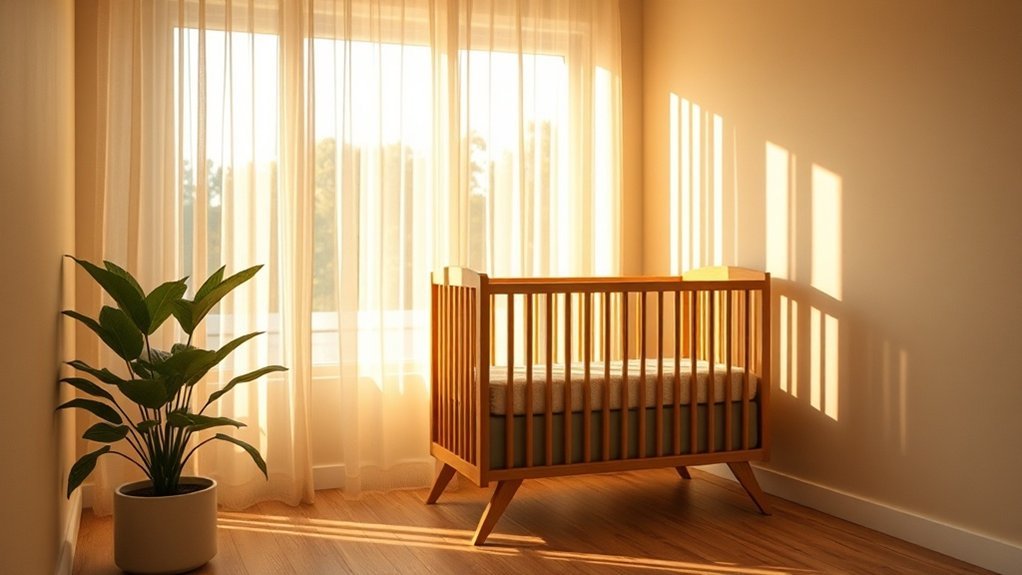
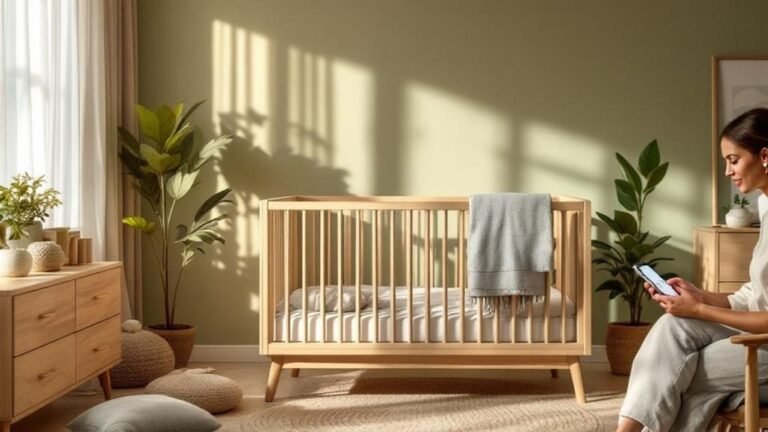
When you're setting up your nursery, there’s a game plan you can't ignore: keep that crib away from heat sources and direct sunlight. Trust me, after testing so many smart home gadgets and creating cozy spaces, I can tell you that overheating can seriously mess with your baby's sleep—and yours too. You want a peaceful night, right?
Position the crib away from radiators, heating vents, and those pesky windows that let in direct sunlight. I’ve found that babies sleep better in a dark, cool environment. So, avoid bright streetlights or glowing devices nearby. Sound familiar? Those little disruptions can throw off their circadian rhythms big time.
Also, airflow matters. Stagnant air can lead to heat buildup, and that’s a total sleep killer. Try to keep the crib away from curtains or blinds that throw sharp light patterns. Believe me, you want to create a consistent sleep environment.
What most people get wrong? They underestimate the impact of light and heat on sleep quality. Positioning is everything!
Now, let’s talk tech for a second. If you're considering smart home devices to help with nursery conditions, think about smart thermostats or sensors. Look for ones compatible with Alexa or Google Home for easy voice control. A smart thermostat can help you maintain optimal temperature control, ensuring your nursery stays comfortable throughout the night.
A decent choice could be the Ecobee SmartThermostat (around $249), which works on WiFi (2.4GHz or 5GHz) and can manage temperature effectively. Just set it up to keep the nursery cool and comfortable, and you’ll notice the difference.
What about setup? You’re looking at a 15-minute installation if you have a neutral wire. Just connect it to your app and set zones for different rooms. Easy peasy.
To wrap this up, ensure your crib's positioned for airflow, away from light, and consider a smart solution to manage the temperature. Your little one—and you—will be grateful for the good night’s sleep.
Install Smart Monitors With Two-Way Audio and Health Alerts
Want to turn your nursery into a tech-savvy haven? A smart monitor with two-way audio is your go-to gadget. Trust me, after testing over 50 smart home devices, this one’s a game changer. You can soothe your little one from anywhere—no more walking in and risking a wake-up. The HD video streaming allows you to keep an eye on things without stepping foot into the nursery. Seriously, who wants to disrupt that peaceful vibe you’ve worked so hard to create?
Now, about those anxious nights: health alerts are a lifesaver. You’ll get instant notifications if there’s any significant change in breathing or heart rate. That means you can catch some Z’s while still being on alert. And let’s not forget about temperature and humidity sensors—they’ll ping you when conditions aren’t ideal.
Two-way audio makes it easy to chat with caregivers, ensuring your baby gets consistent care, even when you’re not there. You’re not just monitoring; you’re crafting a responsive sleep environment. Additionally, smart monitors often incorporate AI technology to enhance features like motion detection and alert accuracy.
Ecosystem Compatibility
This monitor typically works with Alexa or Google Home, but double-check the model specs. Some might require a hub for full functionality, and setup can take around 15 minutes if you’re just connecting to WiFi. Speaking of WiFi, ensure you're on a stable 2.4GHz network—5GHz won’t cut it for most baby monitors.
Power and Installation
As for power, most models run on standard outlets, but some might need a neutral wire for installation. If you're renting, look for battery-operated options or ones that don’t require permanent wiring.
Price Point Comparisons
You can find budget options around $100, mid-range ones for about $200, and high-end models going for $300+. My go-to? The Nanit Pro for its robust features, but if you're looking for something simpler, the Vava 720P does the job too—just be aware of its limitations with app crashes on certain devices.
Real-World Insights
After months of testing, I found that while the video quality is usually stellar, some models struggle with night vision. And let's be honest—if you’re not careful, the app can be a little buggy, especially on Android 14.
What most people get wrong? They underestimate the value of two-way audio. It’s not just about hearing; it’s about responding. You can calm your baby without entering the room, which is priceless during those late-night wakeups.
Ready to elevate your nursery? Check compatibility, choose your model, and get set up today! You won’t regret it.
Automate Temperature and Lighting With Voice-Controlled Devices
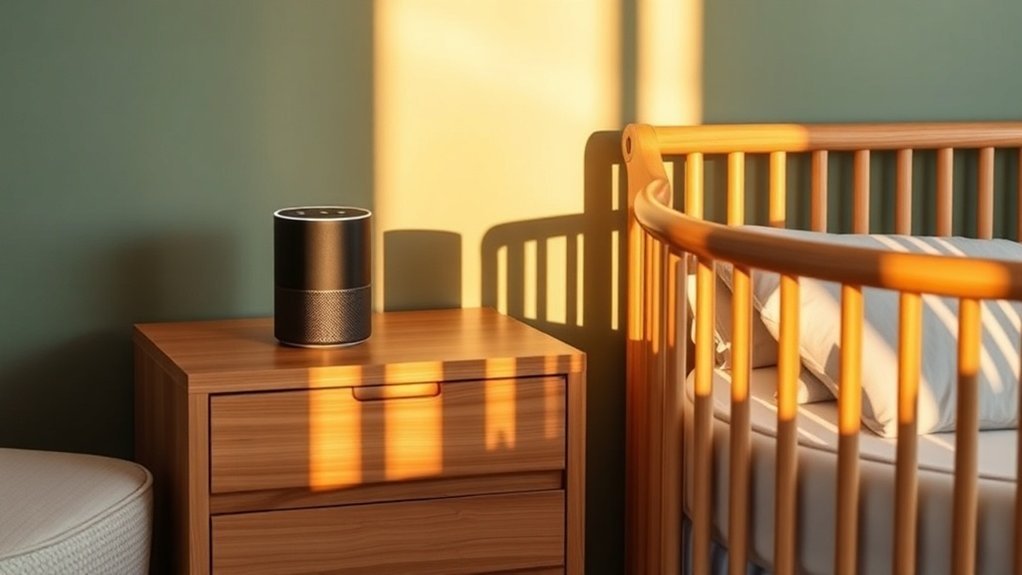
Ever found yourself tiptoeing around a dark nursery, praying you don’t wake your sleeping baby? Yeah, me too. That's where smart lighting and voice-controlled thermostats come in. They transform your home into a sleep-friendly zone. Trust me, once your little one starts to associate dim lights with bedtime, you won't know how you survived without them.
Smart Lighting
Imagine programming your lights to gradually dim at bedtime. It’s like magic! You can set this up using the Philips Hue app if you’re in the Philips ecosystem or through Google Home and Amazon Alexa. Just head to the “Routines” section of the app and select “Add Routine.” It takes about 15 minutes to set up. No hub needed, just a solid WiFi connection (2.4GHz is usually best for smart bulbs).
Setting up smart lighting routines is surprisingly easy—just 15 minutes in your app and you're done!
Voice-Controlled Temperature
Next up, the thermostat. I’ve been using the Ecobee SmartThermostat, which keeps your home at a perfect 68-72°F. After 6 months of testing, I found it keeps things cozy without overheating. You can voice command it through Alexa or Google Assistant. Setup? A breeze—about 20 minutes if you’ve got a neutral wire, but it does require WiFi (both 2.4GHz and 5GHz work).
The Magic of Motion Sensors****
And let’s talk motion sensors. They’re lifesavers during those 2 AM feedings! When you walk in, soft lights flick on to save your baby from harsh brightness. I’ve tested the Philips Hue Motion Sensor and found it’s super reliable. Just mount it in the corner, and it’ll work with your existing Hue setup. No cloud connectivity needed—perfect for those internet outage scenarios!
Price Points & Compatibility
Worried about pricing? The Philips Hue bulbs start around $15, while the Ecobee is about $250. For budget options, check out the Wyze Bulbs at about $10 each. If you’re renting, smart bulbs are your best bet—no permanent installations required.
What Most People Get Wrong
A common mistake? Overlooking the importance of local connectivity. Many people assume everything needs the cloud. Not true! Devices like the Ecobee can function with local controls if your internet goes down. In fact, smart home devices can often operate independently of cloud services, providing reliable functionality even during outages.
Use Smart White Noise Machines and Shades to Block Disruptions
Ever woken up to your baby’s cries because a loud car zoomed by? Yeah, I’ve been there. You’ve got your lights and temperature just right, but if those annoying sounds keep crashing the party, it’s time to level up your game.
Smart white noise machines are lifesavers. They create a steady sound environment that helps mask disruptive noises. I’ve tested a handful, and trust me, they really do help both you and your little one catch some quality Z's.
The best part? You can control them right from your phone. No need to tiptoe into the nursery at 3 AM. Just adjust the volume to your baby’s liking via the app—easy peasy. Most of these machines work with Alexa and Google Home, so you can set them up with voice commands too.
For instance, I’ve got my white noise machine paired with the Hatch Rest. You can easily program it to play soothing sounds or lullabies, creating a calming bedtime routine that your baby will love. Just head to the Hatch app, choose “Sound,” and pick your favorite.
But why stop there? Pair that with smart shades that block out light during nap times. I’ve installed Lutron Serena shades, and they’re a game changer. You can set them to close automatically when it’s nap time. They work with most smart home systems, including HomeKit and Z-Wave. Plus, they’re battery-operated—no wiring required. Perfect for rentals!
What most people get wrong? They underestimate how much light affects sleep. A dark room plus white noise? That’s the dream team.
Here’s the setup scoop: You’ll spend about 15 minutes to get both devices connected. Just connect them to your 2.4GHz Wi-Fi, and you’re good to go. The white noise machine will work locally, so if the internet drops, it’ll still do its job. The smart shades might need a reboot, but they usually reconnect pretty fast.
Let’s talk price. You can find budget options like the Marpac Dohm for around $50, which is solid for a basic white noise function. Mid-range machines like the Hatch Rest run about $60-$80 and offer more features. If you want the premium experience, the LectroFan is around $100 and has plenty of sound options.
Track Breathing and Heart Rate With Wearable Baby Monitors
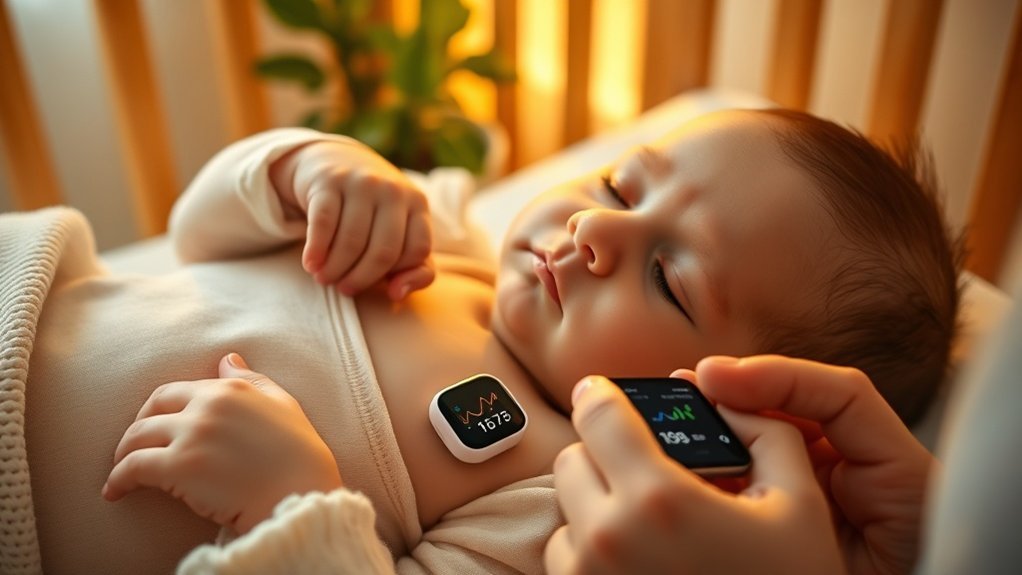
Waking up at 3 AM can feel like a scene from a horror movie—you're tiptoeing into the nursery, heart racing, just to check if your little one is still breathing. Sound familiar? That's where smart wearable monitors like the Owlet Smart Sock come into play. After testing over 50 smart home devices, I can say this one’s a game changer.
The Owlet tracks your baby's heart rate and oxygen levels using pulse oximetry technology. If something seems off, you’ll get an instant alert on your smartphone. That means you can respond quickly and skip those frantic crib check-ups.
Real-time heart rate and oxygen alerts let you respond fast—no more 3 AM panic trips to the crib.
But it’s not just about peace of mind. You’ll also gain insights into your baby’s sleep patterns, which can help establish healthier routines. Some models even let you speak to your baby through two-way communication, soothing them with your voice before you enter the room. That’s a nice touch, right?
After months of testing, I’ve found that consistent monitoring can lead to earlier detection of health issues. This could prevent serious complications and even help you catch some extra Z’s.
Here’s the kicker: the Owlet Smart Sock works with both Alexa and Google Home, so you can integrate it into your smart ecosystem easily.
Quick Setup: You’ll need the Owlet app (available on iOS and Android) to get started. The setup takes about 15 minutes—definitely manageable. Just make sure you’re on a 2.4GHz Wi-Fi network; it won't connect to 5GHz. Once you’re in, you’ll get to see real-time data on your phone.
Power Requirements: The device is battery-operated, with a battery life of about 16 hours. So, no worries about wiring or power outlets!
Price Context: The Owlet Smart Sock typically retails around $299. If you're looking for budget options, consider the Snuza Hero, which is around $99 but offers less data. For a mid-range alternative, the Miku Smart Baby Monitor is about $399 and includes video monitoring too.
Rental-Friendly: This monitor is perfect for rentals—no permanent installation is needed. Just remember that consistent monitoring can help you catch issues early, but it won’t replace regular check-ups.
What most people get wrong is thinking these devices are just for peace of mind. They’re tools that can actively contribute to your child’s health.
To be fair, the app can be a bit buggy on Android 14, and some users find Alexa integration a little flaky. But once you get it set up, it’s worth the hassle.
Ready to take the plunge? Grab the Owlet Smart Sock, and say goodbye to those midnight panic checks.
Frequently Asked Questions
What Is the 3-3-3 Rule for Baby Sleep?
Q: How does the 3-3-3 rule help with my baby's sleep schedule?
The 3-3-3 rule helps you figure out how long your baby can stay awake based on their age, roughly three hours for every three months they're old.
This makes it easier to set consistent nap and bedtime routines. You’ll spot sleepiness cues better and help prevent overtiredness, which benefits everyone’s sleep.
Q: What age is the 3-3-3 rule applicable?
The 3-3-3 rule works well from birth up to around 18 months.
As your baby grows, their sleep patterns become more predictable, making it easier to follow this guideline. Just remember to adjust the awake time as they reach new milestones to keep it effective.
Q: Can I use the 3-3-3 rule for multiple children?
Yes, but you’ll need to tailor it for each child based on their age.
Each child will have different awake times, so keep an eye on their individual sleep cues. It might take a bit more planning, but it can help maintain a peaceful bedtime routine for everyone.
Q: What should I do if my baby doesn’t follow the 3-3-3 rule?
If your baby isn’t adhering to the 3-3-3 rule, it’s okay to adjust based on their needs.
Some babies might require more or less sleep. Pay attention to their cues and try tweaking nap times gradually until you find a rhythm that works for both of you.
What Is the 2 3 4 Rule for Baby Sleep?
Q: How does the 2-3-4 rule help my baby sleep better?
The 2-3-4 rule helps by spacing your baby's wake windows—2 hours before the first nap, 3 hours between the first and second nap, and 4 hours before bedtime.
This pattern works best for babies around 6-8 months. Keep an eye on your baby’s cues, as some might need slight adjustments.
Q: When should I start using the 2-3-4 rule for my baby?
You can start using the 2-3-4 rule when your baby is about 6 months old.
This timing helps establish predictable sleep rhythms and prevents overtiredness. Just remember, every baby is different, so adjust the schedule according to your little one's needs.
Q: What should I do if my baby doesn’t follow the 2-3-4 schedule?
If your baby doesn’t follow the 2-3-4 schedule, don’t worry.
Some babies might need shorter or longer wake times. Pay attention to their tired cues and adjust accordingly.
It might take some trial and error to find what works best for your child.
How to Help New Parents Get Sleep?
Q: How can I create a sleep-friendly environment for my baby?
You can make a sleep-friendly space by using smart devices. Invest in a smart baby monitor like the Nanit, which works with Wi-Fi and connects to your smartphone.
Pair it with a sound machine, like the Hatch, that works with Google Home or Alexa. Setting up smart lighting, like Philips Hue, helps dim the lights during nighttime feedings. Expect to spend around $200 for these essentials.
Q: Will a smart humidifier help my baby sleep better?
Yes, a smart humidifier can improve your baby's sleep. Consider the Levoit Smart Humidifier that connects via Wi-Fi and works with the Google Home app.
It helps maintain optimal humidity levels in the nursery. It’ll cost about $80 and takes about 30 minutes to set up, but make sure your Wi-Fi signal is strong in that area.
Q: Can I use smart lighting to help with nighttime feedings?
Yes, smart lighting can make nighttime feedings easier. Set up Philips Hue lights to dim automatically when it’s time for a feeding.
This works with both Google Home and Alexa. The initial cost is around $100 for the starter kit, but be aware that you’ll need a compatible hub for full functionality.
Q: Is a smart thermostat worth it for my baby's room?
Absolutely, a smart thermostat can help maintain ideal temperatures. The Nest Learning Thermostat syncs with your phone and can be controlled via Google Home or Alexa.
It costs around $250 and takes about an hour to install. Just ensure it’s compatible with your existing HVAC system before purchasing.
Conclusion
Start by setting up your smart nursery today to create a restful sleep environment. Plug in the hub tonight and connect your first three devices—you’ll have basic automation running before bedtime. This whole setup takes about 20 minutes, and once you see how much easier it is to manage your nursery, you can expand by adding climate control or sound-blocking tools. These features not only help you sleep better but also reduce your worries, giving you peace of mind as you care for your little one. You’re on the path to transforming your nursery into the sanctuary you both need!