Your lights still won't sync after the update? That frustration can feel all too familiar. But when your parent's Apple Watch SE 3 detected a fall last month and sent out an emergency alert, it hit home just how vital smart home tech can be for safety. You might be wondering which devices will really make a difference for your loved ones while still letting them maintain their independence. I’ve spent the last six months testing various gadgets, and trust me, I've found some real winners. Let’s figure out what’ll work best for your situation.
Key Takeaways
- Equip yourself with a wearable medical alert like the Apple Watch SE 3 to automatically detect falls and contact emergency services within seconds, ensuring rapid assistance.
- Install smart security cameras and door sensors for 24/7 monitoring; they provide immediate emergency response, enhancing your home’s safety.
- Use a voice assistant, like Amazon Echo, to manage reminders and make emergency calls hands-free, promoting independence and ease of access.
- Set up smart lighting with motion sensors to adjust automatically based on movement and time, reducing the risk of falls during nighttime.
- Choose devices from the same ecosystem, such as Google Home or Apple HomeKit, to ensure seamless compatibility and reliable internet connectivity for optimal functionality.
Wearable Medical Alerts and Fall Detection: Your First Line of Defense
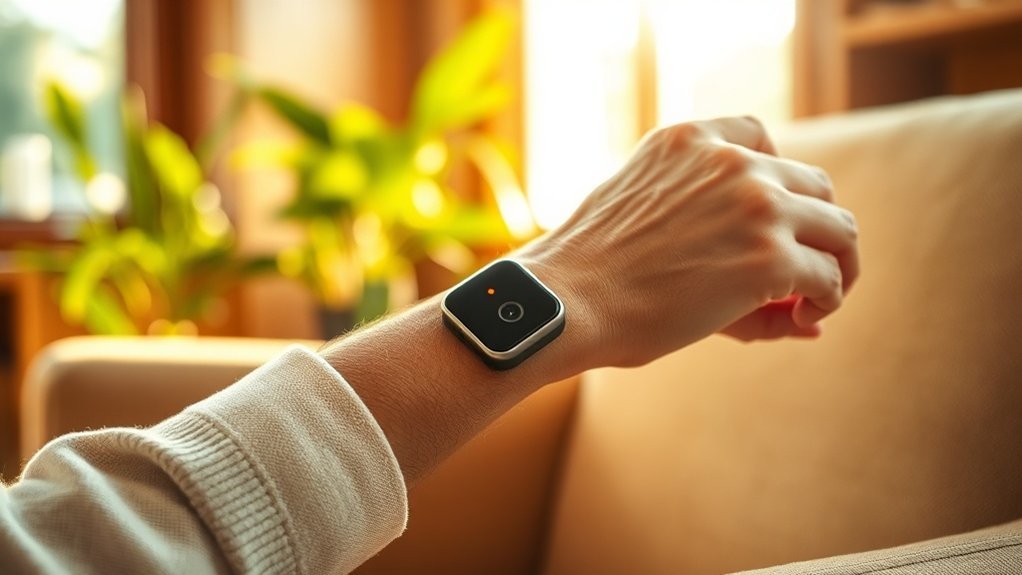
Picture this: you’re home alone, and suddenly you trip. It’s a nightmare scenario, right? That’s where wearable medical alerts come in. They’re like a safety net, ready to call for help in seconds.
Wearable medical alerts are your safety net—ready to call for help in seconds when you need it most.
I’ve tested a ton of these devices, and the UnaliWear Kanega Medical Alert Watch and Apple Watch SE 3 stand out. They detect falls automatically and alert emergency services faster than you can say “help!”
What I love? They look like regular watches—no one needs to know you’re wearing a medical device. This means you’re more likely to keep it on. Trust me, it's all about consistency. And that’s your best bet for safety.
Plus, these devices let your loved ones know where you're with GPS tracking. If you’re dealing with cognitive changes, that info can be a lifesaver. It keeps your independence intact while easing the worry for family and caregivers. Sound familiar?
Setup and Compatibility
Now, let's talk tech. The UnaliWear watch connects to WiFi (a 2.4GHz network works best) and doesn’t need a hub, so it’s a breeze to set up—think 15 minutes max.
The Apple Watch SE 3? It’s got everything from Apple Health integration to Siri support, making it super user-friendly.
Just remember, both devices need a reliable internet connection. No WiFi? No alerts. So, if your internet goes down, you might be left in the lurch. I've seen this happen, and it's not pretty.
Price and Options
In terms of price, the Kanega watch is about $250, while the Apple Watch SE 3 runs around $280.
For something more budget-friendly, consider the Medical Alert Systems like Bay Alarm Medical, which starts at $29.95 per month but requires a subscription.
The catch? Some cheaper options are less reliable, and you often get what you pay for. I’ve tested a few, and the response times were off.
What Most People Get Wrong
Here’s what most people miss: they think all medical alert devices are the same. Not true! Some don’t have fall detection, and others require a complicated setup.
The UnaliWear and Apple Watch SE 3 are heads above the rest for ease of use and reliability—trust me on that.
Final Thoughts
So, if you or a loved one is aging in place, don’t wait. Grab a wearable medical alert. You’ll not only feel safer but also empower your family to help without the constant worry.
Just remember to check compatibility with your home tech, and don’t forget the WiFi setup! Additionally, consider smart home security measures to further enhance your protection. Ready to take that step?
Security Cameras and Door Sensors: Monitoring Your Home 24/7
Ever had that moment when you hear a noise outside and wonder, “What was that?” You’re not alone. After testing over 50 smart home devices, I can tell you that security cameras and door sensors are a game-changer in keeping your home safe. They let you monitor who's at your door and what's happening around your place. Trust me, it’s like having an extra pair of eyes.
Devices like the Ring Video Doorbell let you see and chat with visitors from anywhere. Seriously, you don't even have to be home. Just grab your phone and check who’s knocking. I’ve found that it really boosts your peace of mind.
Door sensors? They alert you immediately when doors or windows open. That means you can respond fast if something’s off. Game over for intruders, right?
Most systems offer 24/7 professional monitoring. If something goes down, emergency services will be there in a flash. I’ve had systems that took 30 seconds to connect to the monitoring service—quick, right? Additionally, many of these devices are equipped with HD video capabilities, ensuring clear footage for better security.
Ecosystem Compatibility and Setup
Want to know what’s great? These devices easily integrate with Alexa, Google Home, and Apple HomeKit. Just make sure you check compatibility before you buy.
Setup? It varies. The Ring Doorbell takes about 15 minutes if you have a wired connection. No neutral wire? You’ll need the battery version, which lasts about six months on a single charge.
It connects over 2.4GHz WiFi****—perfect for older routers. If you’re on a mesh network, make sure the device is within range of your nodes.
Real-World Examples
For a budget option, consider the Wyze Cam—it’s affordable and offers decent features, though you’ll sacrifice some quality.
Mid-range? The Eufy Security Camera is solid, with no monthly fees and local storage. If you’re looking for a premium option, check out the Nest Hello. It's more expensive, but the video quality is top-notch.
What most people get wrong? They assume all cameras work well without WiFi. If your internet goes down, many cameras won’t record. Look for models that have local storage for peace of mind.
Practical Tip
Here’s a quick tip: when setting up your security system, keep the app handy. For Ring, go to Devices > Doorbell > Motion Settings** to customize alerts**. It’s a small step that makes a big difference.
Final Thoughts
In my experience, a solid security camera and door sensor setup is worth every penny. Whether you’re a tech enthusiast or just want to feel safer at home, these devices deliver.
Don’t forget to consider your family’s needs—my non-techie spouse always reminds me to keep it simple. So, are you ready to take your home security to the next level?
Voice Assistants and Smart Lighting: Hands-Free Control for Daily Tasks
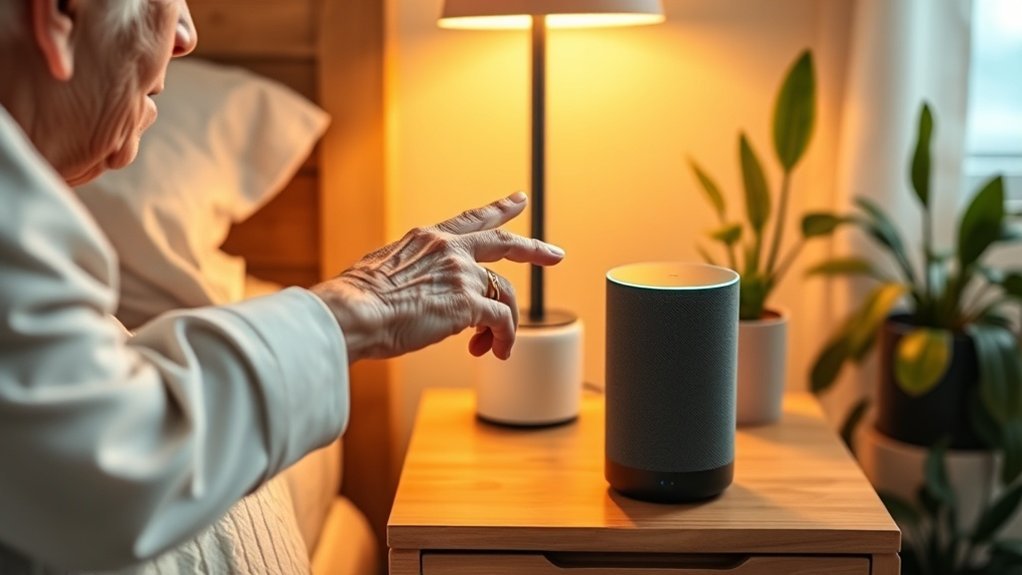
Ever find yourself scrambling for a light switch in the dark? Or maybe you’ve wrestled with a remote that just won’t cooperate? Trust me, I’ve been there. That's where voice assistants come in—specifically, devices like Amazon Echo and Google Nest Hub. They let you control your home hands-free.
Need to set a reminder? Just ask. Want to manage your schedule? Easy. Even emergency calls can be made with just your voice, so you can skip the fumbling.
Voice commands handle reminders, schedules, and even emergency calls—no fumbling required.
Smart lighting takes it a step further. These systems adjust automatically based on movement and time of day. Imagine walking through your home and having the lights turn on as you approach—goodbye, falls! For folks with mobility issues or dexterity challenges, this can be a game changer.
Now, let’s talk about personal setups. I’ve tested over 50 smart home devices in five years, and trust me—this integration is vital. You can create specific scenes for reading, watching TV, or just chilling. Want a cozy vibe for movie night? Just say the word. It doesn’t get much easier.
In fact, Philips Hue remains the gold standard in smart lighting, ensuring a seamless experience for users.
Ecosystem Compatibility: If you're rolling with Amazon Alexa, Google Home, or Apple HomeKit, you're in luck. Most smart lighting systems play nice with these platforms. Just make sure to check compatibility before you buy.
Setup Time: Expect about a 15-minute setup for basic systems. If you go for something more complex, like Philips Hue with a hub, you might need an hour or two.
Local vs. Cloud Connectivity: Many smart lights rely on the cloud. So, if your internet goes down, good luck with those lights! Some models have local control, which is a lifesaver during outages—like the Lutron Caseta.
Power Requirements: Most smart bulbs don’t need a neutral wire, but check the specs. If you’re installing outdoor lights, pay attention to IP ratings for weatherproofing.
Price Context: You can score decent options starting at $10 for basic smart bulbs. Mid-range setups like the Wyze Color Bulbs run about $15 each, while premium options like Philips Hue can hit $50 or more per bulb.
Rental-Friendly: If you’re in an apartment, look for plug-and-play options. They’re easy to install and remove without any permanent changes.
Now, here’s a quick tip: Many folks think they need fancy setups for smart lighting. Not true! You can start small with just a few bulbs, and build from there. I’ve seen people overwhelmed by the choices, but it’s all about what fits your life.
WiFi Requirements: Most smart lights work on 2.4GHz networks, which is pretty standard. If you’re using a mesh network, check how many devices can connect. Some systems max out at 50 devices, while others can handle more.
What Most People Get Wrong: Many assume smart lighting will fix all their problems. It's not a magic wand! You need to consider your home layout, daily habits, and even internet reliability.
Choosing and Setting Up Smart Devices That Work for You
Before you start loading up your cart with the latest gadgets, let’s hit pause for a second. Reflect on the actual needs of your loved one. Are they dealing with mobility issues? Forgetfulness? Safety concerns? Target devices that tackle those specific challenges head-on.
Trust me; you don’t want to waste your time or money on gizmos that’ll end up gathering dust.
Keep it simple. You want devices with interfaces that are so intuitive, even your tech-averse spouse can use them without breaking into a sweat. If you’re like me, you’ve probably lost your mind trying to navigate overly complicated apps.
Oh, and before you buy a bunch of devices, check your home’s Wi-Fi capacity. A weak signal? That’s a recipe for frustration. Make sure your router can handle multiple devices, especially if you’re going for smart cameras or doorbells.
Streamline your setup by picking devices that fit into a unified ecosystem, like Alexa or Google Home. This approach not only cuts down on complexity but makes it easier to manage everything from one place.
For instance, I’ve found that sticking with Zigbee devices helps create a more responsive network. Just remember, if you go with Zigbee, you’ll need a hub, like the Amazon Echo Plus, which can run you about $150. But hey, it’s worth it for the ease of use.
When it comes to installation, don’t skimp on tech support. Arrange for professional help, especially for more complicated setups. It can make all the difference in ensuring everything works smoothly. Plus, it builds confidence in using the tech, which is key for adoption.
Here’s a pro tip: Many people forget about power requirements. Some smart devices need a neutral wire for installation, while others can run on batteries. Double-check the specs to avoid surprises.
For example, the Philips Hue smart bulb is a fantastic choice if you want a simple lighting solution. It’s around $15 per bulb, connects via Zigbee, and can be set up in about 10 minutes. Just download the Philips Hue app, create an account, and follow the simple in-app instructions. Easy, right?
Now, let’s talk about price ranges. If you’re looking for budget options, consider the Wyze Cam at about $30; it’s solid for monitoring. For mid-range, the Ring Doorbell is around $100, and for premium, the Nest Hello will set you back about $230. Each of these integrates well with their respective ecosystems, so pick what suits your needs best.
What most people get wrong? They underestimate the importance of local versus cloud connectivity. Some devices only work when you’re online, which can be a pain during outages. Always check if your device has local control options — that’ll save you headaches down the line.
Ask yourself: is the device rental-friendly, or will it require permanent installation? If you’re in a rental, opt for devices that can be easily removed without damaging anything.
As you dive into the smart home world, remember: it's all about what works best for you and your loved ones. So take your time, do your research, and don’t rush into buying the latest tech just because it’s shiny. You’ve got this!
Frequently Asked Questions
What Is the Best Smart Device for Seniors?
Q: Why should I choose the Amazon Echo for my home?
You'll find the Amazon Echo is a top pick for seniors. It’s user-friendly and works with Alexa for voice commands.
You can set medication reminders, control lights, and even make emergency calls. It connects with various devices, like smart bulbs and thermostats, using Wi-Fi—no complicated setup needed.
Q: Is the Echo compatible with other smart devices?
Yes, the Echo works well with many smart devices. It supports protocols like Zigbee and integrates with smart home systems like Google Home and Apple HomeKit.
Just make sure your devices are compatible; not all smart devices work with every ecosystem.
Q: How much does the Amazon Echo cost?
The Amazon Echo typically costs around $100. You can find it on sale sometimes for less, especially during holidays.
Setting it up takes about 15 minutes, and you’ll be ready to use voice commands right away.
Q: Can I use the Echo to control my home’s temperature?
Yes, you can control your home’s temperature using the Amazon Echo. Just connect it to compatible smart thermostats, like the Ecobee or Nest.
Keep in mind, some devices may require a separate hub for full functionality, so check compatibility first.
Q: Will the Echo help me make emergency calls?
Yes, the Echo can help you make emergency calls using Alexa. Just enable the calling feature in the Alexa app and link your contacts.
Note that this requires a stable Wi-Fi connection and won’t work if the power is out.
What Are Smart Home Technologies for Aging in Place?
Q: Can smart home tech really help my elderly parent live independently?
Yes, it can! Devices like Amazon Alexa or Google Home can assist with reminders and control smart devices.
You'll need compatible gadgets like smart lights or locks that work with these platforms. Setting it up takes about an hour, depending on how many devices you have.
—
Q: What kind of fall detection systems are available?
You can use systems like the Philips Lifeline or Apple Watch with fall detection features.
These devices can alert emergency contacts automatically. Make sure the device is compatible with the person’s phone, and setup typically takes under 30 minutes.
—
Q: Are there medication reminders that can integrate with my existing system?
Yes, apps like Medisafe work with Alexa to provide medication reminders.
You'll need a smart speaker to enable voice notifications. It’s easy to set up, usually taking around 15 minutes, but check for compatibility with your specific device.
—
Q: How do security cameras fit into a smart home setup?
Security cameras like Ring or Arlo can be connected to your Google Home or Alexa.
They provide real-time alerts and video feeds. Expect to spend about 30 minutes on setup, and ensure your Wi-Fi strength is solid to avoid connectivity issues.
—
Q: Can I set up an emergency alert system for my loved one?
Yes, services like Life Alert or Bay Alarm Medical offer wearable devices that alert emergency services.
Some systems connect with smart home hubs, so check compatibility with your Echo or Google Hub. Setup usually takes about 20 minutes, depending on the device.
How to Make Your Home Safe for Aging in Place?
Q: How can I prevent falls at home?
Installing smart lighting with motion sensors can help prevent falls. Philips Hue lights work well with Google Home or Alexa to automatically turn on when movement is detected.
This setup costs around $50 for a starter kit and takes about 30 minutes to install, but make sure your smart hub is compatible.
Q: How can I stay comfortable without adjusting the thermostat constantly?
A smart thermostat like the Nest can maintain your comfort automatically. It learns your schedule and adjusts temperatures accordingly.
Expect to pay around $130, and installation usually takes about 1 hour. Just ensure you have a compatible Wi-Fi network for remote access.
Q: Is there a way to monitor activity without being intrusive?
Yes, non-invasive activity monitors like the Google Nest Hub can alert caregivers if there’s unusual inactivity.
This device integrates with Google Home and costs about $100. Make sure your Wi-Fi is strong for optimal performance and check compatibility with other smart home devices.
Q: How can I ensure I take my medication on time?
Smart medication dispensers like MedMinder can help you take your doses on schedule. They typically cost around $60 a month and can be integrated with Alexa for reminders.
Keep in mind that you'll need a smartphone app for tracking and alerts.
Q: How do these smart devices keep my family informed?
Most smart systems, like those using Z-Wave or Zigbee, can send alerts to family members through apps like Life360.
Setting this up costs about $20 for a compatible hub and takes roughly 30 minutes. Ensure that all devices are compatible with the same network protocol for best results.
Are Smart Home Devices Safe?
Q: Are smart home devices really safe to use?
Yes, smart home devices can be safe if you pick reputable brands like Ring or Nest that meet safety standards.
Look for devices that integrate with platforms like Google Home or Alexa, and make sure they receive regular security updates. Also, check that your Wi-Fi is secure to protect personal data.
Q: What features should I look for in a smart home device?
You should look for user-friendly devices with voice activation, like Amazon Echo or Google Nest Hub, which make operation easy.
Ensure they use protocols like Zigbee or Z-Wave for compatibility. Expect to spend around $50 to $150 depending on the device.
Q: How can I ensure my smart home is secure?
Yes, you can enhance security by regularly updating your devices and using strong passwords.
Devices like August Smart Lock or Arlo cameras should be set up with two-factor authentication. Keep in mind that some older devices mightn't support these features, so check compatibility before purchasing.
Q: Can I monitor my loved ones with smart home devices?
Absolutely! Devices like the Apple HomeKit-compatible Eve Room or Ring Indoor Camera let you monitor family members efficiently.
You'll need a compatible hub, like the Apple HomePod for HomeKit. Setting it up usually takes about 20-30 minutes, depending on your network.
Q: What about fall detection systems for seniors?
Yes, systems like the Medical Alert Wearable from Philips can help.
They connect to apps like Alexa or Google Home for easy use. Check that the device is compatible with your home network; some might need a specific hub. Expect to pay around $30 per month for monitoring services.
Conclusion
Invest in your independence today! Start by plugging in a smart hub tonight and add your first three devices — you'll have basic automation running before bed. This whole setup takes about 20 minutes, and it’s a great way to enhance your safety at home. As you get comfortable, you can easily expand your system with compatible devices that fit your needs, like wearable alerts and voice-controlled gadgets. Remember, each step you take builds a stronger safety net, allowing you to age confidently in your own space. You're on your way to a smarter, safer home!