

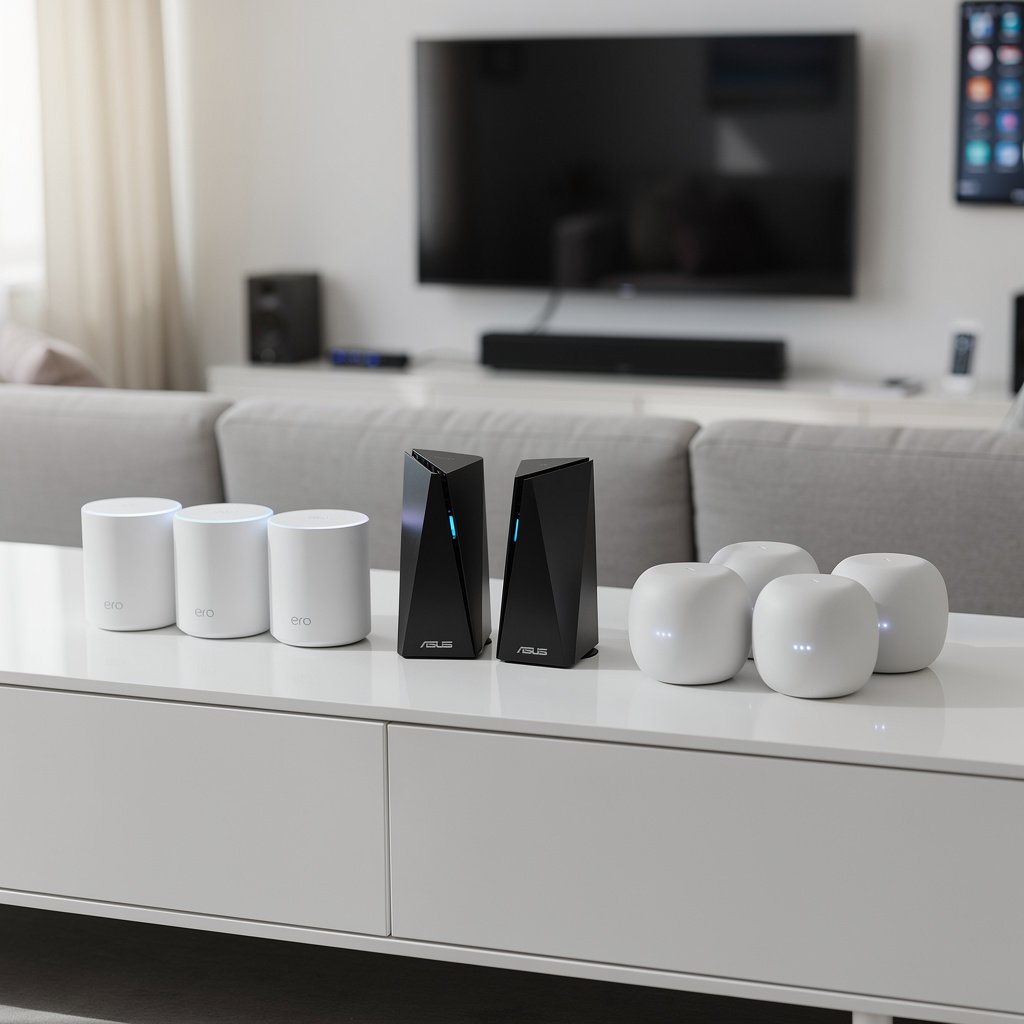
Your WiFi router is the backbone of your smart home. Every smart speaker, camera, thermostat, and doorbell depends on a stable, fast connection. A weak router means dropped connections, delayed responses, and endless frustration. A great router means your smart home “just works”—every device responds instantly, cameras stream smoothly, and voice commands execute without lag.
After testing routers in homes with 50+ smart devices, we've identified the best options for smart home use. Whether you need whole-home mesh coverage, maximum speed, or rock-solid reliability on a budget, here's what you need to know.
Quick Picks: Best WiFi Routers for Smart Homes
| Category | Product | Price | Best For |
|---|---|---|---|
| Best Overall | ASUS RT-AXE7800 | $299 | Speed, coverage, and smart home features |
| Best Mesh System | eero Pro 6E (3-pack) | $499 | Whole-home coverage, easy setup |
| Best Budget | TP-Link Archer AX21 | $79 | WiFi 6 performance under $100 |
| Best for Large Homes | Netgear Orbi WiFi 7 (RBE973S) | $2,299 | Maximum coverage and speed |
| Best Value Mesh | Google Nest WiFi Pro (3-pack) | $399 | Simple setup, great smart home integration |
| Best for 100+ Devices | ASUS ROG Rapture GT-AX11000 Pro | $449 | Maximum device capacity |
| Best with Built-in Hub | eero Pro 6E with Thread | $229 | Thread/Matter device support |
| Best Budget Mesh | TP-Link Deco X55 (3-pack) | $229 | Affordable whole-home coverage |
Best WiFi Routers: Detailed Reviews
Best Overall: ASUS RT-AXE7800 – $299
Why it wins: The RT-AXE7800 combines WiFi 6E speed, excellent range, and smart home-friendly features at a reasonable price. Its dedicated 6GHz band handles demanding devices while leaving 2.4GHz and 5GHz uncongested for dozens of smart home gadgets.
Key Features:
- WiFi 6E tri-band (2.4GHz + 5GHz + 6GHz)
- 7800Mbps combined speeds
- Coverage up to 2,900 sq ft
- 2.5Gbps WAN port for multi-gigabit internet
- AiProtection Pro security (free lifetime)
- Adaptive QoS prioritizes device types
- AiMesh compatible for mesh expansion
- ASUS Router app for easy management
Smart Home Benefits: Dedicated IoT network option isolates smart devices for security. Adaptive QoS ensures cameras and doorbells get priority bandwidth. AiMesh lets you add nodes later if you expand your home.
Best for: Medium to large homes with 30-75 smart devices who want future-proof WiFi 6E without mesh complexity.
Best Mesh System: eero Pro 6E (3-pack) – $499
Why it wins: eero pioneered mesh WiFi, and the Pro 6E represents their best work. Setup takes 10 minutes, coverage blankets up to 6,000 sq ft, and the built-in Thread border router supports Matter smart home devices natively. It's the mesh system that makes WiFi invisible.
Key Features:
- WiFi 6E tri-band mesh system
- Up to 6,000 sq ft coverage (3-pack)
- Covers 100+ devices per node
- Built-in Thread border router for Matter devices
- TrueMesh technology for reliable handoffs
- Automatic updates and security patches
- Works with Alexa for network voice control
- eero Secure (optional) adds content filtering and ad blocking
Smart Home Benefits: Thread border router means Matter devices connect directly—no separate hub needed. Seamless roaming keeps mobile devices connected as you move room to room. Device grouping prioritizes smart home traffic.
Best for: Large homes, anyone frustrated with dead zones, Matter device users, those who want hands-off reliability.
Best Budget: TP-Link Archer AX21 – $79
Why it wins: The Archer AX21 brings WiFi 6 performance to under $100. Its dual-band design handles 40+ devices, OFDMA technology reduces smart device congestion, and the Tether app makes setup simple. You don't need to spend $300+ for a capable smart home router.
Key Features:
- WiFi 6 dual-band (AX1800)
- 1.8Gbps combined speeds
- Coverage up to 2,500 sq ft
- OFDMA for efficient multi-device handling
- 1024-QAM for 25% more data throughput
- TP-Link HomeShield basic security (free)
- OneMesh compatible for easy expansion
- Beamforming for targeted coverage
Smart Home Benefits: WiFi 6 means better battery life for battery-powered devices. OFDMA reduces latency for time-sensitive devices like cameras. OneMesh compatibility allows adding range extenders seamlessly.
Best for: Apartments, small homes, budget-conscious buyers, anyone upgrading from an ISP-provided router.
Limitation: Single unit won't cover very large homes. No WiFi 6E support.
Best for Large Homes: Netgear Orbi WiFi 7 (RBE973S) – $2,299
Why it wins: For mansions, multi-building properties, or anyone who demands the absolute best, the Orbi WiFi 7 delivers. Its dedicated 10Gbps backhaul means satellites maintain full speed, while quad-band technology provides lanes for every device type.
Key Features:
- WiFi 7 quad-band (BE27000)
- 27Gbps combined theoretical speeds
- 10Gbps dedicated wireless backhaul
- Up to 10,000 sq ft coverage (router + 2 satellites)
- 10Gbps WAN port for future-proof connectivity
- MLO (Multi-Link Operation) for simultaneous band use
- Netgear Armor security (free 30-day trial)
- 4K QAM for maximum throughput
Smart Home Benefits: Dedicated backhaul means satellite nodes perform identically to the main router. Massive bandwidth headroom eliminates congestion even with 200+ devices. Future-proof for next-generation smart home devices.
Best for: Large luxury homes, tech enthusiasts, early adopters, anyone with gigabit+ internet.
Reality check: Most homes don't need this. It's expensive and overkill for typical use.
Best Value Mesh: Google Nest WiFi Pro (3-pack) – $399
Why it wins: Google Nest WiFi Pro combines WiFi 6E mesh coverage with the simplicity Google is known for. Setup through the Google Home app takes minutes, and management integrates with your existing Google smart home controls. Built-in Thread support makes it a natural fit for Matter devices.
Key Features:
- WiFi 6E tri-band mesh
- Up to 6,600 sq ft coverage (3-pack)
- Built-in Thread border router
- Matter device support
- Setup and management via Google Home app
- Automatic channel optimization
- Priority device and activity settings
- Sleek, minimal design
Smart Home Benefits: Manages WiFi and smart devices from one app. Thread/Matter support future-proofs your smart home. Priority settings ensure video calls and streaming aren't interrupted by background devices.
Best for: Google Home users, anyone who values simplicity, medium to large homes.
Note: Unlike older Nest WiFi, Pro nodes don't include speakers. They're dedicated WiFi units.
Best for 100+ Devices: ASUS ROG Rapture GT-AX11000 Pro – $449
Why it wins: Some smart homes have more than 100 connected devices—every light bulb, sensor, camera, speaker, and appliance adds up. The ROG Rapture handles massive device loads with a 2GHz quad-core processor and tri-band architecture that prevents congestion.
Key Features:
- WiFi 6 tri-band (AX11000)
- 11,000Mbps combined speeds
- 2GHz quad-core processor handles 100+ devices
- 2.5Gbps + Gigabit WAN ports
- 8 high-gain antennas for maximum coverage
- Triple-level game acceleration (bonus for gamers)
- AiProtection Pro lifetime security
- AiMesh expandable
Smart Home Benefits: Tri-band architecture dedicates 2.4GHz to IoT devices while keeping 5GHz bands free for high-bandwidth needs. Powerful processor means no slowdowns during peak usage. ASUS IoT network isolation protects your main network from vulnerable devices.
Best for: Smart home power users with 75+ devices, gamers with smart homes, tech enthusiasts.
Best with Built-in Hub: eero Pro 6E – $229 (single unit)
Why it wins: The eero Pro 6E's built-in Thread border router lets it communicate directly with Thread-based Matter devices—no separate smart home hub required. As Matter adoption grows, this becomes increasingly valuable.
Thread/Matter Benefits:
- Thread border router built-in
- Direct connection to Thread devices (no hub)
- Matter controller functionality
- Reduced latency for Thread devices
- Mesh network extends Thread coverage
- Future-proofs for Matter ecosystem
Best for: Anyone planning to adopt Matter devices, those who want fewer hubs, forward-thinking smart home builders.
Best Budget Mesh: TP-Link Deco X55 (3-pack) – $229
Why it wins: Mesh coverage under $250 seemed impossible a few years ago. The Deco X55 delivers WiFi 6 mesh for the price of a single premium router, covering up to 6,500 sq ft with room-to-room seamless handoffs.
Key Features:
- WiFi 6 dual-band mesh (AX3000)
- Up to 6,500 sq ft coverage (3-pack)
- 150+ device capacity
- AI-driven mesh for optimal routing
- 1 Gbps wired backhaul option
- TP-Link HomeShield security
- Parental controls included
- Works with Alexa
Best for: Large homes on a budget, anyone replacing an aging router + extender setup.
Trade-off: Dual-band (no dedicated backhaul band) means slightly less performance than tri-band mesh systems in demanding situations.
WiFi Router Buying Guide for Smart Homes
WiFi 6 vs WiFi 6E vs WiFi 7: What Matters?
| Standard | Bands | Max Speed | Best For |
|---|---|---|---|
| WiFi 6 (802.11ax) | 2.4GHz + 5GHz | ~9.6 Gbps | Most smart homes, excellent value |
| WiFi 6E | 2.4 + 5 + 6GHz | ~10+ Gbps | Congested areas, many devices, future-proofing |
| WiFi 7 (802.11be) | 2.4 + 5 + 6GHz (MLO) | ~46 Gbps | Early adopters, multi-gig internet, maximum performance |
For smart homes: WiFi 6 is sufficient for most users. WiFi 6E adds the uncongested 6GHz band—helpful in apartments or dense neighborhoods. WiFi 7 is bleeding edge and currently overkill for smart home use.
Single Router vs Mesh: Which Do You Need?
Choose a single router if:
- Your home is under 2,000 sq ft
- You have a centrally located router position
- Your home has an open floor plan
- You want to minimize cost
Choose mesh if:
- Your home is over 2,000 sq ft
- You have dead zones or weak signal areas
- Your home has multiple floors
- Thick walls or challenging construction
- You want seamless room-to-room coverage
- Smart devices are spread throughout the home
How Many Devices Can a Router Handle?
Every smart home device counts against your router's capacity. Here's a typical smart home device count:
- Smart speakers: 3-6 devices
- Smart bulbs: 10-30 devices
- Smart plugs: 5-15 devices
- Security cameras: 3-8 devices
- Smart sensors: 5-20 devices
- Phones, tablets, laptops: 5-10 devices
- Smart TVs, streaming devices: 3-5 devices
- Smart thermostat, locks, doorbells: 3-5 devices
Total: A typical smart home easily has 40-100 connected devices.
Router recommendations by device count:
- Under 30 devices: Any modern WiFi 6 router
- 30-75 devices: Mid-range or mesh system
- 75-150 devices: Premium router or mesh with strong processor
- 150+ devices: High-end tri-band with dedicated IoT handling
Why 2.4GHz Still Matters
Many smart home devices only support 2.4GHz WiFi. This includes most:
- Smart bulbs and plugs
- Basic sensors and switches
- Older smart home devices
- Battery-powered devices (lower power consumption)
What to look for: Ensure your router has strong 2.4GHz coverage and supports many simultaneous 2.4GHz connections. Tri-band routers are ideal because they keep 2.4GHz separate from 5GHz congestion.
Security Features for Smart Homes
Smart devices can be security vulnerabilities. Look for these protective features:
- IoT network isolation: Separate network for smart devices protects computers/phones if a device is compromised
- Automatic security updates: Router patches vulnerabilities automatically
- Built-in malware protection: Blocks known threats at the network level
- WPA3 encryption: Latest security standard for WiFi
- Guest network: Keep visitors off your main network
Frequently Asked Questions
Should I use my ISP's router for smart home devices?
ISP-provided routers are typically basic and lack features smart homes need. They often have limited device capacity, weak security, outdated WiFi standards, and minimal coverage. A dedicated router gives you better performance, more control, and longer-term reliability. You can usually return the ISP router to save rental fees.
Do I need WiFi 6E for my smart home?
Not necessarily. Most smart home devices use 2.4GHz and don't benefit from 6GHz. However, WiFi 6E helps if: you live in an apartment with WiFi congestion, you have demanding devices (4K cameras, VR), or you want to future-proof. WiFi 6 is sufficient for most smart homes today.
How do I set up a separate IoT network?
Many routers offer a dedicated IoT or guest network feature. In your router settings, look for “Guest Network,” “IoT Network,” or “Network Isolation.” Create a separate network name (SSID) for smart devices. This keeps potentially vulnerable devices isolated from your main computers and phones.
Why do my smart devices keep disconnecting?
Common causes include: weak WiFi signal (move router or add mesh nodes), router overwhelmed by too many devices (upgrade router), 2.4GHz/5GHz band steering issues (disable band steering for smart devices), or router needing reboot/update. Quality routers with proper device capacity eliminate most disconnection issues.
Can I mix different mesh system brands?
No. Mesh systems only work with nodes from the same brand and compatible product line. However, some routers support open standards like EasyMesh, allowing mixing. Generally, stick to one mesh system brand for best performance and compatibility.
Final Verdict: Which Router Should You Buy?
For most smart homes: The ASUS RT-AXE7800 ($299) offers excellent performance, coverage, and smart home features in a single unit.
For large homes: The eero Pro 6E 3-pack ($499) provides seamless mesh coverage with Thread/Matter support for modern smart homes.
On a budget: The TP-Link Archer AX21 ($79) delivers WiFi 6 performance for small to medium homes.
For Google users: The Google Nest WiFi Pro ($399) integrates beautifully with Google Home and supports Thread/Matter.
For 100+ devices: The ASUS ROG Rapture GT-AX11000 Pro ($449) handles massive device loads without breaking a sweat.
Your router is the foundation your entire smart home sits on. Invest in a quality router now, and every smart device you add will perform better. Dead zones disappear, delays vanish, and your smart home becomes the seamless experience it's supposed to be.
Ready to upgrade your smart home's backbone? Choose a router that matches your home size and device count, and watch your smart home finally reach its potential.


