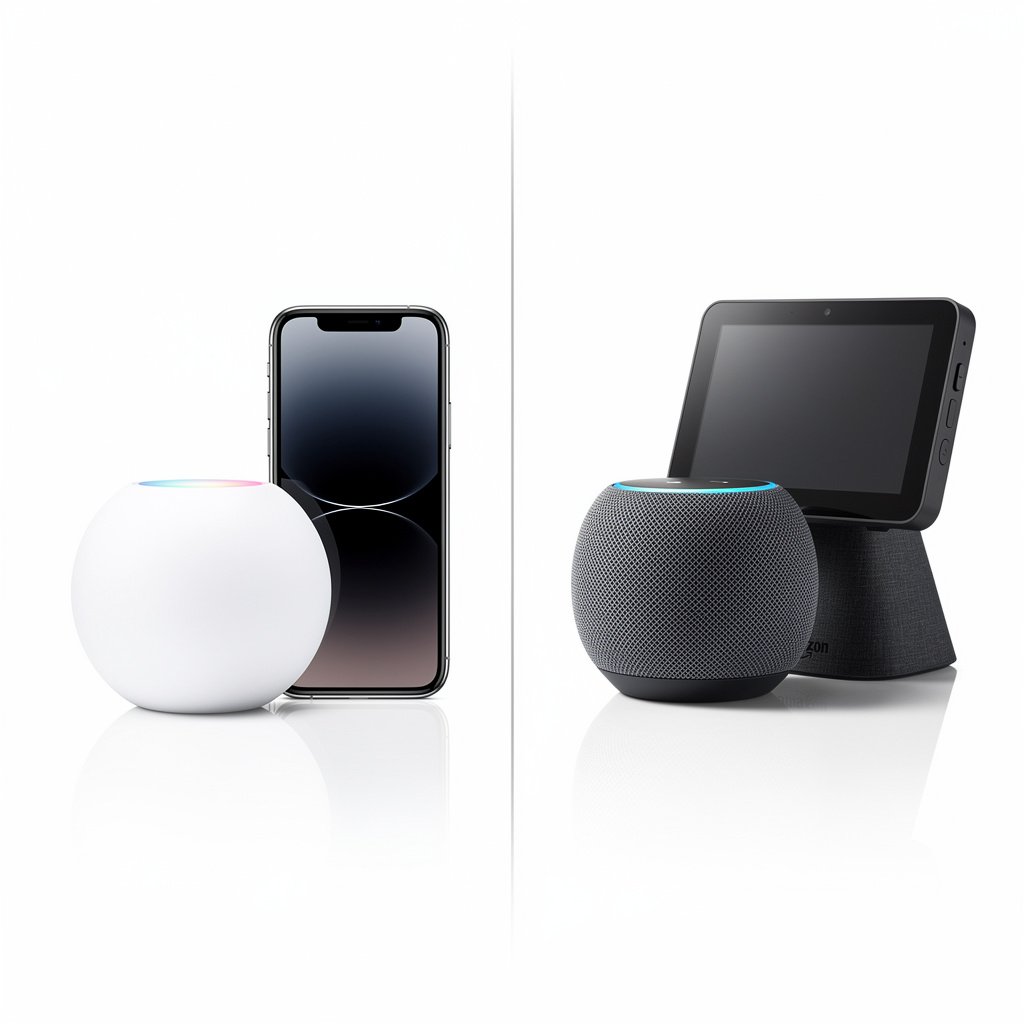
Apple HomeKit and Amazon Alexa represent two fundamentally different philosophies for smart home control. HomeKit prioritizes privacy, security, and seamless Apple integration. Alexa offers the widest device compatibility and most affordable entry point. Choosing between them shapes every smart home purchase you'll make for years to come.
After years of testing both ecosystems, here's the definitive guide to choosing the right platform for your smart home in 2025.
Quick Comparison: HomeKit vs Alexa
| Feature | Apple HomeKit | Amazon Alexa |
|---|---|---|
| Device Compatibility | 500+ certified devices | 100,000+ compatible devices |
| Entry Cost | $99+ (HomePod Mini) | $22+ (Echo Pop) |
| Voice Assistant | Siri | Alexa |
| Privacy Focus | Excellent (local processing) | Good (cloud-based) |
| App Experience | Apple Home (iOS/Mac only) | Alexa App (all platforms) |
| Hub Required | No (recommended for remote) | No |
| Automation Power | Good (scenes, shortcuts) | Excellent (routines, skills) |
| Display Options | iPad, iPhone, Apple TV | Echo Show (multiple sizes) |
| Multi-User Support | Excellent (Apple ID) | Good (voice profiles) |
| Matter Support | Yes (native) | Yes (growing) |
| Best For | Apple households, privacy-focused | Budget-conscious, wide compatibility |
Device Compatibility: The Numbers Game
Amazon Alexa
Alexa wins by sheer volume with over 100,000 compatible devices from thousands of manufacturers. If a smart device exists, it probably works with Alexa. This includes:
- Nearly every smart light brand (Philips Hue, LIFX, Wyze, Govee)
- All major thermostat brands (Nest, Ecobee, Honeywell)
- Every popular security camera brand
- Smart TVs from LG, Samsung, Sony, and more
- Budget devices from Tuya-based manufacturers
- Ring products with native deep integration
Key advantage: You'll never wonder “does this work with Alexa?” It almost certainly does.
Apple HomeKit
HomeKit is more selective with around 500+ certified devices. Apple requires manufacturers to meet strict security and privacy standards before granting HomeKit certification. Available devices include:
- Premium brands (Philips Hue, Lutron, Ecobee, Aqara)
- Security cameras with HomeKit Secure Video
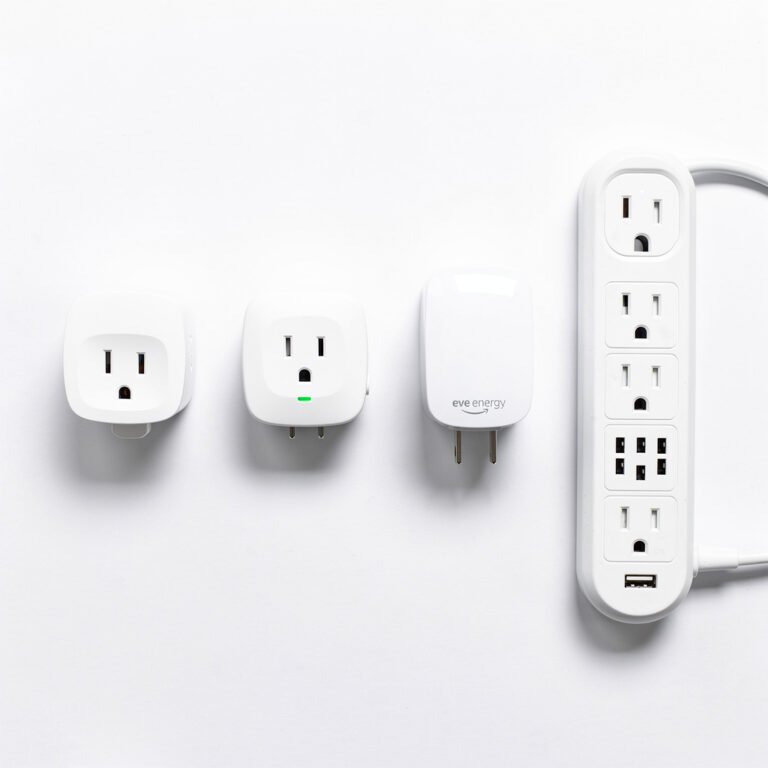
- Eve devices (Thread-enabled, no hub required)
- Nanoleaf lights and panels
- Limited thermostat options (Ecobee, select Honeywell)
- Some locks (Yale, Schlage, August)
Key limitation: Many affordable smart devices (Wyze, most Tuya-based products) don't work natively with HomeKit. You'll often pay 20-40% more for HomeKit-compatible versions.
Winner: Alexa for sheer compatibility. HomeKit for quality over quantity.
Privacy and Security
This is where the two ecosystems diverge dramatically.
Apple HomeKit Privacy
Apple's privacy focus is HomeKit's defining feature:
- Local processing: Many commands process on-device, never reaching Apple servers
- End-to-end encryption: All HomeKit data encrypted in transit and at rest
- HomeKit Secure Video: Camera footage encrypted and stored in iCloud (counts against storage)
- No data selling: Apple's business model doesn't rely on advertising or data sales
- Strict certification: Devices must meet Apple's security standards
- Siri privacy: Voice requests processed locally when possible, random identifiers used
HomeKit also supports HomeKit routers that can automatically firewall smart devices, preventing them from communicating with unexpected servers.
Amazon Alexa Privacy
Amazon has improved privacy controls, but the ecosystem is fundamentally cloud-based:
- Cloud processing: All voice commands processed on Amazon servers
- Voice recordings: Stored by default (can opt out or auto-delete)
- Data used for: Product recommendations, ad targeting, service improvement
- Privacy controls: Voice History deletion, recording opt-out, mute button
- Third-party skills: Variable privacy practices depending on skill developer
- Local voice processing: Available on select Echo devices (limited)
Winner: HomeKit, decisively. If privacy is a primary concern, Apple is the clear choice.
Voice Assistant Comparison
Siri (HomeKit)
Strengths:
- Excellent at smart home control (“Turn off the bedroom lights”)
- Works across Apple devices (iPhone, Watch, Mac, HomePod)
- HomeKit commands work offline when using local hub
- Fast response for basic commands
- Seamless integration with Apple services (Messages, Calendar, Reminders)
Weaknesses:
- Less capable for general knowledge queries
- Limited third-party app integrations
- No equivalent to Alexa Skills ecosystem
- Can be slower on complex requests
- Sometimes misunderstands device names
Alexa
Strengths:
- Excellent at nearly everything (smart home, shopping, knowledge, entertainment)
- 100,000+ skills for extended functionality
- Superior natural language understanding
- Flash briefings, news, podcasts, music integration
- Better at multi-step requests and follow-up questions
- Excellent speaker variety at every price point
Weaknesses:
- Requires internet for all commands (mostly)
- Occasionally suggests purchases unprompted
- Privacy concerns with always-listening
- Some skills are low quality or abandoned
Winner: Alexa for overall assistant capability. Siri for smart home basics and Apple ecosystem integration.
App Experience
Apple Home App
The Home app is elegant and intuitive:
- Platform: iOS, iPadOS, macOS, watchOS (no Android or Windows)
- Interface: Clean grid of rooms and devices with quick controls
- Scenes: One-tap presets (Good Morning, Movie Time, etc.)
- Automations: Trigger-based rules (time, location, sensor activation)
- Camera integration: Live feeds, person/package detection (with Secure Video)
- Family sharing: Easy multi-user setup via Apple ID
Limitation: Absolutely no Android support. If anyone in your household uses Android, they cannot control HomeKit devices via the Home app.
Amazon Alexa App
The Alexa app is feature-rich but can feel cluttered:
- Platform: iOS, Android, web, Fire tablets
- Interface: Device groups, routines, skills all accessible
- Routines: Powerful multi-step automations with time, voice, and device triggers
- Skills: Install and configure 100,000+ third-party additions
- Shopping: Amazon shopping integration built-in
- Voice profiles: Recognize individual family members
Limitation: Can feel overwhelming with many features competing for attention. Recent redesigns have improved but navigation isn't always intuitive.
Winner: HomeKit for simplicity and elegance. Alexa for cross-platform support and features.
Automation Capabilities
HomeKit Automations
HomeKit automations are straightforward but limited compared to Alexa:
- Triggers: Time of day, location (arriving/leaving), device state (sensor activated)
- Actions: Control any HomeKit device, activate scenes
- Conditions: Time ranges, home/away status
- Shortcuts integration: Complex automations possible via Shortcuts app
Example automation: When I arrive home after sunset, turn on the porch light and set living room to 50%.
For advanced users, the Shortcuts app unlocks significantly more power—conditional logic, variables, API calls, and cross-app automation.
Alexa Routines
Alexa Routines are more powerful out of the box:
- Triggers: Voice phrase, time, location, device state, Echo button, guard alerts
- Actions: Device control, announcements, music, news, Alexa responses, skills, wait timers
- Conditions: Time windows, device states
- Sequencing: Chain actions with delays (“wait 5 minutes, then…”)
Example routine: “Alexa, good morning” → turn on lights, read weather, start coffee maker, play news briefing.
Winner: Alexa for routine power and ease of setup. HomeKit + Shortcuts for advanced users willing to learn.
Hardware Ecosystem
Apple HomeKit Hardware
Apple's hardware options are limited but premium:
- HomePod (2nd gen): $299 – Premium sound, smart home hub, Siri
- HomePod Mini: $99 – Compact speaker, smart home hub, Siri
- Apple TV 4K: $129-149 – Media streaming, smart home hub
- iPad: Can serve as home hub when plugged in
HomeKit doesn't have a smart display—you'll use iPhone, iPad, or Apple TV for visual interfaces.
Amazon Alexa Hardware
Amazon offers devices at every price point:
- Echo Pop: $22-40 – Budget speaker
- Echo Dot: $30-50 – Popular compact speaker
- Echo (4th gen): $100 – Standard smart speaker
- Echo Studio: $200 – Premium audio
- Echo Show 5: $90 – Small smart display
- Echo Show 8: $130 – Medium smart display
- Echo Show 10: $250 – Rotating smart display
- Echo Show 15: $280 – Wall-mounted family hub
- Fire TV Stick: $25-50 – Streaming with Alexa
Winner: Alexa for variety and affordability. HomeKit for audio quality (HomePod).
Matter and the Future
Both platforms support Matter, the new smart home standard that promises cross-platform compatibility. Eventually, a Matter-certified device will work with HomeKit, Alexa, Google Home, and SmartThings simultaneously.
HomeKit's advantage: Apple was an early Matter champion and has excellent Thread/Matter integration.
Alexa's advantage: Larger install base means more Matter devices will prioritize Alexa testing.
In 2-3 years, Matter may make this decision less permanent—you could use HomeKit as your primary controller while still accessing some devices through Alexa. But for now, choose the ecosystem that fits your current needs.
Cost Comparison
Starting a Smart Home
| Setup | HomeKit Cost | Alexa Cost |
|---|---|---|
| Voice Controller | $99 (HomePod Mini) | $22 (Echo Pop) |
| Smart Bulbs (2) | $50 (Philips Hue) | $16 (Wyze or TP-Link) |
| Smart Plug | $40 (Eve Energy) | $8 (Amazon Basics) |
| Motion Sensor | $40 (Eve Motion) | $20 (Echo Flex + sensor) |
| Total | $229 | $66 |
The Alexa ecosystem can be 3-4x cheaper for basic setups. However, HomeKit costs have decreased with Thread devices and Matter adoption.
Who Should Choose HomeKit?
- All-Apple households: Everyone uses iPhone, iPad, Mac, Apple Watch
- Privacy-focused users: Local processing and end-to-end encryption matter to you
- Minimalists: You prefer fewer, higher-quality devices over maximum compatibility
- Home audio enthusiasts: HomePod sound quality is important
- Security-conscious: Strict device certification requirements appeal to you
- HomeKit Secure Video users: Camera footage encrypted and stored in iCloud
Who Should Choose Alexa?
- Mixed device households: Some family members use Android
- Budget-conscious buyers: Maximum smart home at minimum cost
- Feature maximalists: You want every possible smart home option
- Smart display lovers: Echo Show lineup has no HomeKit equivalent
- Routine power users: Complex multi-step automations are important
- Amazon Prime members: Shopping, delivery, and Amazon service integration
- Ring security users: Deep Ring product integration
Final Verdict
The choice between HomeKit and Alexa ultimately comes down to three questions:
1. Does everyone in your home use Apple devices?
If yes, HomeKit provides the most seamless experience. If anyone uses Android, Alexa is more practical.
2. How important is privacy to you?
HomeKit's local processing and encryption are genuinely superior. If privacy is a dealbreaker, choose HomeKit.
3. What's your budget?
Alexa ecosystems cost 3-4x less to build. If budget matters, Alexa offers more for less.
Our recommendation:
Choose HomeKit if you're an all-Apple household that values privacy and quality over maximum compatibility and lowest cost.
Choose Alexa if you want the widest device selection, lowest entry cost, and most powerful voice assistant—especially if any family members use Android.
Consider both: With Matter adoption growing, many users run both platforms. HomeKit for daily control and privacy-sensitive devices, Alexa for voice commands and budget devices that don't support HomeKit natively.
The best smart home ecosystem is the one your entire household can use seamlessly. Choose based on your family's devices, budget, and privacy priorities.
Frequently Asked Questions
Can I use both HomeKit and Alexa together?
Yes. Many devices (like Philips Hue) work with both platforms simultaneously. You can control the same lights from the Home app or via Alexa voice commands. Matter is making this even easier.
Does HomeKit require a hub?
No hub is required for basic local control. However, a home hub (HomePod, Apple TV, or iPad) is needed for remote access, automations, and HomeKit Secure Video.
Can Android users control HomeKit?
Not natively. Android users cannot use the Apple Home app. Workarounds exist (like using Home Assistant as a bridge), but there's no official solution.
Which has better voice recognition?
Alexa has superior natural language processing and handles complex requests better. Siri is reliable for basic smart home commands but struggles with unusual phrasing.
Will Matter make this choice irrelevant?
Eventually, partially. Matter devices work across platforms, but you'll still choose a primary controller for voice commands and automations. The core experience differences remain.