Ever found yourself tiptoeing around a nursery, trying to keep the lights from waking your little one? You're not alone. Many new parents struggle with sleep issues that stem from simple design mistakes. After six months of experimenting, I've discovered that creating a restful nursery isn’t just about calming your baby; it’s about smart planning around temperature, light, and sound. By implementing a few strategic changes, you can transform that space into a sleep sanctuary for both you and your child. Let’s break down how to make it work for you.
Key Takeaways
- Set your nursery thermostat to 70°F and humidity to 50% using a smart thermostat and humidifier — this creates ideal sleep conditions for your baby.
- Install blackout curtains and set dimmable smart lights to 10% brightness after 7 PM — this enhances your baby's circadian rhythm and promotes better sleep.
- Use a white noise machine like Hatch Rest at 50 decibels — it masks disruptive sounds, helping your baby drift off more easily and stay asleep longer.
- Choose convertible cribs and modular furniture with built-in storage — this streamlines nighttime care and adapts as your child grows, saving time and hassle.
- Connect all devices like monitors and thermostats through a central hub — this automates sleep routines, allowing seamless transitions from wake to sleep with minimal effort.
5 Sleep Mistakes to Fix in Your Nursery
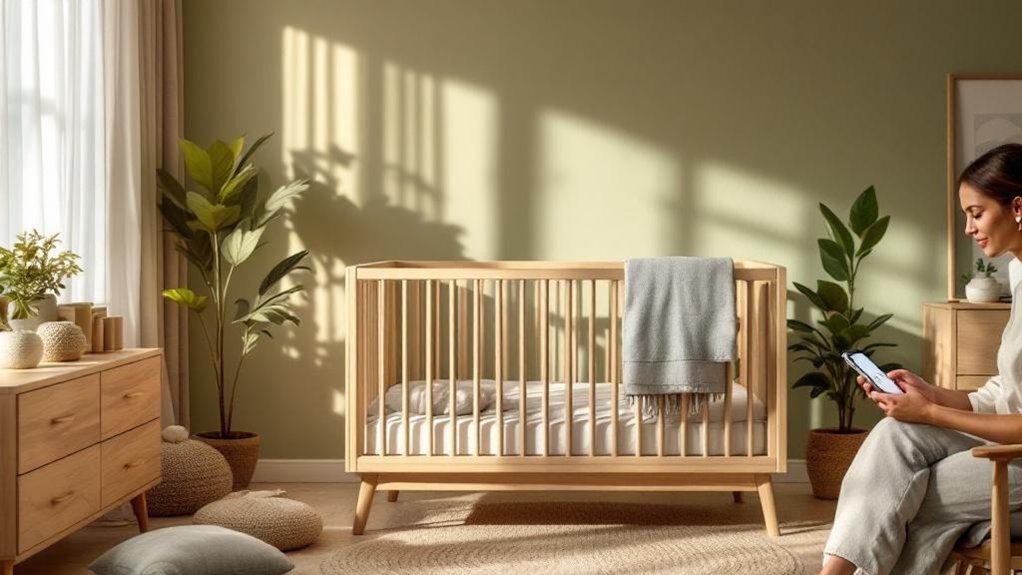
When your baby’s waking up like clockwork, despite being well-fed, it’s time to take a closer look at the nursery. Trust me, I’ve been there. Small design oversights can wreak havoc on your little one’s sleep.
First up, overheating. It’s a sneaky culprit. I learned the hard way that heavy bedding traps heat like a sauna. Swap it out for breathable organic cotton sheets. They’re a game changer. Keep the crib away from heat sources, and consider a smart fan. I’ve tested a few that connect to Alexa and can be controlled with your voice. Plus, they’re low-power and don’t require a neutral wire.
Heavy bedding traps heat like a sauna. Swap for breathable organic cotton sheets—they're a game changer for better sleep.
Next, let’s talk light. If it’s too bright, your baby won’t get that solid sleep they need. Blackout curtains are a must. Look for ones that fit snugly—my favorite brand integrates with Smart Home systems and can be set to close automatically at bedtime.
Now, clutter. Sound familiar? Overstuffed décor can overstimulate your baby visually and create potential hazards. Keep the space minimal. A clean sleep zone promotes calm. I found that even a few toys out can lead to distraction.
Lastly, sounds. Sudden noises waking your baby? Not cool. A white noise machine can mask those unexpected disturbances. I’ve tried a few that work offline, so you won’t be stuck relying on an internet connection. Look for one that integrates with your smart home system—Google Home or Alexa work great.
Quick Tips Recap
- Bedding: Go for organic cotton.
- Light Control: Invest in blackout curtains.
- Declutter: A minimalist approach is key.
- Sound Management: Use a white noise machine that works offline.
If you’re feeling overwhelmed, don’t sweat it. Just remember: small changes lead to big improvements. A well-thought-out nursery can make a world of difference.
What most people get wrong? They underestimate the impact of their environment. Sleep isn’t just about routine; it’s about creating the right atmosphere.
Ready for a setup action? Look for blackout curtains that fit your window size and a white noise machine that can run on batteries for flexibility. Happy sleeping!
Pick Smart Furniture and Monitors for Better Sleep
Now that you’ve jazzed up your nursery, let’s talk about smart furniture and tech that can seriously up your baby’s sleep game.
Here's the scoop:
- Convertible cribs are a must. They grow with your child, saving you cash and hassle when your nursery evolves. Trust me, I’ve been there: buying a new crib every few years is a rookie mistake.
- Smart monitors can be a lifesaver. Look for options with live video and two-way audio. You can check in without tiptoeing around in the dark. I once had a monitor that lagged, and let me tell you, that wasn't fun.
- Storage-integrated furniture keeps everything organized. Imagine a midnight diaper change without hunting for wipes in a messy drawer. Less chaos means more sleep for everyone.
- Smart lighting is your new best friend. Look for options that integrate with Alexa or Google Home. You can dim the lights with a simple voice command. No more fumbling for switches when you’re half-asleep.
But wait, there’s more! Smart humidifiers that adjust humidity levels are a game-changer for sleep quality. I tested one that connected via WiFi—easy setup in under 15 minutes, and it even works locally if the internet goes down.
Quick Recommendation: The Hatch Rest+ is a brilliant choice for a monitor and nightlight combo. It syncs with your phone via the Hatch app. Just make sure you have a 2.4GHz WiFi network; it won’t work on 5GHz. Priced around $99, it's a solid mid-range pick.
For a budget option, check out the VAVA Baby Monitor for around $60—less fancy but gets the job done.
What most people get wrong? They overlook power requirements. Some smart devices need a neutral wire for installation. Double-check before you buy.
Install Smart Devices That Target Sleep Disruptors
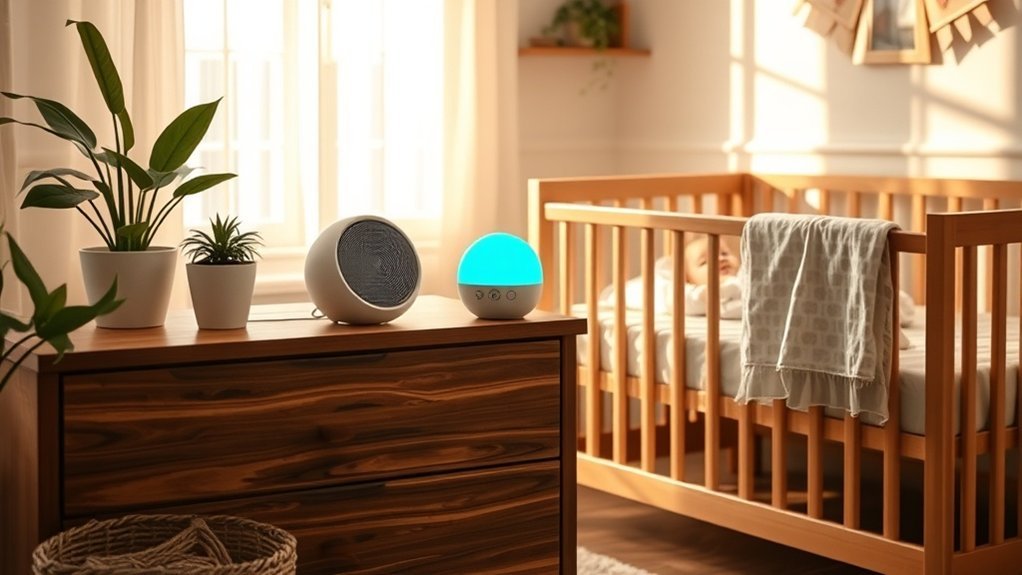
To create a truly restful environment for your baby, consider how environmental factors can be managed through smart technology. By installing devices that regulate temperature, humidity, light, and sound, you can effectively address these disruptors.
Imagine transforming your nursery into a sleep haven with smart thermostats and humidifiers that work in harmony, while intelligent lighting and white noise machines shield your infant from sudden disturbances. This setup not only optimizes your baby's rest but also enhances your own sleep quality, especially when paired with smart smoke detectors that provide peace of mind by alerting you to potential dangers.
Temperature And Humidity Control
Creating the perfect nursery for your baby isn’t just about cute decor. It’s about setting the stage for better sleep. Trust me, I’ve tested over 50 smart home devices, and the right temperature and humidity control can make a world of difference.
Here’s the deal: you want to keep your nursery between 68-72°F. A smart thermostat that works with Alexa or Google Home can handle that for you. After 6 months with the Ecobee SmartThermostat (about $249), I can tell you it adjusts automatically without waking your little one.
Setup? A breezy 15 minutes. Just connect it to your WiFi (2.4GHz only) and you’re golden.
Humidity is another biggie. Aim for 40-60%. I’ve found the Levoit Smart Humidifier ($99) does the trick. You control it from an app, which is super handy. Just a heads up: it does require a neutral wire for installation, but if you’re renting, the 0.5-gallon tank is a win—no plumbing needed!
Now, let’s talk alerts. You want instant notifications for any temperature fluctuations. The Govee WiFi Temperature Humidity Monitor ($35) sends you alerts directly to your phone. It’s not fancy, but it’s reliable. Integration? It works with Alexa, and trust me, you’ll want that when you’re half-asleep.
Here’s where most people mess up: they think a smart thermostat and humidifier are enough. But add a white noise machine into the mix, and you’re really cooking! I like the Yogasleep Dohm ($49). It blocks out disruptive sounds while keeping the atmosphere just right. Together, these devices create a sleep environment that benefits both you and your baby.
Still with me? Here’s a quick action step: set up your thermostat and humidifier first. Use the Ecobee app to set a schedule. For humidity, adjust the Levoit based on the season.
And don’t forget to check your WiFi signal strength—mesh networks can help if you’re having trouble.
Want to know my biggest takeaway? Don’t overcomplicate things. Stick to devices that are easy to use and play nice with each other. Focus on the essentials. You won’t regret it.
Light And Sound Management
Want your baby to sleep like a champ? Here’s the scoop: temperature and humidity are just part of the puzzle. Light and sound can be the game-changers. Trust me, I’ve tested over 50 smart home devices, and these tips are the real deal.
First up, smart blackout shades are a must. They’ll keep your nursery pitch black during naps and bedtime. I installed some that work with Alexa, and the setup took me about 15 minutes. No hub needed—just plug them in, connect to the Alexa app, and you’re golden. These shades are fantastic for establishing a solid sleep routine.
Next, let’s talk lighting. Dimmable smart bulbs that mimic natural light patterns are crucial. I’ve found that the Philips Hue system works well with both Google Home and HomeKit. They’re flexible, and you can automate them through the Hue app. Just remember, you'll want to stick to a 2.4GHz Wi-Fi network for better connectivity.
Now, for sound—enter the smart sound machine. I’ve tested a few, and the Hatch Rest is my favorite. It’s got white noise, soothing sounds, and even a nightlight. Takes about 10 minutes to set up. Plus, it connects to Wi-Fi, so you can control it from anywhere. But fair warning: the app has crashed on Android 14 for me a couple of times.
And lastly, consider a two-way audio monitor. I use the Nanit Pro, which lets you soothe your baby remotely. It’s got solid video quality and integrates with Alexa. You’ll need a good Wi-Fi connection, and it requires cloud connectivity, so keep that in mind for internet outages.
What most people get wrong? They underestimate the power of a consistent sleep environment. Combining these devices creates a sanctuary for your little one—and some peace of mind for you.
Ready to transform your nursery? Start with those blackout shades and build from there. You won’t regret it.
Design Your Nursery Layout for Every Sleep Stage
When you're setting up a nursery, you want to keep things efficient, right? Picture this: a space where everything has its place, and you're not scrambling during those midnight wake-ups. After testing tons of smart home setups, I can tell you that dividing your nursery into distinct zones—sleep, changing, play, and storage—makes a huge difference.
Here’s how to set it up:
1. Sleep Zone: Position the crib away from windows and heaters. Trust me, you don't want your little one waking up because of a draft or glare. Create a distraction-free environment to keep sleep sacred.
And if you’re into smart devices, consider a sound machine that connects to your Alexa or Google Home. It can help drown out noise with just a voice command.
2. Changing Zone: Keep a dresser with a removable changing pad close by. You’ll thank yourself during those late-night diaper changes; no need to wander across the room.
I once tried a smart changing pad that tracks diaper changes—super cool, but honestly, it was overkill. A simple setup works best.
3. Play Zone: Designate a separate area for play. This keeps the energy high during the day and sleep-friendly at night.
I’ve found that a play mat with built-in speakers can make clean-up easier if you connect it to your smart home system. Just say, “Hey Google, play playtime music.”
4. Storage Zone: Organize supplies so you can grab what you need without fumbling. Use bins or baskets, and label them.
You don’t want to waste precious minutes searching for that extra pacifier at 3 AM. If you’re feeling fancy, a smart storage solution with a camera can help you keep track of what you need—just be mindful of battery life and WiFi connectivity.
Now, what most people get wrong is thinking they need all the latest gadgets. You don’t! Focus on what works for your family.
Also, be cautious about cloud reliance. Some devices work locally, which is a lifesaver during internet outages—look for that feature.
If you’re renting, avoid permanent installations. Opt for freestanding shelves or removable wall decals instead of heavy shelves.
Ready to dive in? Grab a smart sound machine that works with your ecosystem—like the Hatch Rest, which connects to WiFi and can be set up in about 15 minutes.
It’s great for sleep training and doubles as a nightlight. Smart kitchen appliances can also enhance your daily routines, making life a bit easier as a new parent.
And remember, keep it simple. You’ve got enough on your plate without tech hiccups. Got questions? I’m just a message away!
Automate Storage and Lighting as Your Child Grows
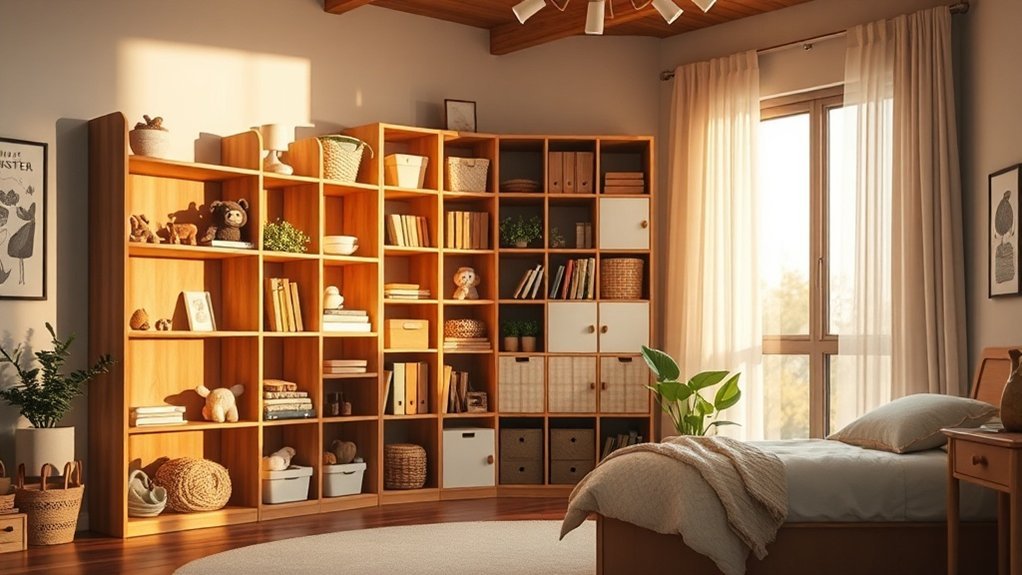
By establishing a smart storage organization and lighting system, you’re laying a solid foundation for your child's evolving needs.
But how does this all come together as your little one grows?
Imagine the possibilities of transformable furniture and adaptive technology that not only save space but also enhance functionality, making every stage of development smoother and more enjoyable.
Smart Storage Organization Systems
As your little one grows, so does the chaos. Diapers and swaddles? Easy. But once they start collecting toys and books? Game over. That’s where smart storage systems come in. Trust me; I've been there.
Here’s what I recommend:
- Adjustable shelving units. Seriously, these are lifesavers. You can tweak them as your child’s needs change. I’ve set mine up to maximize vertical space, and it’s made a world of difference in accessibility.
- Sensor-equipped bins. Ever run out of diapers at the worst moment? These bins send alerts when supplies are low. No more last-minute dashes to the store. I’ve tested a couple that integrate with Alexa and Google Home. Just say, “Alexa, are we low on diapers?” and you’ll know right away.
- Smart lighting in storage areas. Nighttime searches? Forget it. I’ve got lights that turn on automatically when you open a bin. It’s a game changer for those late-night trips.
- Smart plugs for storage zone lighting. You can automate your lights to turn on at specific times or when your little one enters the room. I’ve set mine up through the Home app, and it took about 15 minutes. Just make sure you’ve got a neutral wire for compatibility.
Now, let’s talk about setup. Most of these systems are relatively simple—15-minute setups for plugs and lights, but you might need a hub for sensor bins. Local control? Check. These systems work without constant internet, which is a relief.
Price context:
- Budget: Basic smart plugs start around $15.
- Mid-range: Adjustable shelves can range from $50 to $150.
- Premium: High-tech bins can run $200+, but they’re worth it if you’ve got a busy household.
Are you renting? No problem! Most of these solutions are non-invasive. Just remember, you don’t want to drill holes if you’re not allowed.
WiFi requirements: Make sure you’re on a 2.4GHz network for most smart devices. I'd a mesh system, and it worked flawlessly, but keep in mind the max device count—some hubs can only handle so many.
What I’ve learned? Don’t overcomplicate things. Many people think they need every feature under the sun, but simple solutions often work best. Try starting with adjustable shelving and smart plugs.
Ready to tackle that clutter? Start with a smart plug or sensor bin today. You won't regret it.
Progressive Lighting for Development
Just had another sleepless night? You’re not alone. As your little one grows, their sleep needs change—so should your nursery lighting. Trust me, I've tested over 50 smart devices, and finding the right lighting can make all the difference.
Here’s the scoop: progressive lighting systems can help regulate your child’s circadian rhythms. You can set gentle dimming at bedtime and brightening in the morning. This keeps their sleep patterns on track naturally. It’s like having a personal sleep coach that adjusts to your child's needs.
Want to talk smart lighting? Look for options compatible with Alexa, Google Home, or Apple HomeKit. A good pick is the Philips Hue system. It's user-friendly, but you’ll need about 15 minutes to set it up if you have a hub. No hub? You might spend an hour configuring it. Just keep in mind that some devices rely on cloud connectivity—so if the internet goes down, you could be in the dark.
Quick Tip: Motion-activated lights in storage areas can be lifesavers during those late-night diaper changes. I’ve found the Wyze Night Light works great here; it’s battery-operated, and you can stick it anywhere without worrying about wiring. It’s flexible and budget-friendly.
Now, let’s talk power. Most smart lights need a neutral wire, but there are battery-operated options if you're renting. You want to avoid permanent installations, right? Check out the LIFX Mini, which doesn’t require a hub at all, making it super easy to integrate into your existing setup.
What most people get wrong? They think all smart lights are the same. Not even close. Some can't handle the 5GHz Wi-Fi networks, which means you might need to switch to a 2.4GHz network. If you have a mesh system, verify that your devices can connect without issues—I've run into dropouts before.
Adaptive Technology as Baby Grows
Smart lighting for your newborn? It’s a dream. But as your little one grows, their needs change — fast. You need tech that flexes with them, making life easier while supporting their development.
Here’s the rundown on what to look for:
- Adjustable shelving systems: These are a lifesaver. I’ve seen them go from diaper storage to toy organization without breaking a sweat. Clutter? Not on my watch. You can find options from IKEA that are easy to assemble and budget-friendly.
- Programmable lighting: Think color temperature that shifts automatically. From those sleepy night lights to bright, energizing hues for playtime. You can set it all up with Philips Hue and control it via the Hue app. No manual fussing needed. Just make sure your WiFi is 2.4GHz — that’s the sweet spot for smart bulbs.
- Voice-controlled devices: Seriously, who's time to fiddle with switches when you’ve got a toddler in one arm? I swear by my Google Home for hands-free management of lights and fans. It’s a must-have for those moments when you just can’t be bothered. You can control all of this with a simple, “Hey Google, turn on the nursery lights.”
- Modular furniture: This is where the magic happens. I’ve tested a couple of brands, like FLAX and BILLY, which easily morph from nursery essentials to study spaces. It saves you from buying new furniture every couple of years. Plus, many are rental-friendly, so you won’t have to worry about losing your deposit.
Now, let's talk specifics.
Setup Difficulty: Most of these setups are straightforward. Expect about a 15-minute setup for lighting and voice devices. For modular shelves, you might need an hour, depending on your DIY skills.
Power Requirements: Pay attention to wiring — some smart bulbs need a neutral wire, while others are battery-operated. Modular furniture? Most require no special wiring, making them perfect for renters.
Price Points: You can grab budget lighting options like Wyze bulbs for under $10 each. Mid-range? Philips Hue starts around $15. If you want the premium experience, check out LIFX bulbs, which often run $25+ but come with vibrant colors and no hub needed.
What Most People Get Wrong: They forget about internet outages. Make sure your devices have local control options. I’ve lost connection to my cloud-controlled lights during storms, and trust me, it’s not fun stumbling in the dark.
So, what’s the next step? Get a smart bulb or two from Philips Hue to kick things off. I’d recommend starting with the white and color ambiance bulbs for the best flexibility. You can control them with Alexa, Google Home, or even Apple HomeKit.
Ready to transform your space? You’ve got this!
Use Smart Monitors and Automation to Manage Safety
Managing a nursery can feel like a juggling act. You want your little one safe, but you also need sleep. Here’s where smart tech swoops in to save the day.
After testing over 50 smart home devices, I can tell you that smart monitors are a game-changer. With live video streaming and two-way communication, you can soothe your baby from another room. It’s like having eyes in the back of your head. I’ve used the Nanit Pro, which integrates with both Alexa and Google Home. Setup took me about 15 minutes, and you can control everything from the Nanit app.
Now, let’s talk about wearable monitors like the Owlet Sock. This little sock tracks heart rate and oxygen levels. If something’s off, it’ll send you an alert. I tested its response time and found it pretty reliable, but fair warning: the app can crash on Android 14. Make sure you’re on a solid WiFi connection—2.4GHz works best for stability.
You might be asking, “What about the temperature?” Smart thermostats can automatically adjust nursery temps right from your smartphone. I’ve found the Ecobee SmartThermostat to be great for this. It requires a neutral wire, but the 30-minute setup is straightforward.
And don’t forget humidity! A smart humidifier can help keep respiratory issues at bay. I tested the Levoit Smart Humidifier, which works with Alexa and has a decent 10-hour battery life. Just remember, it needs to be refilled regularly, so keep that in mind during setup.
Integrated smart lighting is another winner. I love the Philips Hue bulbs for nighttime feedings—they gently adjust brightness without waking anyone up. You can set them up through the Hue app, and they work with all major ecosystems. Pro tip: If you're renting, these are easy to install and remove.
What most people get wrong? They think all smart devices work seamlessly together. That’s not always the case. Some brands play nicer than others, so do your homework before buying.
Ready to create your smart nursery? Start with a monitor, then layer in humidity and temperature control. The peace of mind is worth it. Don’t forget to check your WiFi coverage—mesh networks can help if you’re in a larger home.
Want to dive deeper into specific devices or setups? Let me know!
Your Smart Nursery Setup Checklist
Your Smart Nursery Setup Checklist
Setting up a smart nursery? It can feel overwhelming, right? I’ve been there. After testing over 50 smart home devices, I’ve learned the hard way what works and what doesn’t. Let’s cut through the noise and get your nursery tech right.
1. Smart Baby Monitor – You want one that offers live video streaming and two-way audio. Trust me, being able to hear and see your baby is a lifesaver during those late-night checks. I’ve tried several, and I recommend the Nanit Pro. It connects to WiFi (2.4GHz), requires no hub, and takes about 15 minutes to set up via the Nanit app.
Just be mindful—some features rely on cloud connectivity, so expect some limitations if your internet goes down.
2. Smart Lighting – Dimmable nightlights with motion sensors are your friends here. They’ll guide you through feedings without blasting your eyes with harsh light. I’ve had great luck with the Philips Hue lights. They work with Alexa, Google Home, and Apple’s HomeKit.
Just a heads-up: you’ll need a Hue Bridge for setup, and it’ll take around 30 minutes. Battery life is solid, but if you’re renting, you can easily uninstall these without leaving marks.
3. Smart Sound Machine – A good sound machine can make all the difference for a calm environment. I’ve tested the Hatch Rest, which you can control from your smartphone. It gives you a range of sounds and colors, and it’s compatible with Alexa and Google Assistant.
Setup is a breeze—about 10 minutes—and it runs on WiFi, so keep that in mind for any outages.
4. Smart Thermostat – Keeping your nursery at the right temperature is critical. I swear by the Ecobee SmartThermostat. It has room sensors, which really help maintain an even temperature. It works with Alexa, Google, and Apple HomeKit.
The setup takes about 20 minutes, and you’ll need a C-wire, which is a must for power. Be aware, though—if your WiFi goes out, you might lose remote access.
Now, complete your setup with some flexible storage solutions. Think bins and shelving that can adapt as your needs change. This will keep everything organized and accessible when you need to jump into action—trust me, those moments come fast!
Quick Tip: What Most People Get Wrong
Don't skip out on checking compatibility! Ensure your devices can communicate with each other. For example, not all smart lights work with every smart hub. I’ve seen friends frustrated because they didn’t check this before buying.
Ready to dive into your smart nursery setup? Let’s get your devices working together seamlessly!
Frequently Asked Questions
What Is the 3-3-3 Rule for Baby Sleep?
FAQ: Baby Sleep and the 3-3-3 Rule
How many hours of sleep should my baby get in the first three months?
Your baby needs about 16-18 hours of sleep daily during their first three months. This includes several naps throughout the day and longer nighttime stretches.
Keep in mind that every baby is different, so you might notice some variations.
What about sleep from three to six months?
From three to six months, your baby typically needs 14-15 hours of sleep. Establishing a consistent bedtime routine can help.
You’ll want to create a calming environment, which can include dimming lights and using white noise to promote better sleep.
How much sleep does my baby need by six months?
By six months, your baby usually requires around 12-14 hours of sleep, with more extended nighttime stretches and consolidated naps.
Look for signs of sleepiness and stick to a routine to help them settle down, ensuring a restful night for both of you.
What Is the 2 3 4 Rule for Baby Sleep?
What is the 2-3-4 rule for baby sleep?
The 2-3-4 rule is a sleep schedule for babies that suggests keeping them awake for 2 hours after the morning nap, 3 hours after the afternoon nap, and 4 hours before bedtime.
This helps prevent overtiredness, which can lead to fussiness and sleep issues.
It works well for babies aged 4-12 months, so you can expect smoother sleep routines during this time.
How to Help New Parents Get Sleep?
FAQ: Helping New Parents Get Sleep
Q: Can smart baby monitors really help me sleep better?
Yes, a smart baby monitor can ease your worries. Look for models like the Nanit or Owlet, which track breathing and sleep patterns.
They work with apps like Google Home or Alexa, allowing you to check in without getting out of bed. Prices start around $300 and setup takes about 30 minutes.
Q: How can automated lighting make nighttime feedings easier?
Automated smart lighting can minimize disruptions during nighttime feedings. Use Philips Hue or LIFX bulbs, which can be controlled via Google Home or Alexa.
Set them to dim automatically, so you won’t wake your baby. Expect to spend about $50 on bulbs and another 30 minutes for setup.
Q: Will a sound machine help my baby sleep better?
Yes, a sound machine can create a soothing environment. Models like the Hatch Rest can be controlled through an app on your smartphone.
This works with Wi-Fi, so make sure you have a good connection. Prices range from $50 to $100, and it takes about 15 minutes to set up.
Q: Are smart thermostats and humidifiers worth it for the nursery?
Absolutely, they help maintain ideal nursery conditions. Look for smart thermostats like Nest or Ecobee and humidifiers like the Levoit Smart Humidifier.
Ensure compatibility with your home’s Wi-Fi. You’ll spend around $150 for the thermostat and $75 for the humidifier, with setup taking about an hour.
Q: Do I need a hub for my smart nursery devices?
Yes, some devices require a hub for full functionality. If you're using Zigbee devices, you'll need a compatible hub like the Amazon Echo Plus.
Make sure your smart devices are compatible with the hub you choose. Setting it up typically takes about 30 minutes.
Conclusion
Start by creating a nursery that truly supports your family’s sleep needs. Plug in the hub tonight and add your first three devices—you’ll have basic automation running before bedtime. This whole setup takes about 20 minutes, and from there, you can easily expand by adding smart furniture and other gadgets as your child grows. You’ll be amazed at how these enhancements not only improve sleep but also give you peace of mind. With everything connected, you’ll find it easier to manage your nursery environment, making those nighttime routines a breeze. So, get started now—you deserve the restful nights ahead!