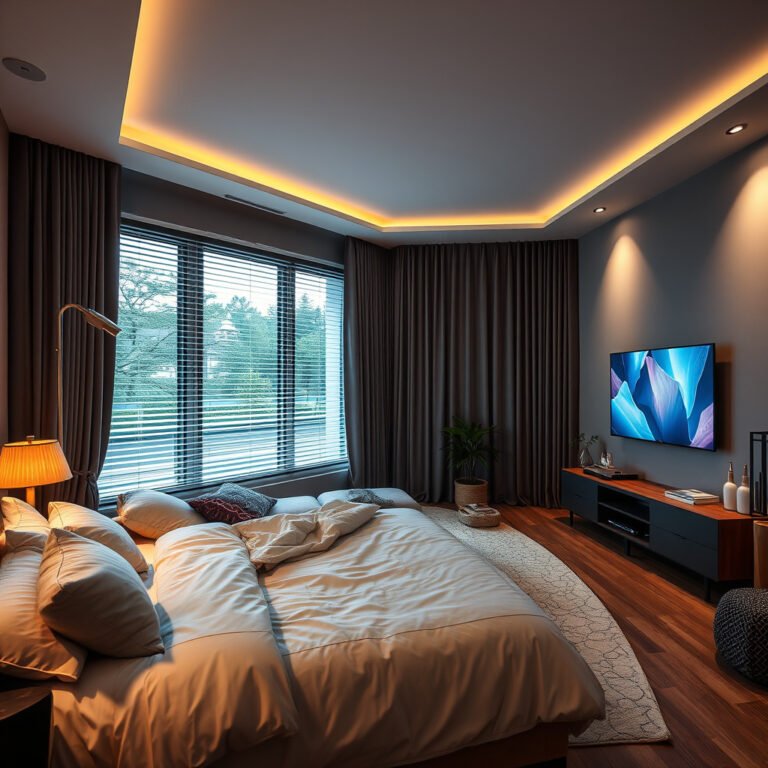
Understanding Smart Home Ecosystems
What Makes a Smart Ecosystem
A smart ecosystem represents the pinnacle of connected home technology, where individual smart home devices work together seamlessly through unified platforms and communication protocols. Unlike isolated gadgets that function independently, a true smart ecosystem creates an interconnected network where devices share information, respond to each other's inputs, and execute coordinated actions based on user preferences and environmental conditions.
The foundation of any smart ecosystem lies in its ability to enable cross-device communication and centralized control. When your motion sensor detects movement in the hallway, it can simultaneously trigger the lights to illuminate, adjust the thermostat, and disarm specific security zones—all without requiring separate commands for each action. This level of integration transforms your home from a collection of smart devices into an intelligent, responsive environment.
Key Components and Architecture
Modern smart ecosystems operate through two primary architectural models: hub-based and cloud-based systems. Hub-based architectures utilize a central controller that processes device communications locally, offering faster response times and continued functionality during internet outages. Cloud-based systems leverage remote servers for processing, providing more sophisticated AI capabilities and seamless updates but requiring constant internet connectivity.
The core components of any smart ecosystem include a central hub or gateway, standardized communication protocols (such as Zigbee, Z-Wave, or Wi-Fi), compatible smart home devices, and user interface applications. The hub serves as the brain of your system, translating commands between different device types and managing automation routines. Communication protocols ensure reliable data transmission, while mobile apps provide intuitive control interfaces for users.
Ecosystem vs. Individual Devices
The ecosystem approach offers significant advantages over standalone smart devices. Centralized control eliminates the need for multiple apps, allowing users to manage their entire home through a single interface. Enhanced functionality emerges when devices collaborate—security cameras can trigger outdoor lights, or weather sensors can adjust multiple climate zones simultaneously.
Individual smart devices, while functional, often create fragmented user experiences with limited integration capabilities. Users frequently encounter compatibility issues, require numerous apps for device management, and miss opportunities for intelligent automation that only emerges when devices can communicate effectively. The ecosystem approach maximizes the return on your smart home investment by creating synergies between devices that amplify their collective capabilities.
Major Smart Home Platforms in 2026
Amazon Alexa Ecosystem
Amazon's Alexa ecosystem continues to dominate the smart home market with its extensive device compatibility and robust voice control capabilities. The platform supports over 100,000 smart home devices from thousands of manufacturers, making it the most versatile choice for users seeking broad compatibility. Alexa's strength lies in its natural language processing and the ability to create complex routines that can control multiple device categories simultaneously.
The platform offers both free and subscription-based features, with Alexa Guard Plus providing enhanced security monitoring for $4.99 monthly. Privacy controls allow users to manage voice recordings and limit data sharing, though Amazon's data handling policies remain more extensive than some competitors. Device setup is generally straightforward, with most smart home devices supporting automatic discovery through the Alexa app.
Google Home Platform
Google Home leverages the company's AI expertise to deliver sophisticated automation and predictive capabilities. The platform excels in contextual understanding, allowing more natural voice interactions and intelligent suggestions based on usage patterns. Google's ecosystem integrates seamlessly with Android devices and Google services, creating a cohesive experience for users already invested in Google's ecosystem.
Privacy-conscious users may prefer Google's approach to local processing for certain commands, though the platform still relies heavily on cloud connectivity. The Google Home app provides intuitive device management and routine creation, with Matter support ensuring compatibility with devices from other ecosystems. Subscription services like Nest Aware add advanced features for security cameras and video doorbells.
Apple HomeKit System
Apple's HomeKit prioritizes privacy and security through local processing and end-to-end encryption. The platform requires HomeKit-certified devices, which typically cost more but offer enhanced security and reliability. HomeKit's automation engine supports complex scenes and conditional logic, with the Home app providing elegant device management for iOS users.
The platform's limitation lies in device selection, as fewer manufacturers support HomeKit compared to Alexa or Google platforms. However, Matter support is expanding compatibility options, and Apple's commitment to privacy makes HomeKit attractive for security-conscious users. Integration with Siri provides voice control, though it's generally considered less sophisticated than Alexa or Google Assistant.
Samsung SmartThings
Samsung SmartThings offers a hybrid approach, supporting both cloud and local processing for enhanced reliability. The platform provides extensive customization options through its SmartThings app, allowing advanced users to create sophisticated automation rules. Device compatibility is broad, supporting Zigbee, Z-Wave, and Wi-Fi protocols natively.
SmartThings Hub enables local processing for critical functions like security and lighting, ensuring continued operation during internet outages. The platform's strength lies in its flexibility and the active community that shares custom device handlers and automation ideas. Samsung's integration with its appliance lineup provides additional value for users investing in Samsung smart home devices.
Emerging Platforms and Matter Standard
The Matter standard represents a significant shift toward interoperability, allowing devices from different manufacturers to work together regardless of the primary platform. Thread networking provides a robust mesh network specifically designed for smart home devices, offering improved reliability and battery life for compatible devices.
Emerging platforms like Hubitat and Home Assistant cater to advanced users seeking complete local control and extensive customization options. These platforms require more technical expertise but offer unparalleled flexibility and privacy. As Matter adoption accelerates, the smart home landscape is moving toward a more open ecosystem where platform choice becomes less restrictive.
Essential Smart Home Categories
Lighting and Climate Control
Smart lighting forms the foundation of most smart home ecosystems, offering immediate benefits and serving as an entry point for broader automation. Modern smart bulbs provide color temperature adjustment that can sync with circadian rhythms, potentially improving sleep quality and energy levels. Smart switches and dimmers offer control over existing fixtures while motion sensors enable automatic lighting that responds to occupancy.
Climate control systems represent one of the highest-impact smart home device categories for both comfort and energy savings. Smart thermostats learn usage patterns and can reduce energy consumption by 10-23% according to EPA estimates. Advanced systems support zone control, allowing different areas of the home to maintain optimal temperatures independently while integrating with air quality monitors to manage ventilation and filtration systems.
Security and Surveillance
Comprehensive security ecosystems combine multiple device types to create layered protection. Video doorbells provide visitor identification and package monitoring, while smart locks offer keyless entry with temporary access codes for guests or service providers. Security cameras with AI-powered detection can distinguish between family members, pets, and potential intruders, reducing false alerts.
Professional monitoring services integrate with DIY security systems to provide 24/7 oversight, with costs typically ranging from $10-50 monthly depending on features. Window and door sensors create perimeter protection, while motion detectors provide interior coverage. Modern security systems can integrate with lighting and audio systems to create deterrent responses or provide emergency illumination during power outages.
Entertainment and Audio
Smart entertainment systems transform how families consume media through centralized control and multi-room capabilities. Streaming devices with voice control eliminate the need for multiple remote controls while providing access to numerous content platforms. Multi-room audio systems allow synchronized music throughout the home or independent control for different zones.
Smart TVs increasingly serve as ecosystem hubs, controlling other smart home devices through their interfaces. Gaming systems and streaming devices can trigger lighting scenes automatically, creating immersive environments for different content types. Advanced setups include automated projector screens and acoustic optimization that adjusts audio settings based on room occupancy and ambient noise levels.
Kitchen and Appliances
Smart kitchen appliances represent significant investments that can enhance cooking experiences and improve energy efficiency. Smart refrigerators offer inventory tracking, meal planning suggestions, and energy optimization features. Intelligent ovens can adjust cooking times and temperatures based on food type recognition, while smart dishwashers optimize water usage and cycle selection.
Connected washing machines and dryers provide cycle completion notifications and can schedule operation during off-peak energy hours. Smart water heaters can learn usage patterns to ensure hot water availability while minimizing energy waste. The integration of kitchen devices creates opportunities for automated cooking sequences and energy load balancing across multiple appliances.
Energy Management
Energy management systems provide visibility into consumption patterns and enable optimization strategies that can significantly reduce utility costs. Smart meters offer real-time usage data, while individual device monitors identify energy-hungry appliances. Solar panel integration with smart inverters and battery storage systems creates opportunities for energy independence and grid interaction.
Load balancing features can automatically shift energy-intensive operations to times when electricity rates are lower or renewable generation is highest. Electric vehicle charging can be integrated into home energy systems, taking advantage of excess solar production or off-peak rates. Advanced systems can even sell excess energy back to the grid during peak demand periods, creating revenue opportunities for homeowners.
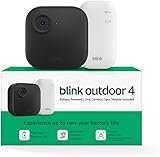
Check each product page for other buying options. Price and other details may vary based on product size and color.
Highly rated by customers for quality and value. Click to see current pricing and customer reviews.
More Top-Rated Options


Planning Your Smart Ecosystem
Assessing Your Home and Needs
Successful smart home implementation begins with a comprehensive assessment of your property and lifestyle requirements. Evaluate your home's size, layout, and existing infrastructure to identify opportunities and constraints. Consider the age of your electrical system, Wi-Fi coverage patterns, and structural elements that might affect device placement or signal propagation.
Create a priority matrix that balances security needs, convenience desires, and energy efficiency goals. Families with young children might prioritize security features and remote monitoring capabilities, while empty nesters may focus on energy management and convenience automation. Document daily routines to identify automation opportunities that will provide the most significant impact on your lifestyle.
Consider the technical comfort level of all household members who will interact with the smart home system. Complex automation might frustrate less tech-savvy users, while overly simple systems may not satisfy power users. Factor in guests and visitors who may need basic system access without extensive training requirements.
Budget Planning and Phased Implementation
Smart home ecosystems require strategic budget planning to maximize value while avoiding overspending on unnecessary features. Starter packages typically range from $500-1,500 and include basic security, lighting, and climate control. Mid-range implementations ($2,000-5,000) add comprehensive security, entertainment integration, and energy management. Premium installations ($5,000+) include high-end appliances, professional installation, and advanced automation.
Phased implementation allows you to spread costs over time while learning system capabilities at each stage. Begin with high-impact, low-cost devices like smart thermostats and security cameras that provide immediate benefits. Add lighting control and voice assistants in phase two, followed by appliance integration and advanced automation features.
Consider ongoing costs including subscription services, device replacement cycles, and potential professional support. Cloud storage for security cameras, professional monitoring services, and streaming subscriptions can add $50-200 to monthly expenses. Factor in device lifespans of 5-10 years for planning future upgrade costs.
Network Infrastructure Requirements
Robust network infrastructure forms the backbone of any reliable smart home ecosystem. Assess your current internet bandwidth and Wi-Fi coverage to identify upgrade requirements. Most smart home devices consume minimal bandwidth individually, but collective usage plus streaming and video calling can strain inadequate networks.
Mesh networking systems provide superior coverage for smart home devices compared to traditional single-router setups. Professional-grade mesh systems like Eero Pro or Netgear Orbi can support 50+ smart home devices while maintaining reliable connectivity throughout large homes. Consider dedicated IoT networks that isolate smart devices from personal computers and smartphones for enhanced security.
Evaluate cellular backup options for critical systems like security cameras and alarm systems. Power outage considerations may require uninterruptible power supply (UPS) systems for essential devices. Plan cable management and power outlet requirements, as some smart devices require constant power connections rather than battery operation.
Choosing Your Primary Platform
Platform selection significantly impacts your long-term smart home experience and device compatibility options. Evaluate your existing technology investments—iPhone users may prefer HomeKit integration, while Android users often find Google Home more seamless. Consider privacy priorities, with Apple offering the most restrictive data policies and Amazon providing the most extensive device compatibility.
Voice assistant preferences should align with platform choice, as natural language capabilities vary significantly between Alexa, Google Assistant, and Siri. Test voice recognition accuracy with your household's accents and speaking patterns before committing to a platform. Consider multi-platform strategies using Matter-compatible devices to avoid vendor lock-in.
Evaluate technical support options and community resources for each platform. Amazon and Google offer extensive online resources and customer support, while Apple provides more limited but higher-quality assistance. Open-source platforms like Home Assistant require significant technical expertise but offer unlimited customization possibilities.
Installation and Setup Best Practices
Network Optimization
Proper network configuration ensures reliable communication between smart home devices and prevents connectivity issues that plague many implementations. Begin by analyzing your current network performance using tools like Wi-Fi analyzers to identify congestion and dead zones. Optimal smart home networks utilize mesh systems with dedicated backhaul connections and support for Wi-Fi 6 or newer standards.
Configure separate network segments for IoT devices to isolate them from personal computers and smartphones. Many routers support guest networks that can be repurposed for smart home device isolation. This segmentation improves security and prevents smart devices from accessing sensitive personal data while maintaining internet connectivity for cloud-based features.
Quality of Service (QoS) configuration prioritizes critical smart home traffic like security cameras and alarm systems over less time-sensitive devices like smart appliances. Bandwidth allocation should reserve capacity for real-time applications while allowing burst capacity for firmware updates and cloud synchronization. Monitor network utilization regularly to identify devices consuming excessive bandwidth or causing connectivity issues.
Device Installation Order
Strategic device installation sequencing prevents configuration conflicts and ensures stable system operation throughout the setup process. Begin with your central hub or primary platform device, ensuring it has stable internet connectivity and proper placement for optimal signal coverage. Complete hub configuration and firmware updates before adding any peripheral devices.
Install critical infrastructure devices like smart thermostats and security systems second, as these often require professional installation or electrical work. Test each device thoroughly before proceeding to the next installation phase. Lighting control devices should be added third, as they're frequently used in automation routines and provide visual feedback for system operation.
Entertainment and convenience devices can be installed last, as they're typically less critical for daily operations. This approach allows you to identify and resolve any network or compatibility issues with essential devices before adding complexity. Document device locations, configuration settings, and any customization for future reference or troubleshooting.
Initial Configuration
Comprehensive initial configuration establishes the foundation for reliable long-term operation. Create strong, unique passwords for each device and enable two-factor authentication wherever possible. Many smart home devices ship with default passwords that must be changed immediately to prevent security vulnerabilities.
Configure device names using consistent naming conventions that make sense to all household members. Avoid technical names in favor of location-based or function-based descriptions. Organize devices into logical groups or rooms within your platform's management app to simplify control and automation creation.
Establish user accounts for all household members with appropriate permission levels. Children may need restricted access that prevents modification of security or safety systems. Guest access should be temporary and limited to basic functions like lighting or temperature adjustment. Regular account audits ensure former household members or service providers don't retain system access.
Testing and Troubleshooting
Systematic testing validates device functionality and identifies configuration issues before they impact daily operations. Test each device individually using both app controls and voice commands to verify proper connectivity and response. Simulate various scenarios including power outages, internet disruptions, and device failures to understand system behavior under adverse conditions.
Document any connectivity issues, slow response times, or automation failures for systematic troubleshooting. Many problems stem from network congestion, device placement, or interference from other electronics. Signal strength meters within device management apps can identify devices with marginal connectivity that may cause intermittent failures.
Establish baseline performance metrics for critical functions like security system response times and automation execution speed. Regular performance monitoring helps identify degradation that may indicate pending device failures or network issues. Create backup configurations for critical automation routines to enable quick restoration after system changes or updates.
Advanced Integration and Automation
Creating Smart Scenes and Routines
Advanced automation transforms individual smart home devices into a cohesive system that anticipates and responds to household needs. Morning routines can gradually increase lighting brightness to simulate sunrise, adjust thermostats to comfortable temperatures, and start coffee makers at predetermined times. Evening scenes might dim lights, secure entry points, and set appropriate climate conditions for sleep.
Sophisticated automation considers seasonal variations and household schedule changes. Vacation modes can simulate occupancy through randomized lighting patterns while adjusting energy consumption for extended absences. Party configurations might enhance entertainment lighting, adjust audio levels, and temporarily disable privacy-sensitive devices like bedroom cameras.
Conditional automation adds intelligence by responding to environmental factors and user behaviors. Rain detection can close smart blinds and adjust irrigation schedules, while air quality sensors can trigger ventilation systems and air purifiers. Occupancy-based automation ensures energy efficiency by adjusting climate and lighting only in occupied areas while maintaining security monitoring throughout the home.
Cross-Platform Integration
Modern smart homes often require integration between different platforms and protocols to maximize device compatibility and functionality. Matter-compatible devices enable seamless communication between Alexa, Google, and HomeKit ecosystems, allowing users to leverage the strengths of multiple platforms simultaneously.
Third-party integration platforms like IFTTT (If This Then That) and Zapier create connections between services that don't natively communicate. These platforms enable automation triggers from external sources like weather services, social media, or business applications. Advanced users can leverage platforms like Home Assistant or Hubitat for extensive customization and local processing capabilities.
API integrations allow technically proficient users to create custom automation that extends beyond standard platform capabilities. Smart home devices with open APIs can integrate with business systems, enabling automation based on work schedules, travel plans, or seasonal property management needs. Professional installers often utilize commercial platforms that provide more sophisticated integration options for complex installations.
Voice Control Optimization
Effective voice control requires strategic device placement and command optimization to ensure reliable recognition and response. Voice assistants should be positioned away from noise sources like televisions or appliances while providing coverage for primary interaction areas. Multiple voice assistants can provide whole-home coverage while preventing conflicts through proper wake word management.
Natural language optimization involves training household members to use consistent, clear commands that voice assistants can reliably interpret. Custom voice commands can simplify complex automation triggers, allowing phrases like “movie night” to execute multi-device scenes that adjust lighting, audio, and climate simultaneously.
Voice assistant privacy settings require careful configuration to balance functionality with privacy concerns. Disable voice recording storage if privacy is paramount, though this may reduce recognition accuracy over time. Regular review of voice history and privacy settings ensures alignment with household preferences as platform capabilities evolve.
Advanced Automation Logic
Sophisticated automation logic creates truly intelligent responses that adapt to changing conditions and user preferences. Machine learning algorithms can identify patterns in household behavior and suggest optimization opportunities. Predictive automation might pre-heat ovens based on typical dinner preparation times or adjust climate systems based on weather forecasts.
Geofencing automation uses smartphone location data to trigger arrival and departure routines automatically. Advanced implementations can distinguish between household members and execute personalized automation based on individual preferences. Location-based automation can also coordinate between multiple properties, ensuring appropriate settings for seasonal homes or rental properties.
Sensor fusion combines data from multiple sources to create more accurate automation triggers. Motion sensors, door contacts, and camera analytics can work together to determine actual occupancy rather than relying on single data points. Environmental sensors monitoring temperature, humidity, and air quality can coordinate HVAC systems, air purifiers, and ventilation to maintain optimal indoor conditions while minimizing energy consumption.
Security and Privacy Considerations
Network Security Fundamentals
Robust network security forms the cornerstone of smart home protection, preventing unauthorized access to personal data and device control. Implement network segmentation by creating dedicated VLANs for IoT devices, isolating them from computers containing sensitive information. Guest networks can be repurposed for smart home devices, preventing them from accessing personal devices while maintaining necessary internet connectivity.
Strong encryption protocols ensure data protection during transmission between devices and cloud services. WPA3 wireless security provides enhanced protection compared to older protocols, while VPN connections can secure remote access to home systems. Regular router firmware updates patch security vulnerabilities, and changing default administrative passwords prevents common attack vectors.
Firewall configuration should block unnecessary inbound connections while allowing legitimate device communication. Many smart home devices require cloud connectivity for full functionality, making it essential to verify manufacturer security practices and data handling policies. Consider routers with built-in security features like malware detection and automatic security updates for enhanced protection.
Device-Level Security
Individual smart home device security requires ongoing attention to firmware updates, password management, and access controls. Many devices ship with default passwords that must be changed immediately to prevent unauthorized access. Use unique, complex passwords for each device and enable two-factor authentication when available.
Regular firmware updates patch security vulnerabilities and add new features, but automatic updates should be carefully considered as they may introduce compatibility issues. Establish a schedule for checking and applying updates during times when system disruptions won't impact daily operations. Document firmware versions and update history for troubleshooting purposes.
Device placement considerations include physical security to prevent tampering and signal interception. Security cameras and smart locks require particular attention to physical access points. Disable unnecessary features like remote SSH access or development mode that may create security vulnerabilities. Regular security audits should verify that only authorized users have device access and that permissions align with current household needs.
Data Privacy Management
Smart home devices collect extensive data about household habits, schedules, and preferences that require careful privacy management. Review manufacturer privacy policies to understand data collection practices, storage locations, and sharing arrangements with third parties. Choose devices and platforms with strong privacy commitments and transparent data handling practices.
Local processing options reduce cloud data transmission and storage, improving privacy while often enhancing response times. Platforms like Apple HomeKit emphasize local processing, while others offer hybrid approaches that balance functionality with privacy. Consider the trade-offs between advanced AI features that require cloud processing and privacy concerns about data sharing.
Regular privacy audits should review data sharing settings, connected account permissions, and stored information across all platforms and devices. Delete unnecessary voice recordings, video footage, and usage logs according to your comfort level. Understand data retention policies and request data deletion when changing platforms or discontinuing services.
Monitoring and Maintenance
Continuous monitoring identifies security threats and performance issues before they impact system operation or compromise privacy. Network monitoring tools can detect unusual traffic patterns that might indicate compromised devices or unauthorized access attempts. Regular device behavior monitoring helps identify malfunctions that could create security vulnerabilities.
Establish backup strategies for critical configuration data, automation routines, and device settings. Cloud backups provide convenience but may raise privacy concerns, while local backups offer more control but require ongoing maintenance. Test backup restoration procedures to ensure rapid recovery from system failures or security incidents.
Incident response planning prepares households for security breaches or system compromises. Document procedures for isolating affected devices, changing passwords, and contacting manufacturers or service providers. Consider professional security consultation for high-value properties or households with elevated security concerns. Regular security training for household members helps prevent social engineering attacks and password compromises.
Troubleshooting Common Issues
Connectivity Problems
Connectivity issues represent the most frequent smart home problems, often stemming from network congestion, signal interference, or device placement issues. Systematic troubleshooting begins with identifying whether problems affect individual devices or the entire system. Use Wi-Fi analyzer tools to check signal strength at device locations and identify potential interference sources.
Distance from wireless access points significantly impacts device reliability, particularly for battery-powered sensors that use low-power protocols. Mesh network extenders or additional access points can improve coverage, while repositioning devices closer to network equipment may resolve intermittent connectivity. Wireless interference from baby monitors, microwaves, or neighboring networks can disrupt smart home device communication.
Device limitations become apparent when networks exceed manufacturer specifications for connected device counts. Consumer routers typically support 25-50 simultaneous connections reliably, while enterprise-grade equipment can handle significantly more. Upgrading network infrastructure may be necessary as smart home systems expand beyond initial planning estimates.
Network congestion during peak usage times can cause delayed responses or automation failures. Quality of Service (QoS) configuration prioritizes critical smart home traffic over less time-sensitive applications. Bandwidth monitoring identifies devices consuming excessive network resources and helps optimize network performance for smart home applications.
Device Compatibility Issues
Platform compatibility problems arise when devices don't support your chosen ecosystem or when manufacturer specifications don't match real-world performance. Research device compatibility thoroughly before purchase, as marketing claims may not reflect complete functionality limitations. Matter-compatible devices offer better cross-platform support but may not access all platform-specific features.
Protocol mismatches can prevent devices from communicating effectively even when they're technically compatible. Zigbee devices from different manufacturers may use different profiles that limit interoperability. Z-Wave devices generally offer better cross-manufacturer compatibility but may require manual configuration for advanced features.
Firmware conflicts between devices or platforms can cause automation failures or reduced functionality. Coordinate firmware updates across related devices to prevent compatibility issues, and test critical automation routines after any system updates. Maintain documentation of working configurations to enable rollback when updates cause problems.
Legacy device integration often requires workaround solutions or third-party bridge devices. Older smart home devices may lack modern security features or protocol support, creating potential vulnerabilities. Consider replacement rather than complex integration solutions for devices that don't receive regular security updates.
Performance Optimization
System performance degradation often develops gradually as networks become congested or devices age. Regular performance monitoring establishes baseline metrics for response times, automation execution speed, and network utilization. Identify trends that indicate developing problems before they affect daily operations.
Battery-powered devices require ongoing maintenance to prevent reliability issues as batteries age. Establish replacement schedules based on manufacturer specifications and actual usage patterns. Low battery warnings should trigger immediate attention, as failing devices can disrupt automation routines and security systems.
Network optimization includes regular channel analysis and adjustment to avoid interference from neighboring networks. Wi-Fi channel congestion varies by location and time, requiring periodic optimization for best performance. Automatic channel selection may not always choose optimal frequencies for smart home device operation.
Device placement optimization improves signal reliability and battery life for wireless devices. Motion sensors require strategic positioning for accurate detection while avoiding false triggers. Temperature sensors need placement away from heat sources for accurate readings. Regular testing validates device performance and identifies needed adjustments.
When to Seek Professional Help
Professional installation services provide value for complex integrations, electrical work, or when DIY attempts create ongoing reliability issues. Licensed electricians should handle smart switch installations that require electrical modifications or when household electrical systems need upgrades to support smart home devices.
Professional network design becomes beneficial for large homes or complex installations requiring extensive coverage and high device counts. Commercial-grade equipment and professional configuration can solve persistent connectivity issues that consumer solutions can't address effectively. Professional installers also provide ongoing support and system optimization services.
Security system installation often benefits from professional expertise, particularly for monitored systems or complex sensor integration. Professional installers understand local building codes, optimal device placement, and integration with existing security infrastructure. They also provide training and ongoing support for system operation and maintenance.
System integration specialists can resolve complex compatibility issues between different platforms or create custom automation that exceeds standard platform capabilities. When smart home systems need to integrate with business applications, building management systems, or specialized equipment, professional expertise becomes essential for reliable operation and ongoing support.
Future-Proofing Your Smart Home
Emerging Technologies
Artificial intelligence integration represents the next evolution in smart home technology, moving beyond simple automation to predictive and adaptive behaviors. Machine learning algorithms will analyze household patterns to optimize energy usage, predict maintenance needs, and suggest lifestyle improvements. Edge computing brings AI processing directly to home devices, improving response times while enhancing privacy through local data processing.
Thread networking and Matter protocol adoption will standardize smart home device communication, reducing compatibility issues and vendor lock-in concerns. These technologies enable direct device-to-device communication without requiring constant cloud connectivity, improving reliability and response times. 5G connectivity will enhance smart home capabilities through improved bandwidth and reduced latency for cloud-dependent features.
Augmented reality interfaces will transform smart home interaction, allowing users to visualize automation routines, device status, and energy usage through smartphone cameras or AR glasses. Voice control will become more sophisticated with improved natural language processing and contextual understanding, reducing the need for specific command phrases.
Energy storage and grid integration technologies will enable smart homes to participate actively in energy markets, selling excess solar production and providing grid stabilization services. Vehicle-to-home power systems will use electric vehicle batteries as backup power sources, while smart grid integration optimizes energy usage based on real-time pricing and environmental factors.
Upgrade Strategies
Strategic upgrade planning protects smart home investments while incorporating new technologies and capabilities. Device lifecycle management involves tracking purchase dates, warranty periods, and expected replacement timelines to budget for upgrades and prevent system failures. Prioritize upgrades based on security vulnerability patches, energy efficiency improvements, and compatibility with emerging standards.
Backward compatibility considerations ensure new devices work with existing systems during transition periods. Choose platforms and devices with strong backward compatibility commitments and clear upgrade paths. Document system configurations and automation routines to facilitate migration to new platforms or devices when necessary.
Modular upgrade approaches allow gradual system improvements without complete replacement. Start with devices that provide the most significant improvements or address current limitations. Gateway devices with multiple protocol support can bridge older devices with newer technologies, extending their useful life while adding modern capabilities.
Investment protection strategies focus on choosing devices and platforms with strong manufacturer support and active development communities. Open-source platforms and devices with local processing capabilities offer more control over upgrade timing and feature development. Avoid proprietary solutions without clear long-term viability or vendor commitments to ongoing support.
Standards Evolution
Matter protocol development continues expanding device categories and improving interoperability between different smart home platforms. Early Matter implementations focus on lighting, thermostats, and security devices, with plans to include appliances, entertainment systems, and energy management devices in future versions. Thread networking provides the underlying mesh network infrastructure that enables reliable Matter device communication.
Wi-Fi standards evolution toward Wi-Fi 7 and beyond will improve smart home device connectivity through better handling of multiple simultaneous connections and reduced power consumption. These improvements particularly benefit battery-powered devices and homes with extensive smart device deployments.
Security standards development addresses evolving threats and privacy concerns through enhanced encryption, authentication protocols, and data protection requirements. Regulatory compliance requirements may mandate certain security features, making upgrade planning essential for continued operation of smart home systems.
Energy efficiency standards and environmental regulations will influence smart home device development, potentially requiring more efficient power consumption and sustainable manufacturing practices. Utility integration standards will enable more sophisticated demand response programs and energy optimization opportunities, making smart homes active participants in grid management and renewable energy adoption.