The kitchen is where smart home technology meets practical daily use. From hands-free recipe assistance while cooking to automated appliances and inventory management, a smart kitchen saves time and reduces friction in one of your home's busiest spaces.
This guide covers essential smart kitchen devices, practical automations, and tips for building a kitchen that works smarter—not harder.
Smart Kitchen Essentials
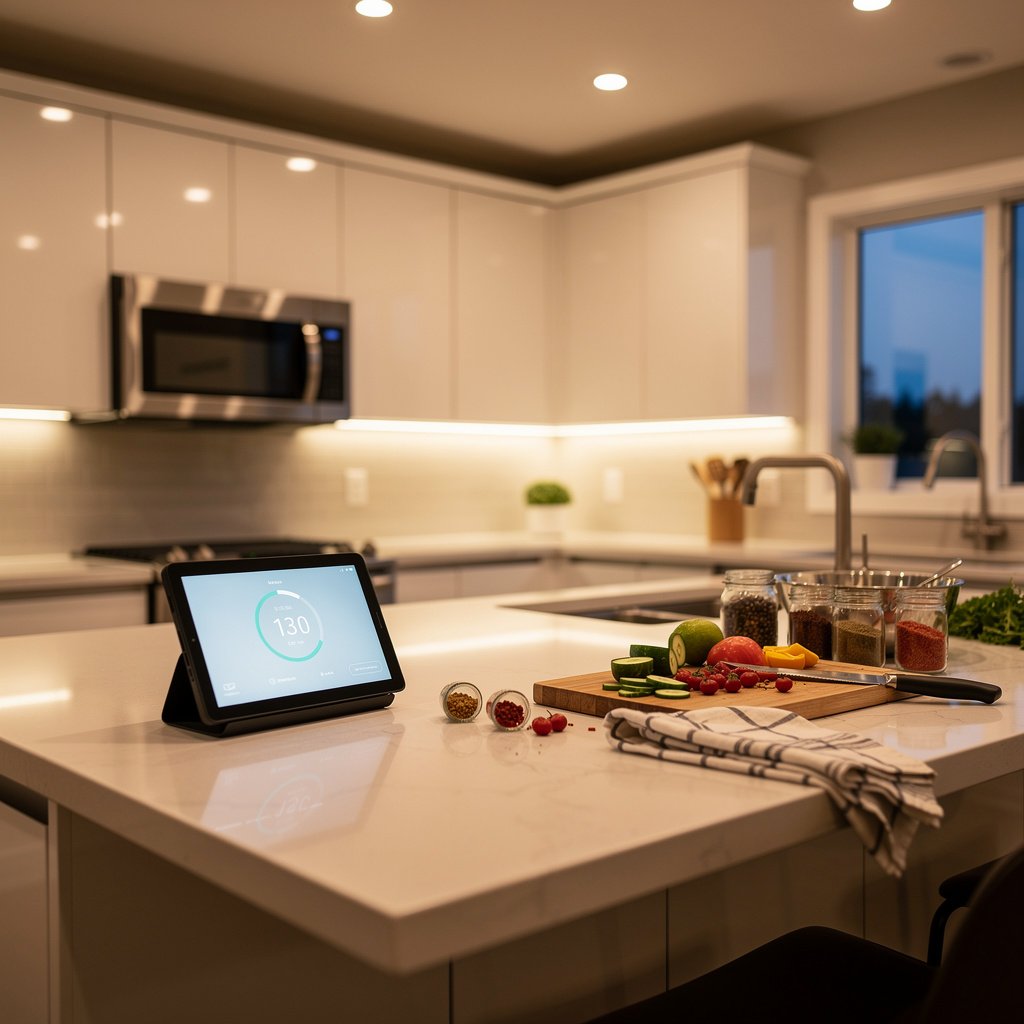
1. Smart Display (Kitchen Command Center)
A smart display is the kitchen's most useful smart device. Use it for:
- Hands-free recipes (show steps, read aloud)
- Timers for multiple dishes
- Video calls while cooking
- Streaming music/podcasts
- Checking doorbell camera when hands are messy
- Quick unit conversions and substitutions
Top Picks:
- Echo Show 8 (3rd Gen): $150 – Best size/value for kitchen counter
- Echo Show 15: $280 – Wall mount as family hub
- Google Nest Hub Max: $230 – Great display, Google ecosystem
- Google Nest Hub: $100 – Budget option, compact
Placement tip: Mount at eye level on wall or place on counter away from stove splatter zones.
2. Smart Kitchen Lighting
Kitchen lighting needs vary by task:
- Under-cabinet lighting: Task lighting for countertops
- Overhead fixtures: General illumination
- Pendant lights: Accent/ambiance over islands
- Pantry light: Motion-activated makes sense here
Top Picks:
- Philips Hue Lightstrip Plus: Under-cabinet LED strips
- Lutron Caseta: Dimmer switches for overhead lighting
- Motion sensor: Auto-on for pantry/utility areas
Color temperature tip: Use daylight (4000-5000K) for cooking tasks, warm white for evening ambiance.
3. Smart Plugs and Outlets
Control small appliances and add safety features:
- Coffee maker: “Alexa, start the coffee” in the morning
- Electric kettle: Voice-activated tea water
- Slow cooker: Monitor cooking remotely
- Toaster oven: Auto-off for safety
- Countertop ice maker: Schedule for when you need ice
Safety note: Only use smart plugs with appliances that are safe to start unattended (coffee makers with auto-brew features, not toasters).
Smart Kitchen Appliances
Smart Coffee Makers
Start your morning brew with voice or schedule:
- Hamilton Beach Smart Coffee Maker: $50 – Alexa compatible
- Atomi Smart Coffee Maker: $70 – App and voice control
- Keurig K-Supreme Smart: $180 – Single serve with BrewID
- Regular coffee maker + smart plug: Simplest upgrade (prep water/grounds night before)
Smart Refrigerators
High-end refrigerators now include smart features:
- Samsung Family Hub: Touchscreen, cameras inside, grocery lists
- LG InstaView ThinQ: See inside without opening, voice control
- GE Profile with WiFi: Remote temperature control, filter alerts
Worth it? Only if you're already buying a new refrigerator. Don't upgrade just for smart features.
Smart Ovens and Ranges
- June Oven: $600 – Countertop smart oven with food recognition
- GE Profile Slide-In Range: WiFi, air fry, voice control
- Tovala Smart Oven: $300 – Scan-to-cook meal kit oven
Smart Instant Pot / Slow Cookers
- Instant Pot Smart WiFi: $150 – Monitor from anywhere
- Crock-Pot with Alexa: Voice control cooking time/temp
Smart Kitchen Gadgets
- Meater+ Wireless Thermometer: $100 – Bluetooth/WiFi meat probe
- Drop Smart Scale: $100 – Interactive recipe guidance
- Anova Precision Cooker: $200 – Sous vide with app control
- Smart faucets: Voice-activated water, precise measurements
Voice Commands for Cooking
Hands-free assistance while cooking is where smart kitchens shine:
Timers
- “Alexa, set a pasta timer for 12 minutes”
- “Hey Google, set a chicken timer for 45 minutes”
- “How much time is left on the pasta timer?”
- “Cancel all timers” (when everything's done)
Conversions and Substitutions
- “How many tablespoons in a cup?”
- “What's 350 Fahrenheit in Celsius?”
- “What can I substitute for buttermilk?”
- “How many ounces in a pound?”
Recipes
- “Alexa, find a chicken parmesan recipe”
- “Show me how to make pie crust”
- “What temperature for baking salmon?”
- “Next step” / “Repeat that”
Shopping Lists
- “Add milk to my shopping list”
- “What's on my shopping list?”
- “Order more paper towels” (with Amazon/Walmart integration)
Kitchen Automations and Scenes
Cooking Scene
Trigger: “Alexa, I'm cooking”
- Turn on under-cabinet lights to 100%
- Set overhead lights to bright daylight
- Turn on exhaust fan (if smart)
- Start playing music/podcast
- Display recipe on smart display
Morning Routine
Trigger: Time-based or motion sensor
- Turn on kitchen lights
- Start coffee maker
- Read weather and calendar on smart display
- Play morning news or music
Dinner Party Scene
Trigger: Voice command
- Dim kitchen to 50%
- Under-cabinet lights to warm accent
- Play dinner party playlist
- Adjust connected dining room lights
Leaving Home Safety
Trigger: Geofencing (leaving home)
- Turn off smart plugs on countertop appliances
- Send notification if oven/stove left on (smart range only)
- Turn off kitchen lights
Kitchen Safety and Monitoring
Water Leak Sensors
Kitchen sinks are common leak sources. Place sensors:
- Under the sink near supply lines
- Near dishwasher connection
- Near refrigerator water line
Top Pick: Aqara Water Leak Sensor ($20) or Ring Alarm Flood Sensor ($35)
Smoke and CO Detectors
Smart smoke detectors near the kitchen should have:
- Silencing via app (for cooking smoke, not emergencies)
- Phone notifications when away
- Integration with other smart devices (turn off HVAC in emergency)
Top Pick: Nest Protect ($129) – Kitchen-specific silence feature
Stove Monitoring
For added safety with traditional stoves:
- Wallflower Smart Monitor: Monitors stove use, sends alerts
- Inirv React: Auto-shuts off stove if unattended
Sample Kitchen Setups by Budget
Starter ($100-200)
- 1x Echo Dot or Google Nest Mini ($30-50)
- 2x Smart plugs for coffee maker and small appliance ($20)
- 2x Smart bulbs for overhead lighting ($30)
- 1x Water leak sensor under sink ($20)
Total: ~$120
Full-Featured ($300-500)
- 1x Echo Show 8 ($150)
- Philips Hue Lightstrip for under-cabinet ($80)
- Lutron Caseta dimmer for overhead ($70)
- 3x Smart plugs ($30)
- Water leak sensor ($20)
- Smart coffee maker ($70)
Total: ~$420
Premium ($800+)
- 1x Echo Show 15 wall-mounted ($280)
- Lutron Caseta throughout kitchen (3-4 switches) ($200)
- Philips Hue under-cabinet lighting ($100)
- Meater+ thermometer ($100)
- Smart faucet ($300+)
- Water leak sensors (3) ($60)
Total: ~$1000+
Kitchen Smart Home Tips
Device Placement
- Keep smart displays away from stove splatter zones
- Place smart speakers where they can hear over running water and exhaust fans
- Mount, don't place—countertop real estate is precious
Cleaning Considerations
- Choose devices that can be wiped down easily
- Avoid devices with fabric covers in the kitchen
- Consider IP ratings if placing near water
Integration with Dining
If your kitchen opens to dining area:
- Group lights for coordinated dimming
- Create combined scenes (dinner prep → dinner ambiance)
- Consider one larger smart display visible from both areas
Final Thoughts
The kitchen is where smart home technology proves its daily value. Start with a smart display and voice-controlled lighting—you'll wonder how you cooked without hands-free timers and recipe assistance. Add smart plugs for your coffee maker, and you've got a morning routine that just works.
The best smart kitchen upgrade? A smart display. Hands-free timers, recipe assistance, and entertainment while cooking make it the single most useful kitchen smart device.
For detailed product recommendations, see our robot vacuum comparison guide.