- Smart Kitchen Essentials
- 1. Smart Display (Kitchen Command Center)
- 2. Smart Kitchen Lighting
- 3. Smart Plugs and Outlets
- Smart Kitchen Appliances
- Smart Coffee Makers
- Smart Refrigerators
- Smart Ovens and Ranges
- Smart Instant Pot / Slow Cookers
- Smart Kitchen Gadgets
- Voice Commands for Cooking
- Timers
- Conversions and Substitutions
- Recipes
- Shopping Lists
- Kitchen Automations and Scenes
- Cooking Scene
- Morning Routine
- Dinner Party Scene
- Leaving Home Safety
- Kitchen Safety and Monitoring
- Water Leak Sensors
- Smoke and CO Detectors
- Stove Monitoring
- Sample Kitchen Setups by Budget
- Starter ($100-200)
- Full-Featured ($300-500)
- Premium ($800+)
- Kitchen Smart Home Tips
- Device Placement
- Cleaning Considerations
- Integration with Dining
- Final Thoughts
- Related Reading
- What’s the best smart display for a kitchen command center?
- How do I choose smart lighting for different kitchen tasks?
- Are smart plugs safe for kitchen appliances?
- What automation tips simplify hands-free cooking?
- Related Reading
Amazon Echo Dot (5th Gen)
Best entry-level Alexa speaker — great sound, compact footprint.
Check Price on Amazon* As an Amazon Associate we earn from qualifying purchases. Prices and availability may vary.
The kitchen is where smart home technology meets practical daily use. From hands-free recipe assistance while cooking to automated appliances and inventory management, a smart kitchen saves time and reduces friction in one of your home’s busiest spaces.
This guide covers essential smart kitchen devices, practical automations, and tips for building a kitchen that works smarter—not harder.
Smart Kitchen Essentials
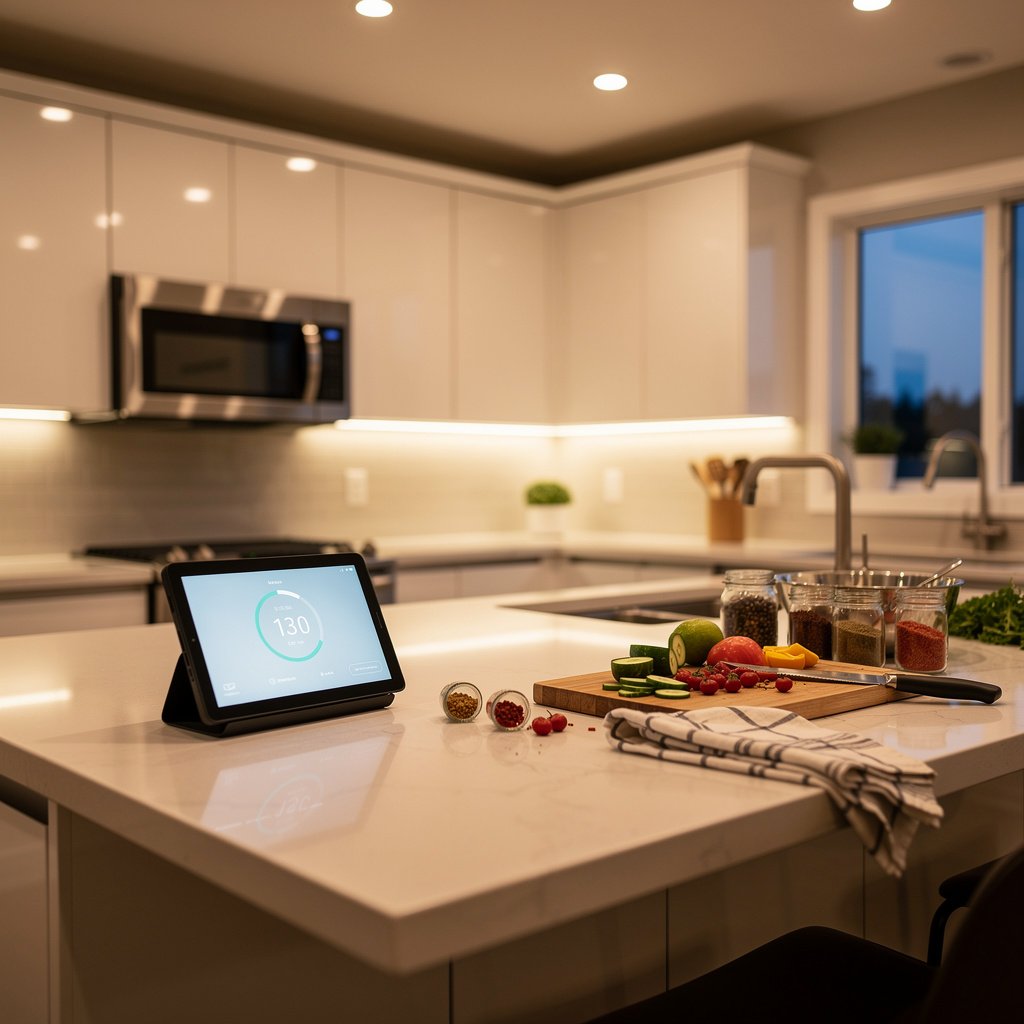
1. Smart Display (Kitchen Command Center)
A smart display is the kitchen’s most useful smart device. Use it for:
- Hands-free recipes (show steps, read aloud)
- Timers for multiple dishes
- Video calls while cooking
- Streaming music/podcasts
- Checking doorbell camera when hands are messy
- Quick unit conversions and substitutions
Top Picks:
- Echo Show 8 (3rd Gen): $150 – Best size/value for kitchen counter
- Echo Show 15: $280 – Wall mount as family hub
- Google Nest Hub Max: $230 – Great display, Google ecosystem
- Google Nest Hub: $100 – Budget option, compact
Placement tip: Mount at eye level on wall or place on counter away from stove splatter zones.
2. Smart Kitchen Lighting
Kitchen lighting needs vary by task:
- Under-cabinet lighting: Task lighting for countertops
- Overhead fixtures: General illumination
- Pendant lights: Accent/ambiance over islands
- Pantry light: Motion-activated makes sense here
Top Picks:
- Philips Hue Lightstrip Plus: Under-cabinet LED strips
- Lutron Caseta: Dimmer switches for overhead lighting
- Motion sensor: Auto-on for pantry/utility areas
Color temperature tip: Use daylight (4000-5000K) for cooking tasks, warm white for evening ambiance.
3. Smart Plugs and Outlets
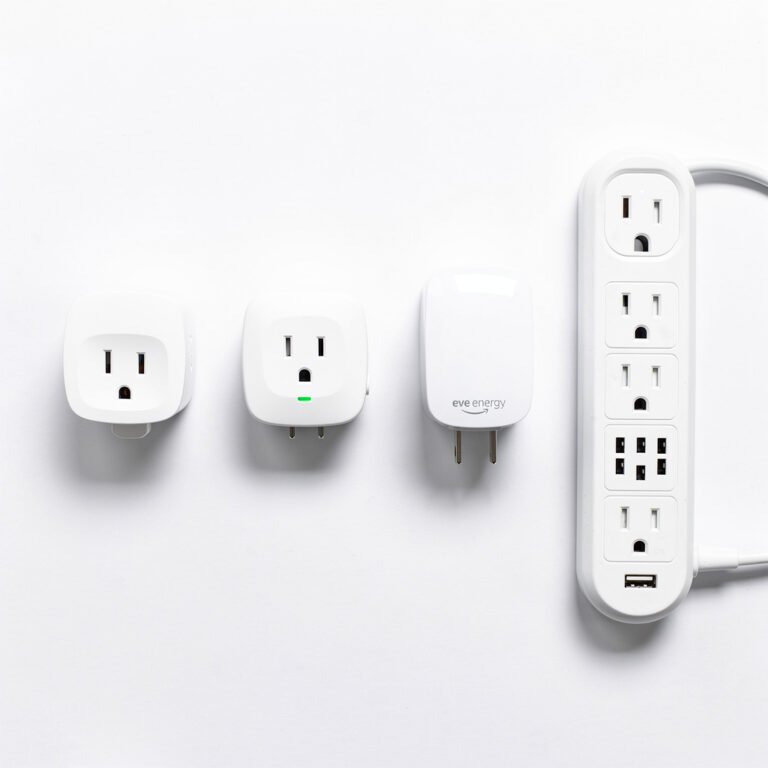
Control small appliances and add safety features:
- Coffee maker: “Alexa, start the coffee” in the morning
- Electric kettle: Voice-activated tea water
- Slow cooker: Monitor cooking remotely
- Toaster oven: Auto-off for safety
- Countertop ice maker: Schedule for when you need ice
Safety note: Only use smart plugs with appliances that are safe to start unattended (coffee makers with auto-brew features, not toasters).
Smart Kitchen Appliances
Smart Coffee Makers
Start your morning brew with voice or schedule:
- Hamilton Beach Smart Coffee Maker: $50 – Alexa compatible
- Atomi Smart Coffee Maker: $70 – App and voice control
- Keurig K-Supreme Smart: $180 – Single serve with BrewID
- Regular coffee maker + smart plug: Simplest upgrade (prep water/grounds night before)
Smart Refrigerators
High-end refrigerators now include smart features:
- Samsung Family Hub: Touchscreen, cameras inside, grocery lists
- LG InstaView ThinQ: See inside without opening, voice control
- GE Profile with WiFi: Remote temperature control, filter alerts
Worth it? Only if you’re already buying a new refrigerator. Don’t upgrade just for smart features.
Smart Ovens and Ranges
- June Oven: $600 – Countertop smart oven with food recognition
- GE Profile Slide-In Range: WiFi, air fry, voice control
- Tovala Smart Oven: $300 – Scan-to-cook meal kit oven
Smart Instant Pot / Slow Cookers
- Instant Pot Smart WiFi: $150 – Monitor from anywhere
- Crock-Pot with Alexa: Voice control cooking time/temp
Smart Kitchen Gadgets
- Meater+ Wireless Thermometer: $100 – Bluetooth/WiFi meat probe
- Drop Smart Scale: $100 – Interactive recipe guidance
- Anova Precision Cooker: $200 – Sous vide with app control
- Smart faucets: Voice-activated water, precise measurements
Voice Commands for Cooking
Hands-free assistance while cooking is where smart kitchens shine:
Timers
- “Alexa, set a pasta timer for 12 minutes”
- “Hey Google, set a chicken timer for 45 minutes”
- “How much time is left on the pasta timer?”
- “Cancel all timers” (when everything’s done)
Conversions and Substitutions
- “How many tablespoons in a cup?”
- “What’s 350 Fahrenheit in Celsius?”
- “What can I substitute for buttermilk?”
- “How many ounces in a pound?”
Recipes
- “Alexa, find a chicken parmesan recipe”
- “Show me how to make pie crust”
- “What temperature for baking salmon?”
- “Next step” / “Repeat that”
Shopping Lists
- “Add milk to my shopping list”
- “What’s on my shopping list?”
- “Order more paper towels” (with Amazon/Walmart integration)
Kitchen Automations and Scenes
Cooking Scene
Trigger: “Alexa, I’m cooking”
- Turn on under-cabinet lights to 100%
- Set overhead lights to bright daylight
- Turn on exhaust fan (if smart)
- Start playing music/podcast
- Display recipe on smart display
Morning Routine
Trigger: Time-based or motion sensor
- Turn on kitchen lights
- Start coffee maker
- Read weather and calendar on smart display
- Play morning news or music
Dinner Party Scene
Trigger: Voice command
- Dim kitchen to 50%
- Under-cabinet lights to warm accent
- Play dinner party playlist
- Adjust connected dining room lights
Leaving Home Safety
Recommended for You
🛒 Smart Home Starter Kit
As an Amazon Associate we earn from qualifying purchases.
Trigger: Geofencing (leaving home)
- Turn off smart plugs on countertop appliances
- Send notification if oven/stove left on (smart range only)
- Turn off kitchen lights
Kitchen Safety and Monitoring
Water Leak Sensors
Kitchen sinks are common leak sources. Place sensors:
- Under the sink near supply lines
- Near dishwasher connection
- Near refrigerator water line
Top Pick: Aqara Water Leak Sensor ($20) or Ring Alarm Flood Sensor ($35)
Smoke and CO Detectors
Smart smoke detectors near the kitchen should have:
- Silencing via app (for cooking smoke, not emergencies)
- Phone notifications when away
- Integration with other smart devices (turn off HVAC in emergency)
Top Pick: Nest Protect ($129) – Kitchen-specific silence feature
Stove Monitoring
For added safety with traditional stoves:
- Wallflower Smart Monitor: Monitors stove use, sends alerts
- Inirv React: Auto-shuts off stove if unattended
Sample Kitchen Setups by Budget
Starter ($100-200)
- 1x Echo Dot or Google Nest Mini ($30-50)
- 2x Smart plugs for coffee maker and small appliance ($20)
- 2x Smart bulbs for overhead lighting ($30)
- 1x Water leak sensor under sink ($20)
Total: ~$120
Full-Featured ($300-500)
- 1x Echo Show 8 ($150)
- Philips Hue Lightstrip for under-cabinet ($80)
- Lutron Caseta dimmer for overhead ($70)
- 3x Smart plugs ($30)
- Water leak sensor ($20)
- Smart coffee maker ($70)
Total: ~$420
Premium ($800+)
- 1x Echo Show 15 wall-mounted ($280)
- Lutron Caseta throughout kitchen (3-4 switches) ($200)
- Philips Hue under-cabinet lighting ($100)
- Meater+ thermometer ($100)
- Smart faucet ($300+)
- Water leak sensors (3) ($60)
Total: ~$1000+
Kitchen Smart Home Tips
Device Placement
- Keep smart displays away from stove splatter zones
- Place smart speakers where they can hear over running water and exhaust fans
- Mount, don’t place—countertop real estate is precious
Cleaning Considerations
- Choose devices that can be wiped down easily
- Avoid devices with fabric covers in the kitchen
- Consider IP ratings if placing near water
Integration with Dining
If your kitchen opens to dining area:
- Group lights for coordinated dimming
- Create combined scenes (dinner prep → dinner ambiance)
- Consider one larger smart display visible from both areas
Final Thoughts
The kitchen is where smart home technology proves its daily value. Start with a smart display and voice-controlled lighting—you’ll wonder how you cooked without hands-free timers and recipe assistance. Add smart plugs for your coffee maker, and you’ve got a morning routine that just works.
The best smart kitchen upgrade? A smart display. Hands-free timers, recipe assistance, and entertainment while cooking make it the single most useful kitchen smart device.
For detailed product recommendations, see our robot vacuum comparison guide.
What’s the best smart display for a kitchen command center?
The Echo Show 8 (3rd Gen) is ideal for countertop use at $150, while the Echo Show 15 ($280) works well as a wall-mounted family hub. Google Nest Hub Max ($230) integrates smoothly with Google services, and the budget-friendly Nest Hub ($100) offers compact functionality. Mount or place it away from stove splatter for longevity.
How do I choose smart lighting for different kitchen tasks?
Use Philips Hue Lightstrip Plus for under-cabinet task lighting, Lutron Caseta dimmers for overhead general lighting, and motion-activated LED strips in pantries. Opt for daylight (4000-5000K) color temperature for cooking, and warm white for evening ambiance. Pendant lights add style to islands.
Are smart plugs safe for kitchen appliances?
Yes, but only use them with appliances designed for unattended use, like coffee makers with auto-brew or slow cookers. Avoid leaving high-risk devices (e.g., toasters) unmonitored. Smart plugs offer voice control and safety features like auto-off timers for added peace of mind.
What automation tips simplify hands-free cooking?
Use your smart display to access voice-guided recipes, set timers for multiple dishes, and stream music. Link smart plugs to appliances for voice control (e.g., “Alexa, start the kettle”). Motion-activated pantry lights and inventory alerts for groceries further reduce friction during meal prep.
🔗 Related From Our Network
- Best Smart Home Devices 2025: Top Picks for Modern Home Automation
- Best Smart Thermostat 2025: Top 10 Models Reviewed
- Best Smart Home Hub 2025: Top 10 Picks for Every Budget
🔌 Editor’s Pick
Editor’s Pick: a smart home starter kit for effortless appliance control.
Make Your Home Smarter
Device reviews, automations, and the deals worth grabbing.
Enjoyed this article?
Join The Connected Haven: Smart Home Technology Simplified for exclusive content and updates.
Subscribe Free