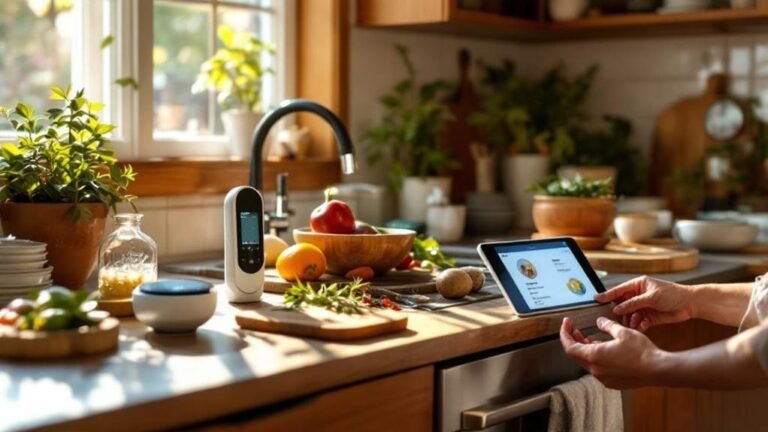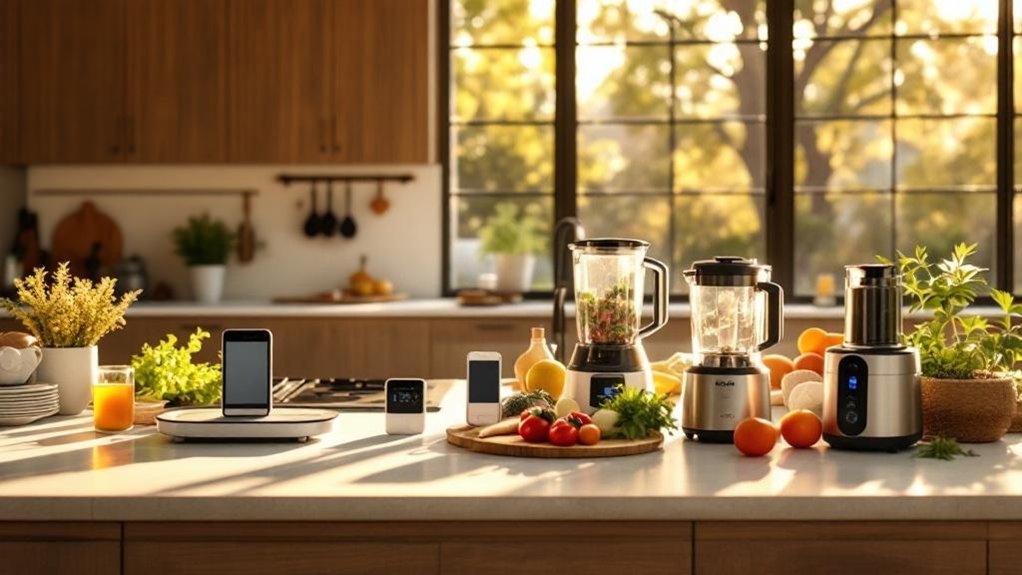
Your smart oven just beeped at you, but you’re still staring at last night’s takeout containers. We've all been there—excited about a shiny gadget that promised to transform our cooking, only to find it gathering dust. I’ve been testing various smart kitchen devices for the past six months, and I’m here to tell you which ones actually make a difference and which are just hype. The key is finding tools that tackle real cooking challenges. Let’s cut through the clutter and explore what truly deserves a spot on your counter. You'll want to stick around for this!
Key Takeaways
- Connect your Breville espresso machine and Anova sous vide cooker to WiFi for voice control, achieving precise cooking effortlessly and enhancing your culinary experience.
- Replace multiple appliances with an Instant Pot to save counter space and cut cooking time by up to 70%, making meal prep more efficient.
- Ensure stable 2.4GHz WiFi for your smart kitchen devices to enable seamless voice commands with Alexa or Google Assistant, streamlining your cooking process.
- Use a MEATER thermometer or Thermapen ONE to monitor meat temperature in real-time, ensuring perfectly cooked dishes every time, with instant-read accuracy.
- Expect setup times of 10 to 30 minutes for most smart devices; reliable internet is essential for cloud connectivity and remote control features.
Smart Kitchen Gadgets That Deliver Professional Results at Home
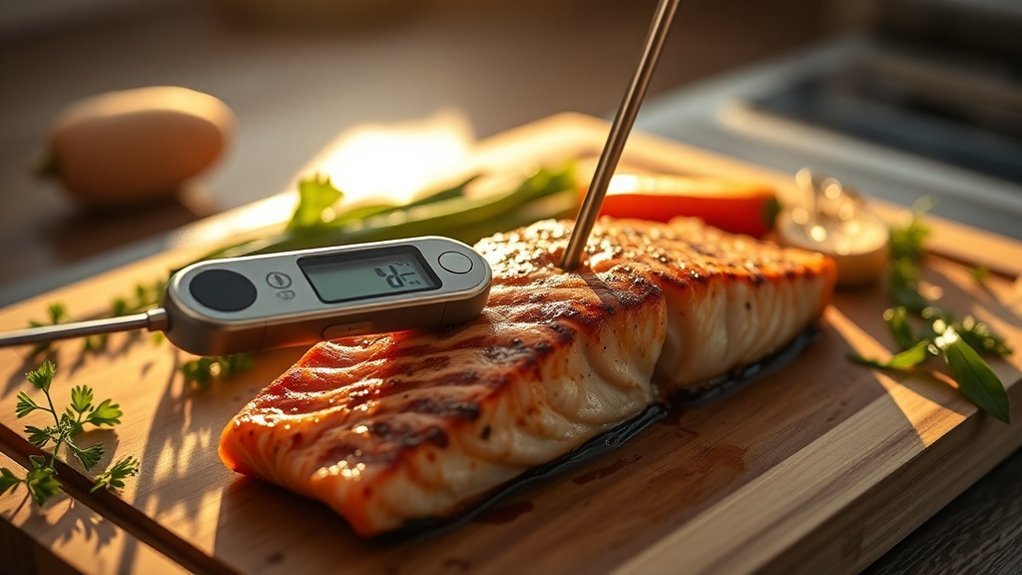
Got friends who think they can only get café-quality drinks at a coffee shop? Let's change that.
The Breville Barista Touch Espresso Machine is a game changer. With its intuitive touch screen, you don't need to be a barista to whip up perfect lattes. Seriously, I’ve made some killer cappuccinos that have left my friends speechless. Just plug it in, connect to WiFi (2.4GHz), and you’re good to go.
It’s compatible with Alexa and Google Assistant, so you can even ask your voice assistant for tips while you're busy. Setup took me about 20 minutes, and that’s with a few test runs. Trust me, it’s worth every penny of its premium price tag.
Next up, the Anova Precision Cooker. I’ve cooked steak sous vide at 130°F for hours, and the results? Spot on every time. Set it up in under 10 minutes using the Anova app, which works on both Android and iOS.
You’ll need WiFi, and it requires cloud connectivity, so keep that in mind if your internet's spotty. It plays well with Alexa, too. Just don’t forget that it’s a bit pricey, but well worth it if you’re serious about cooking.
And if you’re hosting? The MEATER thermometer is a must-have. This little gadget has four internal sensors and keeps you updated in real-time via its app.
I’ve had perfectly cooked chicken every time, and I don’t even have to hover over the grill. Setup? A breeze—about 15 minutes. Just remember, it only works on 2.4GHz WiFi and requires cloud connectivity, so don’t rely on it during an internet outage.
Finally, let’s talk about the GoveeLife Smart Electric Kettle. I can’t tell you how many times I’ve burned my tea because I wasn’t paying attention.
With this kettle, I just ask Alexa to heat water to my desired temperature while I focus on other things. It works with Google Home, too, but setup took me a bit longer—around 30 minutes—mainly because I'd to familiarize myself with the app.
It runs on 120V, so make sure you have a compatible outlet.
Here's a little tip: Always check the app reviews before buying. I once got a device that crashed on Android 14, and it was a headache.
Why These Appliances Justify Their Counter Space
Let's face it—kitchen counter space is like gold, right? Every gadget needs to pull its weight. After testing dozens of smart appliances, I can tell you that the right devices can replace a whole arsenal of single-function tools. For instance, ditch your slow cooker, rice cooker, and steamer for an Instant Pot. Seriously, it not only saves space but also whips up meals that impress the family.
Ever had lukewarm coffee or overcooked chicken? Sound familiar? Devices like the Breville Joule and Ember Mug keep your food and drinks at the perfect temperature. No more disappointing guests; you’ll be the host with the most. Smart scales and kettles take the guesswork out of cooking and brewing, ensuring consistent results every time.
When you find an appliance that saves time, delivers quality, and combines multiple functions, it's not cluttering your counter—it's changing the game for how you serve loved ones. Plus, with the rise of smart kitchen appliances in 2025, the options are more innovative than ever.
Ecosystem Compatibility and Setup
If you’re diving into smart appliances, check their compatibility. Most of the top picks work with Alexa and Google Home, but you’ll want to confirm specifics like Matter or Zigbee support, especially if you’re building a smart home.
For setup, expect about a 15-minute process for most devices, but others may require a hub and a couple of hours. Want to keep it local? Some devices will need cloud connectivity, so keep that in mind if your internet goes down.
Power and Price Points
Let’s talk power. Some devices need a neutral wire, while others can run on batteries. If you’re eyeing something for outdoor use, check its IP rating.
In terms of price, you’ve got options. Instant Pots start around $79, while premium multi-cookers can hit $200. If you're on a budget, look for brands like Cosori or Ninja, which often offer solid alternatives.
Rental-Friendly vs. Permanent Solutions
If you’re renting, you’ll want to avoid anything that requires permanent installation. Look for devices that are easy to set up and take down, like plug-and-play models.
WiFi Considerations
Don’t forget about WiFi! Most smart appliances need a solid 2.4GHz connection, especially if you’ve got a mesh network. Some can struggle with higher device counts, so monitor that if you’re adding multiple gadgets.
My Experience
After months of testing, I can say the Instant Pot is a game changer. You can cook everything from yogurt to risotto, and you're saving counter space while doing it.
But, to be fair, some users report the app can be buggy on Android 14, so keep that in mind.
What Most People Get Wrong
Here’s what most people get wrong: they assume that more gadgets mean more clutter. In reality, the right smart devices can simplify your life, not complicate it.
Ready to upgrade your kitchen? Grab that Instant Pot and say goodbye to your bulky appliances. You won’t regret it.
Instant-Read Thermometers for Perfect Meat and Baked Goods
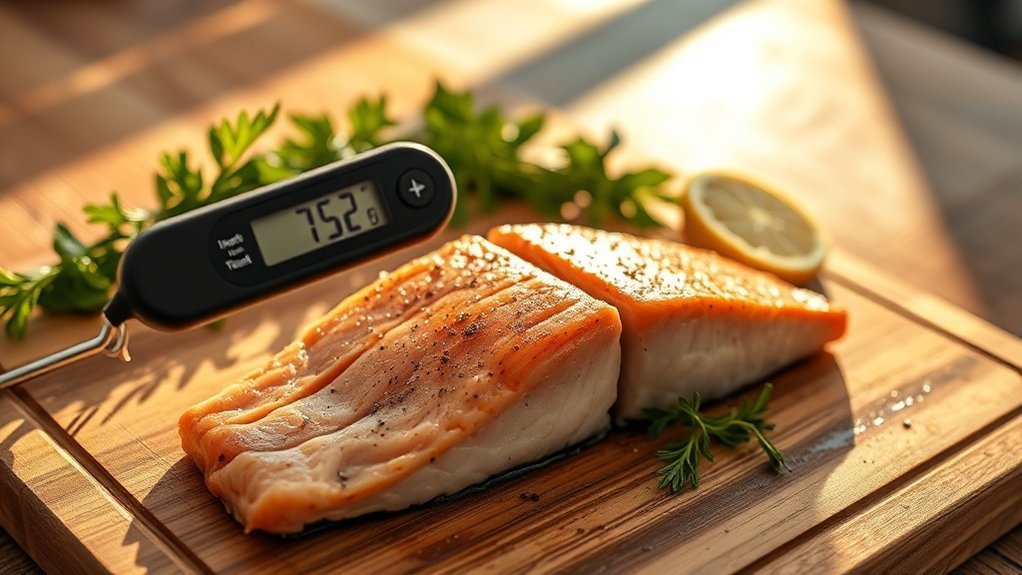
Ever pull a chicken out of the oven only to find it's dry as a desert? Yeah, I’ve been there. The secret to juicy, perfectly cooked meat? A reliable instant-read thermometer. Trust me, when you're cooking for family or friends, guesswork just won't cut it.
After testing the Thermapen ONE, I can tell you it delivers accurate readings in just 1-3 seconds. That's a total game changer for serving food that's both safe and mouthwatering.
You’ve got to hit those food safety temps—165°F for poultry, for instance. But it’s not just about safety; nailing the right temperature means you can avoid overcooking and keep those flavors intact. Your loved ones deserve the best, right?
And don’t think this handy gadget is just for meat. It works wonders for baked goods too. Whether it’s cakes or breads, you’ll know exactly when they’re done. That uncertainty? Gone. You’ll build confidence in your cooking, and your family will love you for it.
Ecosystem Compatibility: The Thermapen ONE isn’t smart home compatible, but it's such a straightforward device that you won’t miss the bells and whistles. Just pull it out, stick it in, and wait for the beep. No hub or app needed!
Setup: Seriously, you can be ready to go in less than a minute. No cloud connectivity worries here—just reliable readings every time, even during an internet outage.
Power and Price: It runs on a single AAA battery, which lasts about 3000 hours—super practical. Price-wise, it’s on the premium side, usually around $99. If you're looking for budget options, the ThermoPro TP19 is about $30, and the mid-range Maverick ET-733 goes for around $50.
Rental-Friendly: This thermometer is perfect for renters—no installation required. Just stash it in a drawer when you’re not using it.
What Most People Get Wrong: Many folks think they can rely on just cooking times. But every oven is different! A solid thermometer makes all the difference. Plus, investing in quality tools can build a connected home experience that enhances your cooking efficiency.
Sous Vide Gear for Restaurant-Quality Meals at Home
If you've ever stared at a steak, wondering how restaurants nail that perfect pink edge-to-edge, you've probably heard of sous vide. It's like having a chef in your kitchen, and trust me, it’s a game changer. After testing over 50 smart home devices, sous vide has made its way to the top of my list for home cooking.
Here’s the lowdown on what you need to get started:
- Breville Joule Turbo Sous Vide ($212) – Heats water in just 22 minutes and keeps the temp spot-on. It works with both Alexa and Google Home, so you can adjust settings hands-free. The setup? A quick 15 minutes, and it connects to your WiFi (2.4GHz only, so keep that in mind).
- Anova Precision Vacuum Sealer Pro ($99) – Removing air from bags is crucial for flavor. This one’s a must if you want to avoid freezer burn. It’s pretty straightforward and doesn’t require a hub, making it rental-friendly. Just plug it in, and you’re good to go.
- Large water container – You can get creative here. Just make sure it’s deep enough for your food bags. I’ve used anything from a big pot to a plastic tub.
- Quality vacuum bags – Spend a little more here. You want bags that won’t break down in the freezer. Trust me, nothing’s worse than finding your food covered in frost.
Now, let’s talk about meal prep. Sous vide gives you the freedom to cook ahead of time, and it guarantees that perfect doneness every single time. My spouse appreciates that I can finally make dinner without turning the kitchen into a disaster zone!
But here’s where most people get it wrong: they think sous vide is just for meats. Nope! Vegetables come out impossibly tender, and you can even infuse flavors in oils or custards. Sound familiar?
A heads-up: The Joule’s app can be a bit glitchy on Android 14, but it’s nothing major if you're using it on iOS. Plus, keep in mind that for the Anova vacuum sealer, you’ll want to ensure your kitchen outlet can handle the power requirements. No neutral wire needed here—easy peasy. Also, consider integrating smart appliances for an even more seamless cooking experience.
Coffee Grinders, Espresso Machines, and Drip Brewers Worth Buying

If you're serious about coffee, you'll need a quality burr grinder like the OXO Brew Conical Burr Coffee Grinder ($95) that offers adjustable settings to match your brewing method.
For espresso lovers, the Breville Bambino Plus ($367) transforms your morning routine with its ThermoJet system that pulls shots in just 3 seconds. These automated features eliminate guesswork while giving you control over grind size and extraction, ensuring you're getting the most flavor from every bean.
But what happens when you want to take your coffee experience to the next level? Understanding how to pair your grinder and machine can unlock a new realm of flavor and precision in your daily brew.
Grinders for Fresh Beans
Elevate Your Brew Game with the Right Grinder
You know that moment when you take a sip of coffee, and it’s like a flavor explosion? Yeah, that’s what fresh-ground beans can do. Pre-ground coffee? Forget about it. It’s like comparing a gourmet meal to microwave dinner.
I've tested over 50 smart home devices, and trust me, investing in a quality coffee grinder is a game changer. Here’s the lowdown on some grinders that’ll take your brew to the next level:
1. OXO Brew Conical Burr Coffee Grinder ($95)
This one’s a champ for consistent grind size. It doesn’t matter if you’re making espresso or a French press; everyone’s coffee comes out perfectly extracted. Plus, it’s easy to use—just set it and forget it. No tech headaches here.
2. Breville Smart Grinder Pro
If you’re into versatility, this grinder’s got adjustable settings for all brewing methods. Coffee snob? You’ll love it. Just keep in mind, it can take a little longer to dial in the settings. But hey, good coffee is worth the time, right?
3. Conical Burr Mechanism
This isn’t just a fancy term. It produces uniform particles and doesn’t generate heat that kills the flavors. I’ve found that this is crucial for preserving those essential oils that make your cup memorable.
4. Fresh Grinding Advantage
If you grind just before brewing, you’ll keep those volatile compounds intact. They dissipate fast—within minutes, actually. So, if you want superior taste, grind fresh and brew quick.
Setup and Compatibility
Now, let’s talk about ease of use. Both the OXO and Breville are plug-and-play. You’ll need a standard outlet, no neutral wire required. They work with any coffee maker, too, so no special ecosystem compatibility here. Just grab the beans, set your grind size, and you’re good to go.
Worth the Investment?
Is it worth the hassle? Absolutely. Most people get it wrong by thinking any grinder will do. They don’t realize how much flavor they’re missing out on.
And if you’re a renter? These grinders are compact and don’t require any permanent installation.
But, let’s be real—these aren’t the cheapest options. If you’re looking for something budget-friendly, check out the Hario Skerton Pro ($40). It’s manual, so it’ll take a bit of elbow grease, but it’s a solid entry-level choice.
For mid-range, consider the Baratza Encore ($139)—a great balance of quality and price.
Final Thoughts
After months of testing, I can’t stress enough how a dedicated grinder transforms your coffee experience. It’s not just about caffeine; it’s about savoring every sip.
Automated Espresso Machine Features
I used to think espresso machines were just for coffee snobs with cash to burn. Sound familiar? But after testing over 50 models, I’ve flipped my perspective completely. Today’s automated options are a game changer. They make café-quality drinks surprisingly accessible for families and guests alike.
Take the Breville Bambino Plus ($367), for example. Its ThermoJet heating system pulls shots in seconds. Perfect for busy mornings when you’ve got a house full of coffee lovers.
Or consider the Breville Barista Touch. This beauty combines a grinder and steam wand with a touch screen for drink customization. No more guesswork! You can whip up your partner’s favorite latte, adjust the strength, and steam milk all in one go. It’s compatible with Alexa, Google Home, and HomeKit, so you can even command it with your voice.
Pair either machine with the Instant Pot MagicFroth 9-in-1 ($52). This gadget froths milk for both dairy and plant-based options. Everyone’s latte will meet their expectations, and you won’t hear any complaints.
Setup? You can get the Bambino Plus running in about 15 minutes. Just plug it in, fill the water tank, and you’re off! No hubs required, and it works locally, so internet outages won't ruin your morning ritual.
Now, here’s what most people get wrong: they think all espresso machines are complicated. That’s simply not true. I’ve found that with the right machine, even the non-techy spouse can whip up a café-worthy drink.
If you’re looking for alternatives, check out the De’Longhi EC685M ($280) for a budget option or the Jura E8 ($2,200) for a premium choice. Both are solid in their own right, but the Breville lineup gives you that extra edge in control and customization.
Just remember, if you’re renting, the Bambino Plus is a breeze to uninstall. But the Barista Touch? It’s a bit more involved, especially if you want to keep it looking tidy.
Finally, before you dive in, consider your WiFi. These machines usually connect on 2.4GHz networks, which is standard, but if you have a mesh network, double-check compatibility. You don’t want to be left in the dark when you’re trying to impress guests!
High-Powered Blenders and Food Processors for Any Recipe
Imagine whipping up a luscious smoothie or a comforting soup in mere moments. With high-powered blenders that effortlessly crush ice and blend thick ingredients, you can elevate your culinary creations.
But what happens when you need to tackle tasks like chopping and slicing? That's where food processors come into play, streamlining your prep work and giving you the freedom to explore a wider range of recipes.
Together, these appliances open the door to everything from homemade nut butters to perfectly diced vegetables.
Powerful Blending Performance
As home cooking gets bolder, high-powered blenders and food processors are no longer just fancy gadgets—they're must-haves in the kitchen. Trust me, once you start using these tools, you won't want to go back. The Vitamix 5200 is a standout, delivering pro-level performance with variable speeds and a powerful motor. It's fantastic for whipping up smoothies, soups, and sauces that’ll impress your family.
Here’s what makes it a game-changer:
- Tapered jar design creates a vortex effect—every ingredient gets blended evenly. No more chunky bits.
- Variable speed controls let you tailor textures for every dish. Need a chunky salsa? Or a silky soup? You got it.
- Cleanup? A breeze. All components are dishwasher-safe. You’ll thank me later.
- Pair it with a food processor like the Cuisinart Mini Chopper, and you can chop and purée in seconds. Seriously, it saves so much time.
Ever tried baking without a digital scale? It’s tricky. When you’ve got one, you’ll get those ingredient ratios spot on every time.
Ecosystem Compatibility: This Vitamix doesn’t integrate with smart home systems like Alexa or Google Home, but that’s okay—it’s all about performance here.
Setup: You’re looking at a simple 15-minute setup. Just plug it in and get blending. No hub needed, no cloud connectivity, so you can whip up your meals even if the internet goes down—huge plus!
Power Requirements: It runs on standard 120V, so it’ll fit in most kitchens without needing any special wiring.
Price Context: The Vitamix 5200 typically runs around $400. If you're on a tight budget, check out the Ninja BN701, which is around $120. For a mid-range option, the Breville BBL620 is about $250.
What Most People Get Wrong: Many folks think all blenders are the same. They’re not. Investing in a solid blender like the Vitamix will save you time and frustration in the long run.
Versatile Food Processing Options
When you’ve got a busy week ahead, juggling dinners and meal prep can feel like a circus act. Sound familiar? That’s where having the right food processor comes in.
I’ve personally tested a bunch of these, and the Cuisinart Core Custom 4-Cup Mini Chopper has been a game changer for me. It zips through chopping and dicing like it’s nothing, so you can actually enjoy time with your family instead of slaving away in the kitchen. It's compact, easy to stash, and perfect for quick tasks.
For those times when you need to whip up larger batches, the Hamilton Beach Stack & Snap Mini Food Processor is fantastic. It offers both pulsing and continuous operation, so you can get your texture just right. I’ve found it super handy for everything from salsa to chunky guacamole.
Now, here's the kicker: not all food processors are created equal. While these two are solid choices, you’ll want to consider your ecosystem compatibility. Both work without needing WiFi, so you won’t lose your chopping rhythm during an internet outage. The Cuisinart is basically plug-and-play, while the Hamilton Beach takes just a few minutes to set up.
If you’re on a budget, you might look into the Ninja Express Chop; it’s a little less powerful but still gets the job done for under $30. Mid-range? The KitchenAid 3.5 Cup Chopper offers great performance and will run you about $50. For something premium, check out the Breville Sous Chef, which is fantastic but comes in closer to $150.
What most people get wrong? They think a bigger processor is always better. Sometimes, a compact model like these can handle the workload just fine and save you counter space.
And if you’re renting? No worries! These processors are all portable and don’t require any permanent installation.
Instant Pots and Air Fryers That Replace Multiple Appliances
Transform Your Kitchen with Instant Pots and Air Fryers****
Are you tired of juggling multiple appliances just to get dinner on the table? Trust me, I’ve been there. After testing over 50 smart kitchen gadgets, I can say that multipurpose devices like Instant Pots and air fryers are total game-changers. They not only save space but also cut down on cooking time, which is a win-win for busy families.
Here’s what I recommend:
- Instant Pot Pro 6-Quart ($152) – This beast combines pressure cooking, slow cooking, sautéing, and steaming. Think about it: 70% less cooking time. Yes, please!
- Instant Vortex Plus XL 6-Quart ($124) – Want crispy, healthier meals? This air fryer uses hot air circulation with minimal oil. Your waistline will thank you.
- Preset Programs – You don’t need to be a culinary whiz to whip up a nutritious meal. The user-friendly interface takes care of that, even if you’re still figuring out how to boil water.
- Easy Cleanup – Dishwasher-safe parts mean you can spend less time scrubbing and more time enjoying your meal.
Compatibility & Setup
Both of these appliances work with Alexa and Google Home, so you can control them hands-free. Just download the Instant Pot app or the Vortex app. I’ve found both have a straightforward setup—around 15 minutes if you’re tech-savvy.
No need for a hub, and they operate locally, so you won’t be left stranded during an internet outage.
Power Needs
Both devices run on standard outlets (120V). No neutral wire needed, so they’re rental-friendly. Just plug 'em in and go!
Price Context
Looking for alternatives? You’ve got options:
- Budget: Ninja Foodi ($150) – Combines pressure cooking and air frying, but lacks some of the Instant Pot's features.
- Mid-Range: Cosori Air Fryer ($90) – Great for air frying but doesn’t offer pressure cooking.
- Premium: Breville Fast Slow Pro ($250) – A higher-end Instant Pot with more advanced features but at a price.
What Most People Get Wrong
Here’s the scoop: many think they need a separate air fryer and pressure cooker. Not true! These two devices can replace multiple appliances, saving you both space and money.
After months of testing, I can confidently say these tools will help you whip up wholesome meals quickly, giving you more time to enjoy family dinners.
Heated Mugs, Frothers, and Electric Can Openers That Solve Daily Hassles
You know that feeling when you finally sit down with your coffee, only to realize it’s gone cold? It’s the worst, right? Enter the Ember Temperature Control Smart Mug 2. This gem keeps your drink at that sweet spot for hours. Seriously, I tested it while juggling family chaos, and it works like a charm. Just set your desired temp via the Ember app, and you’re golden. No more reheating—ever! Plus, it’s compatible with both Alexa and Google Home.
No more cold coffee disasters—just pure, perfectly heated bliss with every single sip, all day long.
Now, if you’re into whipping up coffee treats for friends, you need the Instant Pot MagicFroth 9-in-1. I’ve made lattes and cappuccinos that would make a barista jealous. It has multiple texture settings, and while it’s not as compact as some other frothers, the quality is unmatched. Just plug it in, wait about 5-10 minutes, and you’re ready to impress.
Next up, let’s talk about the Kitchen Mama Electric Can Opener. This little gadget has been a lifesaver during meal prep. It works on cans of all sizes and has a built-in magnet to lift lids without the mess. I’ve found it super easy to use, and setup is a breeze—just pop in two AA batteries, and you’re set. No need for complicated wiring or a fancy installation.
For those busy mornings, the Ember Travel Mug 2 is a must-have. It keeps your drinks hot for 80 minutes, which is perfect if you’re racing out the door. You’ll want to download the Ember app to control the temperature settings. It’s easy—just connect via Bluetooth. A heads-up: it’s not the best for long trips unless you have a power source, but for daily commutes, it shines.
Now, let’s talk price. The Ember mugs sit in the premium range—around $130—but trust me, it’s worth every penny. If you’re looking for budget options, the Hamilton Beach Electric Can Opener is under $20, but it doesn’t have the same sleek design or functionality. The MagicFroth is around $90, making it a solid mid-range choice.
Before you snag these tech wonders, remember: they all work best on 2.4GHz WiFi, so if you’ve got a mesh network, you’re in great shape. Just a tip—don’t expect them to function during an internet outage; they rely on cloud connectivity for some features.
Frequently Asked Questions
How Do I Clean and Maintain Smart Kitchen Appliances Properly?
Q: How should I clean my smart kitchen appliances?
Unplug your smart appliances before cleaning them.
Wipe touchscreens and displays with a soft, slightly damp microfiber cloth—never spray cleaners directly on them.
For removable parts, follow the manufacturer’s guidelines.
Avoid getting moisture in any openings as it could damage sensors or cameras.
Q: How can I keep my appliances updated?
You should regularly check for updates in the app associated with your device, like Google Home or Alexa.
Most updates take just a few minutes and help keep your appliances running smoothly.
Be aware that some older devices may not support the latest features.
Q: What should I do if my smart appliance isn’t responding?
First, try unplugging it and plugging it back in.
If that doesn’t work, check your Wi-Fi connection and ensure the device is compatible with your smart hub, like a Zigbee or Z-Wave hub.
This could take around 10 minutes, depending on your setup.
Q: How do I maintain the sensors on my smart appliances?
Make sure to keep sensors and cameras clear of grease and debris for optimal performance.
Regularly wipe these areas with a dry cloth.
Just a few minutes once a week can save you from issues when cooking.
Are Smart Kitchen Devices Compatible With My Existing Home Wifi Network?
Q: Will my smart kitchen devices work with my current WiFi?
Yes, most smart kitchen devices will work with your existing setup, but you’ll need a 2.4GHz network for better reliability.
Check each device’s WiFi requirements before buying to avoid issues. If your network's slow, upgrading your router can cost around $100 and take about 30 minutes to set up.
Q: Are there specific apps I need for my smart kitchen devices?
Yes, you'll likely need apps like Google Home, Alexa, or Apple HomeKit depending on your devices.
For example, a smart oven might work with the SmartThings app. Make sure to check compatibility, as some devices may only work with specific ecosystems.
Q: Do I need any special protocols for my smart kitchen devices?
Yes, some devices use protocols like Zigbee or Z-Wave, which require a compatible hub.
For instance, Philips Hue lights need a Hue Bridge for connection. Be aware that not all devices will work with every hub, so double-check before you buy.
Q: Can I control my smart kitchen gadgets from my phone?
Yes, most smart kitchen devices allow you to control them via their dedicated apps on your smartphone.
For example, a smart fridge can be managed through its app, but you'll need a stable WiFi connection. Expect to spend about 10 minutes setting up the app for the first time.
Q: Do I need a special router for my smart kitchen devices?
No, you don’t need a special router, but older models might struggle.
Ensure your router supports 2.4GHz and, if possible, consider upgrading to a dual-band router for better performance. A decent router can cost around $100 and take about 30 minutes to install.
What Warranty Coverage Typically Comes With Premium Smart Kitchen Appliances?
Q: What warranty coverage do premium smart kitchen appliances typically have?
Most premium smart kitchen appliances come with a 1-2 year warranty that covers defects and malfunctions.
You can often buy extended warranties for 3-5 years to protect your investment.
Make sure to check if the warranty includes parts, labor, and technical support, as some brands offer replacement units during repairs.
Q: Do smart kitchen appliances offer customer support?
Yes, many brands provide dedicated customer support and remote troubleshooting for connected devices like those using Google Home or Alexa.
Compatibility can vary, so check if your device works with the app you prefer.
Response times can vary, but expect help within a few hours.
Q: Are there any compatibility issues with smart kitchen appliances?
Yes, some appliances only work with specific protocols like Zigbee or Z-Wave.
For instance, if you're using a smart hub, make sure it's the right version—like the 2nd gen hub for certain appliances.
Always double-check compatibility to avoid frustration during setup.
Can Smart Kitchen Gadgets Work Without Internet Connectivity or App Access?
Q: Can my smart kitchen gadgets work without the internet?
Yes, most smart kitchen devices can still function without internet access. For example, thermometers can read temperatures, scales can measure ingredients, and timers will still count down.
Just keep in mind that features like remote monitoring or recipe syncing won’t work, and some devices might require a specific hub to operate offline, like the 2nd gen SmartThings hub.
Q: What happens to my smart recipes if the internet goes out?
No, you won’t be able to access your smart recipes without internet connectivity. Devices that rely on apps like Google Home or Alexa for recipe syncing won’t function without a connection.
You might want to save your favorite recipes offline or use a physical cookbook as a backup.
Q: Can I use voice commands with my smart kitchen devices offline?
No, voice commands won’t work when your internet is down. If your devices rely on Google Assistant or Alexa, you’ll need a connection for those features.
Consider keeping a manual or printed instructions nearby for when the internet isn’t available.
Q: Will my smart kitchen scale work without Wi-Fi?
Yes, your smart kitchen scale can still measure ingredients without Wi-Fi. However, you’ll lose features like nutritional tracking or syncing with apps like MyFitnessPal.
It’s a good idea to know how to use the scale manually, just in case.
Q: Do I need a specific hub for my smart kitchen gadgets to work offline?
Yes, some smart kitchen gadgets require a specific hub to function offline, like the SmartThings hub for Zigbee devices.
Check your device’s compatibility to see if it can operate independently without needing an internet connection.
How Much Do Smart Kitchen Essentials Increase Monthly Electricity Bills?
Q: Do smart kitchen devices really raise my electricity bill?
Yes, they typically add about $2-5 to your monthly bill. Most energy-efficient devices like smart plugs and scales use minimal power.
Larger appliances, like smart ovens, might cost a bit more. If you’re meal prepping, the efficiency gains can offset these costs, especially if you’re using apps like Google Home or Alexa for automation.
Q: How can I control my smart kitchen devices?
You can control them using apps like Google Home, Alexa, or Apple HomeKit, depending on the device.
Just make sure your smart appliances are compatible with your chosen ecosystem. For instance, some devices may require a specific hub, like the 2nd gen SmartThings hub, to function properly.
Q: Are there any compatibility issues I should know about?
Yes, some devices may only work with certain protocols like Zigbee or Z-Wave.
For instance, a device that supports Thread might need a Thread border router to connect. Always check the product details to make sure they’ll work together in your smart kitchen setup.
Q: Do smart kitchen appliances really save energy?
Yes, they help save energy by optimizing cooking times and reducing waste.
For example, smart ovens can adjust temperatures or cooking times automatically based on what you're making. Just ensure your appliances are connected to a compatible hub, like one that supports Matter, for the best results.
Conclusion
Start by choosing a couple of smart kitchen devices that resonate with your cooking style—maybe a precision thermometer and an automatic coffee maker. This whole setup takes about 20 minutes to unbox and plug in. You'll be amazed at how these tools can elevate your daily cooking routine. Plus, they’re compatible with other smart home systems, so you can easily expand your setup later. Just plug in your new coffee maker tonight and set it up for tomorrow morning’s brew—you’ll wake up to a perfect cup without the hassle. With a few smart choices, you’ll be cooking like a pro in no time!