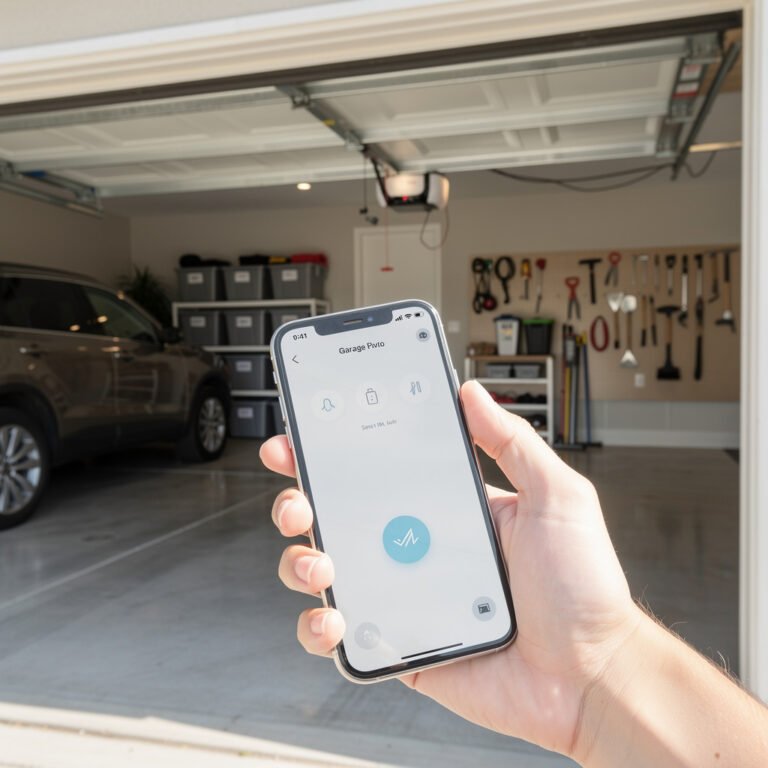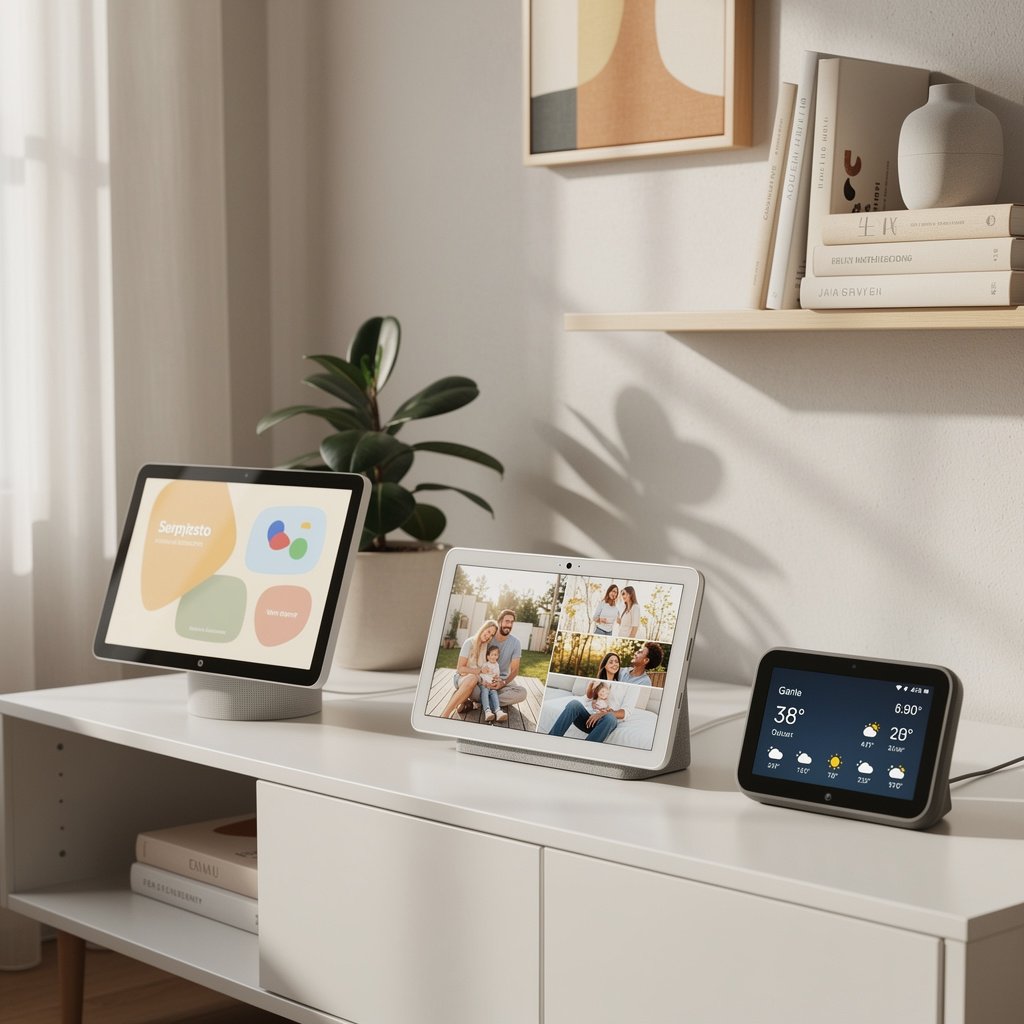
Smart displays combine the voice control of smart speakers with a touchscreen that shows you what you're asking about. Watch recipe videos in the kitchen, see who's at the door, video call family, control your smart home with a tap, and wake up to a digital photo frame showing your favorite memories. If a smart speaker is helpful, a smart display is indispensable.
After testing every major smart display in real homes, we've identified the best options for 2025. Whether you want a bedside clock, a kitchen command center, or a whole-home video calling hub, here's what you need to know.
Quick Picks: Best Smart Displays at a Glance
| Category | Product | Price | Best For |
|---|---|---|---|
| Best Overall | Google Nest Hub Max | $229 | Best all-around smart display |
| Best Value | Amazon Echo Show 5 (3rd Gen) | $89 | Affordable bedside smart display |
| Best for Kitchen | Amazon Echo Show 15 | $279 | Wall-mounted family command center |
| Best for Video Calls | Amazon Echo Show 10 (3rd Gen) | $249 | Auto-tracking camera keeps you in frame |
| Best for Bedside | Google Nest Hub (2nd Gen) | $99 | Sleep tracking, no camera privacy |
| Best for Photos | Google Nest Hub Max | $229 | Google Photos integration |
| Best Budget | Amazon Echo Show 5 (3rd Gen) | $89 | Entry-level smart display |
| Best Large Screen | Amazon Echo Show 15 | $279 | 15.6-inch family display |
Best Smart Displays: Detailed Reviews
Best Overall: Google Nest Hub Max – $229
Why it wins: The Nest Hub Max is the smart display that does everything well. Its 10-inch HD screen is large enough to watch videos comfortably, Google Assistant provides the smartest voice responses, and the built-in Nest camera doubles as a security camera when you're away.
Key Features:
- 10-inch HD touchscreen with stereo speakers
- Google Assistant with the best natural language understanding
- Built-in Nest camera for video calls and home monitoring
- Face Match recognizes household members and personalizes responses
- Quick Gestures control media without touching the screen
- Google Photos ambient display with smart photo curation
- YouTube, Netflix, and other streaming apps built-in
- Chromecast built-in for casting from your phone
Smart Home Control: Works with thousands of devices through Google Home. View live camera feeds, control lights and thermostats, and see device status on the ambient display.
Best for: Google ecosystem users who want the most capable smart display for kitchens, living rooms, or home offices.
Minor drawback: No physical camera shutter (privacy cover available separately). Camera can't be completely disabled, only turned off in software.
Best Value: Amazon Echo Show 5 (3rd Gen) – $89
Why it wins: The Echo Show 5 packs smart display functionality into a compact, affordable package. Its 5.5-inch screen is perfect for bedside tables, desks, and kitchen counters where space is limited. At $89, it's the most accessible way to experience a smart display.
Key Features:
- 5.5-inch touchscreen—compact but functional
- 2MP camera with physical privacy shutter
- Improved speaker over previous generation
- Alexa voice control with visual responses
- Sunrise alarm gradually brightens the screen
- Tap to snooze alarms
- Photo frame mode with Amazon Photos
- Video calling to other Echo devices and Alexa app
Best for: First-time smart display buyers, bedside use, small spaces, budget-conscious shoppers.
Trade-off: Small screen isn't ideal for watching videos or following recipes from across the room.
Best for Kitchen: Amazon Echo Show 15 – $279
Why it wins: The Echo Show 15 is designed to be the family command center. Its 15.6-inch Full HD display mounts on the wall or sits on a stand, displaying calendars, to-do lists, sticky notes, and smart home controls. It's like having a digital bulletin board that also plays music and shows recipes.
Key Features:
- 15.6-inch Full HD (1080p) display—largest Echo screen
- Wall-mountable in landscape or portrait orientation
- Visual ID recognizes who's in front of the screen
- Customizable widgets: calendars, reminders, smart home, weather, news
- Fire TV built-in for streaming Prime Video, Netflix, and more
- 5MP camera with built-in shutter
- Alexa voice control from across the room
- Photo frame mode shows Amazon Photos collections
Kitchen Features:
- Step-by-step recipe display from Allrecipes, Food Network, and more
- Multiple timers visible simultaneously
- Hands-free voice control while cooking
- Shared shopping lists accessible by family members
- Meal planning and recipe discovery
Best for: Families who want a central hub for schedules, lists, and entertainment in the kitchen or common areas.
Note: Wall mounting requires optional $29.99 mount. Stand sold separately ($39.99) for countertop use.
Best for Video Calls: Amazon Echo Show 10 (3rd Gen) – $249
Why it wins: The Echo Show 10's motorized base automatically rotates to keep you in frame during video calls. Whether you're cooking, working, or exercising, the display follows you around the room so you're always centered on camera. It's the best smart display for staying connected.
Key Features:
- 10.1-inch HD display on 350-degree motorized base
- Auto-framing camera keeps you centered during calls
- Motion tracking follows you around the room
- 13MP camera with digital pan and zoom
- Dual front-firing speakers with powerful bass
- Zigbee smart home hub built-in
- Security camera mode when you're away
- Remote viewing from anywhere via Alexa app
Video Calling: Crystal-clear calls on Alexa, Zoom, and other platforms. The auto-tracking means you can move freely while cooking or doing tasks—the camera adjusts automatically.
Best for: Frequent video callers, remote workers, anyone who wants a display that follows them.
Trade-off: Larger footprint than non-rotating displays. Motor sound audible when rotating (but subtle).
Best for Bedside: Google Nest Hub (2nd Gen) – $99
Why it wins: The Nest Hub (2nd Gen) is the best bedside smart display because it has no camera—eliminating privacy concerns in the bedroom. Instead, it uses Soli radar technology for contactless sleep tracking, giving you insights into your sleep patterns without wearing a device.
Key Features:
- 7-inch touchscreen with fabric speaker base
- No camera—privacy by design for bedrooms
- Sleep Sensing tracks sleep duration, quality, and disturbances (no wearable needed)
- Sunrise alarm gradually brightens the display
- Quick Gestures: pause/play media with air tap
- Google Photos ambient display
- Google Assistant with personalized responses
- Ambient EQ adjusts screen brightness to room lighting
Sleep Tracking: Uses radar to detect your breathing and movement while you sleep. Morning sleep summary shows how long you slept, sleep efficiency, and factors that may have affected rest (coughing, snoring).
Best for: Bedrooms where camera privacy is a concern, sleep tracking enthusiasts, couples who don't want a camera in the bedroom.
Note: Sleep Sensing requires Fitbit account but no Fitbit device. Feature included free (was previously $9.99/month).
Best for Photos: Google Nest Hub Max – $229
Why it wins: If you use Google Photos, the Nest Hub Max becomes the ultimate digital photo frame. It intelligently curates your photo library, showing recent memories, faces you care about, and photos from specific albums—all without manual curation.
Photo Features:
- 10-inch HD display perfect for photos
- Automatic photo curation from Google Photos
- Show specific albums, people, or recent photos
- Live Albums automatically update with new photos
- Ambient EQ adjusts colors to match room lighting
- Art gallery mode displays famous artworks
- Clock and weather overlays on photos
- Multiple Nest Hub Maxes can show the same photo library
Best for: Google Photos users, families who want to display memories, anyone replacing a traditional photo frame.
Pro tip: Create a “Smart Display Photos” album in Google Photos for curated selections, or let Google automatically choose your best shots.
Smart Display Buying Guide
Amazon Echo Show vs. Google Nest Hub
Your smart display choice largely depends on your existing ecosystem:
| Feature | Amazon Echo Show | Google Nest Hub |
|---|---|---|
| Voice Assistant | Alexa | Google Assistant |
| Best At | Shopping, smart home, skills | Search, natural language, info |
| Video Calls | Alexa calls, Zoom, Skype | Google Meet, Duo, Zoom |
| Streaming | Prime Video, Netflix, Hulu | YouTube, Netflix, Disney+ |
| Music | Amazon Music, Spotify, Apple Music | YouTube Music, Spotify, Apple Music |
| Photos | Amazon Photos | Google Photos |
| Smart Home | Widest compatibility, Zigbee hub option | Strong compatibility, Thread/Matter |
| Privacy | Physical camera shutters | Nest Hub 2nd Gen has no camera |
Choose Amazon Echo Show if:
- You're an Amazon Prime member
- You already use Alexa speakers
- You want the widest smart home device compatibility
- You prefer physical camera privacy shutters
- You shop frequently via voice
Choose Google Nest Hub if:
- You use Google services (Gmail, Calendar, Photos)
- You want the smartest voice responses
- You prefer Google/YouTube ecosystem
- Privacy is a priority (Nest Hub 2nd Gen has no camera)
- You want seamless Chromecast integration
Screen Size Guide
Bigger isn't always better—the right size depends on where you'll use it:
| Size | Best For | Examples |
|---|---|---|
| 5-5.5 inches | Bedside, desk, bathroom | Echo Show 5 |
| 7-8 inches | Kitchen counter, nightstand | Nest Hub 2nd Gen, Echo Show 8 |
| 10 inches | Kitchen, living room, office | Nest Hub Max, Echo Show 10 |
| 15+ inches | Wall mount, family hub | Echo Show 15 |
Camera Considerations
Smart display cameras enable video calling and home monitoring, but not everyone wants a camera in every room:
For bedrooms: Choose the Google Nest Hub (2nd Gen)—it has no camera by design.
For video calls: Look for at least 2MP camera quality. The Echo Show 10's 13MP camera and auto-framing provide the best experience.
For security monitoring: Nest Hub Max and Echo Show 10 can function as security cameras when you're away.
Privacy features to look for:
- Physical camera shutter (Echo Show devices)
- Microphone mute button
- Camera-free option (Nest Hub 2nd Gen)
- Indicator light when camera/mic is active
Sound Quality
Smart displays aren't primarily music devices, but some sound significantly better than others:
- Best sound: Echo Show 10 (dual front-firing speakers, powerful bass)
- Good sound: Nest Hub Max (stereo speakers), Echo Show 8 (improved speakers)
- Adequate sound: Echo Show 5, Nest Hub 2nd Gen (fine for podcasts, news)
For serious music listening, pair your smart display with a separate smart speaker or soundbar.
What Can You Do With a Smart Display?
Kitchen Uses
- Follow step-by-step video recipes hands-free
- Set multiple labeled timers (“pasta timer,” “garlic bread timer”)
- Convert measurements (“Hey Google, how many tablespoons in a cup?”)
- Add items to shopping lists by voice
- Play cooking shows or music while you cook
- Video call family while making dinner
Bedroom Uses
- Sunrise alarms that gradually brighten
- Sleep tracking without wearing a device (Nest Hub 2nd Gen)
- White noise and sleep sounds
- Morning briefings: weather, calendar, news
- Smart home controls without getting out of bed
- Ambient photo display when not in use
Living Room Uses
- Control smart TV and streaming devices
- View security camera feeds
- Video call family and friends
- Display family photos and artwork
- Control lights, thermostat, and other smart home devices
- Play music and podcasts
Office Uses
- Video conferencing (Zoom, Meet, Teams)
- Calendar and meeting reminders
- Quick web searches and calculations
- Music and focus sounds while working
- Control smart home devices between meetings
- Translation and language tools
Smart Display Privacy and Security
Smart displays with cameras and microphones raise legitimate privacy concerns. Here's how to use them safely:
Essential Privacy Settings
- Use the camera shutter: Close it when you don't need video
- Mute the microphone: All devices have a physical mute button that turns off the mic
- Review voice recordings: Periodically delete stored voice history in app settings
- Disable purchasing by voice: Prevent accidental or unauthorized orders
- Set up voice profiles: Personalize responses and restrict sensitive actions to recognized voices
Placement Considerations
- Bedrooms: Choose camera-free Nest Hub 2nd Gen, or use physical camera shutter
- Bathrooms: Avoid smart displays with cameras entirely
- Children's rooms: Consider parental controls and camera-free options
- Common areas: Camera-equipped displays are generally appropriate
Frequently Asked Questions
Can smart displays work without a subscription?
Yes. All core features—voice control, smart home control, weather, timers, music (free tiers), video calls—work without any subscription. Optional subscriptions (Amazon Prime, YouTube Premium, Spotify Premium) enhance the experience but aren't required.
Can I watch Netflix/YouTube on a smart display?
Yes, with caveats. Amazon Echo Show devices support Netflix, Prime Video, and other services but not YouTube (except through a browser workaround). Google Nest Hub devices support YouTube natively but Netflix requires workarounds on some models. Both support casting from your phone.
Do smart displays need WiFi to work?
Yes. Smart displays require WiFi for nearly all functionality. Without internet, you can't use voice commands, streaming, or smart home controls. Some basic functions (like viewing the time) may work offline, but the device is essentially non-functional without WiFi.
Can I make video calls to people who don't have a smart display?
Yes. Echo Show devices can call anyone with the Alexa app on their phone, plus Zoom and Skype users. Google Nest Hub Max can call anyone with Google Duo (now Google Meet) on their phone. Cross-platform calling to regular phone numbers is also available.
Are smart displays good for elderly family members?
Smart displays are excellent for seniors. Large screens, voice control (no typing needed), simplified video calling, medication reminders, and the ability to “drop in” for check-ins make them ideal. The Echo Show devices with Alexa Care Hub features are particularly good for remote caregiving.
What's the difference between Echo Show 8 and Echo Show 10?
Size (8″ vs 10.1″), the Echo Show 10's motorized rotating base for auto-tracking during calls, better speakers on the 10, and built-in Zigbee hub on the 10. If you move around during video calls, the Echo Show 10's tracking is worth the premium. For stationary use, the Echo Show 8 offers excellent value.
Final Verdict: Which Smart Display Should You Buy?
For most people: The Google Nest Hub Max ($229) offers the best overall experience with its smart assistant, excellent camera, and seamless Google Photos integration.
On a budget: The Amazon Echo Show 5 ($89) proves smart displays don't have to be expensive. Perfect for bedside tables and small spaces.
For kitchens: The Amazon Echo Show 15 ($279) wall-mounts elegantly and serves as a family command center with calendars, widgets, and step-by-step recipes.
For video calls: The Amazon Echo Show 10 ($249) auto-tracking camera means you're always perfectly framed, even while moving around.
For bedrooms: The Google Nest Hub (2nd Gen) ($99) has no camera by design, plus built-in sleep tracking that works without wearing anything.
Smart displays turn voice assistants from invisible helpers into visual companions. Whether you want a digital photo frame that answers questions, a kitchen helper that shows recipes, or a video calling hub for family connections, there's a smart display that fits your life.
Ready to add a screen to your smart home? Start with any of our recommended displays and discover why millions of homes have made the switch from speakers to screens.