

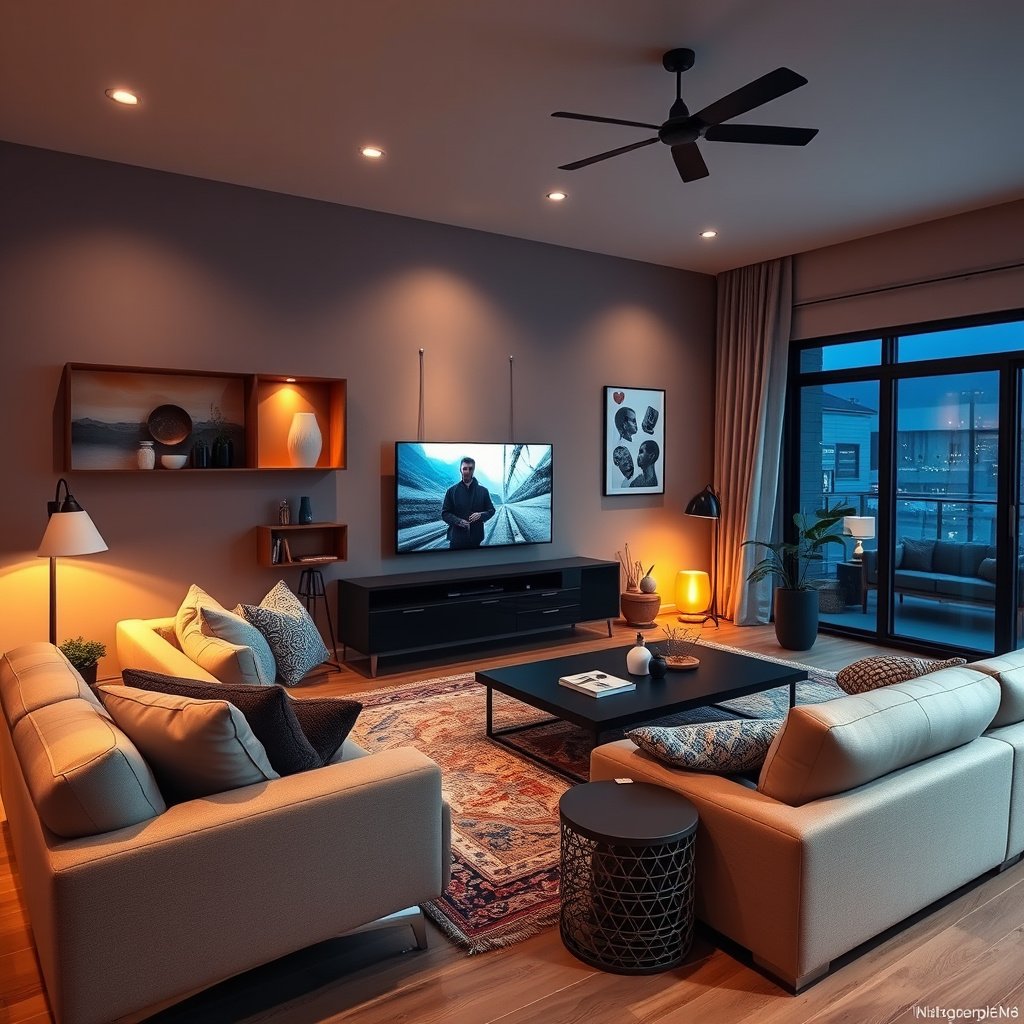
# Complete Guide to Whole Home Automation Setup: Transform Your Living Space in 2024
Three years ago, I stood in my kitchen at 6 AM, frantically running around turning on lights, adjusting the thermostat, and trying to remember if I'd set the security system the night before. My kids were late for school, my coffee was getting cold, and I thought there had to be a better way.
Fast forward to today, and my home practically runs itself. One “Good morning” command starts my entire day – lights gradually brighten, the thermostat adjusts to our preferred temperature, and my favorite playlist begins softly in the background. The transformation didn't happen overnight, but it's changed how our family lives.
You might think whole home automation is just for tech enthusiasts with unlimited budgets. That's exactly what I believed before diving in. The reality? Modern smart home systems have become incredibly accessible, and you don't need a computer science degree to set them up.
Whole home automation goes beyond buying a few smart bulbs and calling it a day. It's about creating an integrated ecosystem where your devices work together seamlessly. Instead of managing dozens of individual apps, everything connects through a central hub that learns your routines and anticipates your needs.
Throughout this guide, I'll walk you through everything I've learned from my own automation journey – the successes, the mistakes, and the game-changing discoveries that made our daily life easier.
## Understanding Whole Home Automation Systems
### What Is Whole Home Automation?
When I first heard “whole home automation,” I pictured something from a sci-fi movie. The truth is much more practical and achievable.
Whole home automation creates a connected ecosystem where your lights, thermostat, security system, entertainment devices, and appliances communicate with each other. Rather than controlling each device individually, you manage everything through a central platform that can trigger multiple actions with a single command.
The difference between standalone smart devices and an integrated system became crystal clear during our first family vacation. Instead of running around the house adjusting individual devices before leaving, I simply activated “Away Mode.” The system automatically locked doors, turned off lights, adjusted the thermostat to save energy, and armed the security system.
### Key Components Overview
Every whole home automation system relies on four essential components that work together:
**Smart Hub**: This acts as the brain of your system, connecting all devices and managing communication between them. Think of it as a translator that helps different brands and protocols work together.
**Sensors**: These are the eyes and ears of your automation setup. Motion sensors detect when you enter a room, door sensors monitor security, and temperature sensors help optimize comfort.
**Controllers**: These include smart switches, dimmers, and relay modules that actually control your lights, fans, and other electrical devices.
**End Devices**: Your smart bulbs, locks, thermostats, and appliances that respond to commands from the hub.
The magic happens in how these components communicate. Your automation system might use WiFi, Zigbee, Z-Wave, or the newer Thread protocol. Each has its strengths – WiFi offers fast speeds but can overwhelm your network, while Zigbee and Z-Wave create mesh networks that extend range and improve reliability.
### Benefits of Integrated Systems
Before automation, our evening routine involved walking through the house turning off lights, checking locks, and adjusting the thermostat. Now, “Goodnight” does all of that instantly while setting our bedroom to the perfect temperature for sleep.
The energy savings surprised me most. Our smart thermostat learned our schedule and preferences, automatically adjusting when we're away. Combined with smart lighting that turns off unused rooms, we've reduced our energy bills by about 15% annually.
But the real value isn't just in the money saved – it's in the time and mental energy recovered. No more wondering if you locked the door or worrying about lights left on. The system handles the details so you can focus on what matters.
## Planning Your Whole Home Automation Setup
### Assessing Your Home's Requirements
Before buying a single smart device, I spent weeks observing our family's routines. Which lights did we use most? When did we typically arrive home? What security concerns kept me up at night?
Start by walking through your home with a notebook. Document every switch, every routine task, and every frustration point. Do you constantly adjust the thermostat? Are you always hunting for light switches in the dark? Does your family forget to lock doors?
Consider your home's physical characteristics too. Older homes might have neutral wire issues that affect smart switch compatibility. Large homes might need mesh network protocols for reliable coverage. If you're renting, you'll want solutions that don't require permanent modifications.
### Setting Budget and Priorities
Whole home automation doesn't require a massive upfront investment. I started with a $200 starter kit and gradually expanded over 18 months.
Create three lists: “Must Have,” “Nice to Have,” and “Future Upgrades.” My must-have list included smart locks for security and a programmable thermostat for energy savings. Nice-to-have items like automated blinds came later when I found good deals.
Budget for these essentials:
– Smart hub: $100-300
– Basic lighting control for main areas: $300-500
– Security basics (smart locks, door sensors): $200-400
– Climate control: $200-400
Professional installation can add 50-100% to equipment costs, but many components are DIY-friendly if you're comfortable with basic electrical work.
### Choosing the Right Ecosystem
This decision will shape your entire automation experience. I initially chose SmartThings for its device compatibility, but later added Home Assistant for more advanced automation capabilities.
Amazon Alexa and Google Home offer the easiest entry points, especially if you already use their voice assistants. Apple HomeKit provides excellent privacy and seamless iOS integration, though device selection is more limited.
For tech-savvy users, platforms like Home Assistant or Hubitat offer incredible customization but require more setup time. Consider where you fall on the convenience versus control spectrum.
## Essential Smart Home Hubs and Platforms
### Popular Hub Options
After testing several platforms, I've learned that the “best” hub depends entirely on your priorities and technical comfort level.
**Samsung SmartThings** became my first serious hub because it works with almost everything. The setup process is straightforward, and the mobile app handles most tasks well. However, it relies heavily on cloud processing, which occasionally causes delays.
**Home Assistant** transformed into my power-user favorite once I got past the initial learning curve. Running on a Raspberry Pi in my closet, it processes everything locally and offers automation possibilities I never imagined. The catch? You'll spend time learning YAML configuration files.
**Apple HomeKit** seamlessly integrated with our family's iPhones and iPads. The privacy-focused approach appealed to me, though the device selection felt limiting compared to other platforms.
**Amazon Alexa** surprised me with its automation capabilities beyond voice control. The routines feature handles complex scenes well, and the massive device compatibility makes integration simple.
### Platform Comparison
Cloud-based systems like SmartThings offer convenience – setup is usually plug-and-play, and updates happen automatically. But you're dependent on internet connectivity and the company's servers remaining operational.
Local processing hubs like Hubitat and Home Assistant keep your data at home and work even when the internet goes down. The trade-off involves more complex setup and manual maintenance.
Voice assistant integration varies significantly. Alexa and Google Assistant work with almost everything, while Apple's Siri only supports HomeKit-certified devices. Consider which voice assistant your family already uses.
### Integration Capabilities
The ability to connect different brands became crucial as I expanded our system. Starting with Philips Hue lights, I later added GE switches, Yale locks, and Nest cameras. A good hub makes these different protocols work together seamlessly.
Look for platforms supporting multiple protocols – WiFi, Zigbee, Z-Wave, and increasingly, Matter/Thread. This flexibility prevents you from getting locked into a single manufacturer's ecosystem.
## Core Automation Categories for Whole Home Setup
### Lighting and Climate Control
Smart lighting was our gateway drug into home automation. Starting with a few Philips Hue bulbs, I quickly realized the potential for automated scenes and schedules.
Smart switches offer better value than smart bulbs for most rooms, especially with multiple bulbs per fixture. I installed Lutron Caseta switches in high-traffic areas and kept smart bulbs for accent lighting where color-changing capabilities matter.
Our automated lighting schedule mimics natural sunlight patterns. Bright white light energizes mornings, warm white creates cozy evenings, and automated dimming helps kids wind down for bedtime. Motion sensors in hallways and bathrooms provide convenience without overwhelming automation.
Climate control automation delivered immediate comfort and energy savings. Our Ecobee thermostat uses room sensors to balance temperature throughout the house, automatically adjusting when certain rooms are occupied. Seasonal schedules optimize efficiency – the system knows to pre-cool the house before hot summer afternoons and warm up the bathroom before our morning routines.
### Security and Surveillance
Home security automation provides peace of mind that's hard to quantify. Our Yale smart lock automatically secures the front door at bedtime and when we leave home. Door and window sensors throughout the house trigger alerts if opened unexpectedly.
Security cameras integrate with our automation system to provide intelligent monitoring. Motion detection focuses on specific zones – we get alerts for activity near the front door but not when cats walk across the back patio.
The integration between security and other systems creates powerful automation. When the security system detects us arriving home, it disarms automatically, turns on entry lights, and adjusts the thermostat to our preferred temperature.
### Entertainment and Audio Systems
Whole-home audio seemed like a luxury until I experienced how it transforms daily life. Our Sonos system provides synchronized music throughout the house, automatically adjusting volume based on time of day and room occupancy.
Morning routines include gentle music that follows us from bedroom to kitchen to garage. Evening entertainment seamlessly transitions from dinner music to TV audio as we move to the living room.
Smart TVs and streaming devices integrate with lighting and audio systems. Starting a movie automatically dims lights, closes automated blinds, and optimizes audio settings. The “bedtime” command pauses all entertainment and begins our sleep routine.
### Kitchen and Appliance Automation
Kitchen automation focuses on convenience and safety. Smart switches control garbage disposal and under-cabinet lighting, while smart plugs manage coffee makers and other small appliances.
Our refrigerator sends alerts about water filter replacements and temperature fluctuations. The smart oven preheats automatically before we arrive home on scheduled cooking days.
Leak sensors under the dishwasher and near the water heater provide early warning for potential problems. These simple devices have prevented what could have been expensive water damage.
## Installation Process and Best Practices
### Pre-Installation Preparation
Successful automation starts with solid networking infrastructure. I upgraded our WiFi system to a mesh network before adding smart devices, preventing connectivity issues that plagued early attempts.
Survey your electrical systems carefully. Many smart switches require neutral wires that weren't standard in older homes. I discovered this limitation the hard way and had to hire an electrician for several installations.
Create a detailed plan mapping device locations and automation goals. This planning phase prevents impulse purchases that don't fit your overall system architecture.
### Step-by-Step Setup Guide
Start with your smart hub and mobile app setup. Most platforms offer guided setup wizards that walk through initial configuration. Take time to understand the interface before adding devices.
Add devices gradually, testing each integration thoroughly before moving to the next. I learned this lesson after adding 20 devices quickly, then spending hours troubleshooting connectivity issues.
Begin with simple automations and build complexity over time. Our first automation simply turned on front porch lights at sunset. Six months later, our “arrival home” routine manages lights, climate, security, and music based on who's arriving and what time of day.
### Network Infrastructure Requirements
A robust WiFi network forms the foundation of reliable home automation. Dead zones and weak signals cause device connectivity problems that frustrate even the most patient smart home enthusiast.
Consider creating a separate network for smart home devices. This approach improves security and prevents smart home traffic from affecting your primary devices' performance.
Document your network setup, including device IP addresses and connection protocols. This information becomes invaluable during troubleshooting sessions.
## Advanced Automation Features and Customization
### Creating Smart Scenes and Routines
The real power of home automation emerges when individual device controls evolve into comprehensive scenes. Our “Movie Night” scene dims living room lights to 20%, closes automated blinds, sets the thermostat to 72°F, and starts our preferred background audio.
Seasonal scenes adapt to changing needs. Summer entertaining scenes emphasize outdoor lighting and patio audio, while winter comfort scenes focus on indoor ambiance and efficient heating zones.
Time-based scenes eliminated daily routine friction. “School Morning” scenes gradually increase lighting, start coffee brewing, and play energizing music. “Bedtime” scenes secure the house, optimize sleep temperature, and activate white noise systems.
### Conditional Automation Logic
Advanced automation considers multiple factors before taking action. Our outdoor lighting system checks weather conditions, sunset times, and occupancy status before activating evening illumination.
Presence detection automation knows who's home and adjusts accordingly. When my teenagers arrive from school, their room lighting activates and homework playlist begins. When my wife arrives from work, kitchen lights turn on and dinner preparation reminders appear.
Vacation mode automation creates realistic occupancy simulation. Lights turn on and off following learned patterns, audio systems activate occasionally, and security monitoring increases sensitivity.
### Integration with Third-Party Services
IFTTT (If This Then That) connections expand automation possibilities beyond traditional smart home boundaries. Weather service integration adjusts irrigation schedules automatically. Calendar integration prepares the house for scheduled events.
Email and text message triggers enable remote monitoring and control. I receive notifications about unusual energy usage, security events, or system maintenance needs regardless of location.
Financial service integration tracks energy costs and automation savings. Understanding the economic impact of smart home systems helps justify future upgrades and expansion.
## Security and Privacy Considerations
### Network Security Best Practices
Home automation security requires attention to both digital and physical vulnerabilities. I created a separate VLAN for smart home devices, limiting their access to sensitive personal computers and data.
Regular firmware updates protect against newly discovered security vulnerabilities. I schedule monthly checks for available updates across all smart home platforms and devices.
Strong, unique passwords for every automation platform and device account prevent credential-based attacks. A password manager simplifies this requirement without compromising security.
### Data Privacy and Protection
Understanding what data your smart home collects, stores, and shares helps make informed privacy decisions. Voice assistants record conversations, cameras capture video, and sensors monitor occupancy patterns.
Local processing platforms like Home Assistant keep sensitive data within your home network. Cloud-based services offer convenience but require trust in the provider's data handling practices.
Review privacy policies for all smart home services, paying attention to data sharing with third parties and law enforcement cooperation policies.
### Device Security Management
Regular security audits identify vulnerable or outdated devices in your automation ecosystem. I maintain spreadsheets tracking device firmware versions, update schedules, and security configurations.
Network monitoring tools help identify unusual device behavior that might indicate security compromises. Unexpected data usage or communication patterns warrant immediate investigation.
Backup and recovery strategies ensure you can restore automation configurations after security incidents or equipment failures.
## Maintenance and Troubleshooting
### Regular Maintenance Tasks
Smart home systems require ongoing maintenance to operate reliably. I perform monthly checks on battery-powered devices, quarterly network performance assessments, and annual security reviews.
Device health monitoring identifies problems before they cause system failures. Smart home platforms typically provide dashboards showing device connectivity status and battery levels.
Software updates for hubs, mobile apps, and device firmware improve functionality and security. Scheduling regular update sessions prevents the accumulation of outdated software versions.
### Common Issues and Solutions
Connectivity problems plague most smart home installations at some point. Weak WiFi signals, network congestion, and device interference cause intermittent operation that's frustrating to diagnose.
Device pairing failures often result from protocol conflicts or network configuration issues. I've learned to power cycle devices, clear app caches, and check network settings before assuming hardware failures.
Automation failures usually stem from logical errors in scene programming or device status inconsistencies. Careful testing and gradual complexity increases help identify problematic automation rules.
### System Optimization Tips
Performance optimization focuses on network efficiency and automation logic refinement. Reducing unnecessary device polling and optimizing scene triggers improve system responsiveness.
Regular database maintenance for platforms like Home Assistant prevents performance degradation over time. Clearing old logs and optimizing automation rules keeps systems running smoothly.
Load balancing across multiple hub platforms can improve reliability and performance for complex installations. I run both SmartThings and Home Assistant, each handling different device categories.
## Cost Analysis and ROI Expectations
### Initial Investment Breakdown
Our smart home journey cost approximately $2,500 over 18 months, spread across multiple budget-friendly purchases rather than one large investment.
Essential lighting automation for main living areas: $600
Security system upgrade (locks, sensors, cameras): $800
Climate control automation: $400
Entertainment system integration: $300
Hub and networking infrastructure: $400
Professional installation would have doubled these costs, but DIY installation spread over months made the project manageable both financially and practically.
### Ongoing Costs and Savings
Monthly subscription fees for cloud services average $15-20 across multiple platforms. Security monitoring, cloud storage, and premium automation features justify these ongoing costs through improved functionality.
Energy savings from smart thermostats and automated lighting reduce utility bills by approximately $30 monthly during peak seasons. Annual savings of $200-300 help offset equipment and service costs.
Reduced homeowner's insurance premiums recognize smart security system installations. Our 5% discount saves $120 annually on insurance costs.
### Maximizing Return on Investment
Property value increases from smart home installations vary significantly by market and implementation quality. Real estate professionals estimate 3-5% value increases for comprehensive, well-integrated systems.
Energy efficiency improvements provide the most measurable returns. Smart thermostats alone typically pay for themselves within 2-3 years through reduced utility costs.
Convenience and lifestyle improvements offer intangible but significant value. Time savings from automation and peace of mind from security systems justify investments beyond pure financial calculations.
## Future Trends and Emerging Technologies
### Upcoming Smart Home Technologies
Matter protocol adoption promises to solve interoperability challenges that currently fragment smart home ecosystems. Universal device compatibility will simplify hub selection and reduce vendor lock-in concerns.
Artificial intelligence integration will transform automation from simple if-then rules to predictive, learning systems that anticipate needs based on patterns and preferences.
Health monitoring integration expands smart homes beyond convenience and security into wellness optimization. Air quality monitoring, sleep tracking, and activity monitoring become standard automation considerations.
### Preparing for Future Upgrades
Investing in platforms with strong development communities and open standards reduces obsolescence risks. Home Assistant's active development and Matter protocol support position it well for future compatibility.
Mesh networking protocols like Zigbee and Thread provide upgrade paths that maintain existing device investments while adding new capabilities.
Modular automation approaches allow gradual system evolution without complete rebuilds. Planning for expansion prevents architecture decisions that limit future growth.
## Embracing the Connected Home Revolution
My family's smart home journey transformed how we think about our living space. What started as curiosity about smart bulbs evolved into a comprehensive automation ecosystem that anticipates our needs and simplifies daily routines.
The key to successful whole home automation lies in gradual implementation guided by real needs rather than flashy technology. Start with the problems that frustrate you most – whether that's energy waste, security concerns, or daily routine friction. Build your system thoughtfully, testing and refining as you expand.
Don't let perfect become the enemy of good. My automation system continues evolving three years later, with new devices and improved rules added regularly. The foundation we built supports this growth while delivering daily value that makes the investment worthwhile.
Your connected home journey doesn't require extensive technical knowledge or unlimited budgets. It needs patience, planning, and willingness to experiment. Start with one automated routine that solves a real problem, then expand gradually as you discover new possibilities.
Ready to begin your smart home transformation? Choose one frustrating daily routine and research automation solutions that address it specifically. That first success will build confidence and momentum for the comprehensive system that follows.
The future of home living is connected, intelligent, and remarkably achievable. Your family deserves the convenience, security, and efficiency that whole home automation provides.


