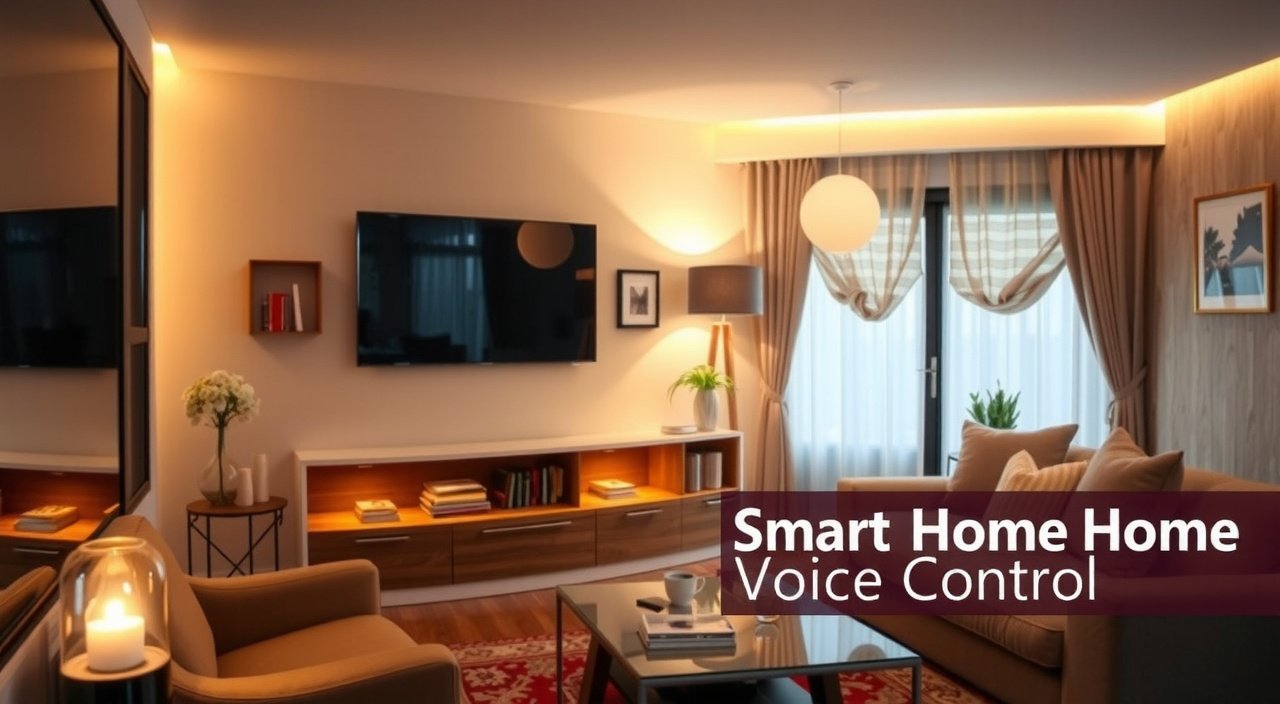
Picture this: you wake up at 6:30 AM and simply say “Good morning” into the darkness. Within seconds, your bedroom lights gradually brighten to mimic sunrise, the thermostat adjusts to your perfect temperature, your coffee maker starts brewing downstairs, and your favorite morning playlist begins playing softly. Sound like science fiction?
This post contains affiliate links. If you purchase through these links, we may earn a commission at no extra cost to you.
Not anymore. This is my daily reality, and it could be yours too.
Two years ago, our house was pretty standard. Light switches required actual flipping. The thermostat lived on the wall in our hallway. My kids constantly forgot to turn off lights, and I'd spend half my morning running around getting everyone ready for school.
Then we discovered smart home voice control, and everything changed.
In This Article
Voice-controlled smart homes aren't just about convenience anymore – they're about creating your perfect space that actually responds to your family's needs. According to recent studies, over 76% of Americans now own at least one smart speaker, and the global smart home market is expected to reach $537 billion by 2030.
Here's the thing: the real magic isn't in the individual gadgets. It's in how voice control ties everything together into one smooth experience.
By the end of this guide, you'll understand exactly how to transform your home into a voice-controlled haven that makes daily life easier for your entire family. We'll cover the technology basics, compare the major platforms, walk through setup processes, and explore advanced features that'll make you wonder how you ever lived without them.

What is Smart Home Voice Control?
Smart home voice control is your house learning to understand and respond to spoken commands. Instead of reaching for light switches, thermostats, or smartphone apps, you simply tell your home what you want it to do.
But here's what I wish someone had explained to me at the beginning: it's not just about replacing buttons with words. Voice control creates an entirely different relationship with your home.
Want to know the secret? Technology that disappears into your life works so naturally that you forget it's there.
Core Components and Technology
The magic happens through a combination of hardware and software working together. Your voice assistant – whether it's an Alexa device, Google Nest speaker, or Apple HomePod – acts like the brain of your system. But that's just one piece.
When I say “Alexa, turn off the living room lights,” here's what actually happens behind the scenes:
Pretty incredible when you think about it, right?
How Voice Recognition Works
The technology that makes this possible has improved dramatically over the past few years. Natural Language Processing and machine learning allow these systems to understand context, handle variations in speech, and even predict what you might want next.
My 8-year-old daughter can say “Alexa, make it darker” and the system knows she wants the lights dimmed. My teenager can mumble “turn on my room” from across the house, and somehow it still works. The voice recognition has gotten that good.
Integration with Smart Home Ecosystems
Here's where it gets interesting. Voice control isn't just about individual devices – it's about creating an ecosystem where everything talks to everything else.
In our house, we use a combination of protocols:
- WiFi for devices like smart TVs and streaming players
- Zigbee for most of our lights and sensors (more reliable, better range)
- Z-Wave for door locks and some switches
- Matter for newer devices that work across all platforms
The voice assistant acts like a universal translator, letting all these different “languages” work together smoothly.

Major Voice Assistant Platforms
Choosing the right voice platform for your family is probably the most important decision you'll make. Trust me – switching later is possible, but it's a hassle you'll want to avoid.
Here's what most people miss: each platform has its own personality and strengths.
Amazon Alexa Ecosystem
We started with Alexa, and honestly, it's still our primary system three years later. Amazon's ecosystem is massive – they're compatible with over 100,000 smart home devices from thousands of brands.
What makes Alexa special:
- Skills marketplace with over 130,000 voice apps
- Echo devices for every room and budget ($30-$400)
- Excellent smart home device compatibility
- Routines that can trigger complex automation sequences
Where Alexa falls short:
- Privacy concerns (though you can delete recordings)
- Sometimes struggles with natural conversation
- Requires internet for most functions
My kids love the Drop In feature for family communication, and the ability to control music throughout the house has been a game-changer for family gatherings.
Google Assistant Platform
Google Assistant shines in a few key areas where Alexa sometimes stumbles. The search capabilities are amazing – ask it anything, and you'll get detailed, accurate answers.
Google's strengths:
- Superior natural language understanding
- Excellent integration with Android devices
- YouTube Music and YouTube TV control
- Better at answering complex questions
- Nest thermostat integration is smooth
Potential drawbacks:
- Smaller smart home device ecosystem
- Fewer third-party “Actions” compared to Alexa Skills
- Privacy concerns given Google's data collection practices
If your family is heavily invested in Google services (Gmail, Google Photos, Android phones), this might be your best bet.
Apple HomeKit and Siri
Apple's approach is different. They prioritize privacy and security over broad compatibility, which creates both advantages and limitations.
Why you might choose HomeKit:
- All processing happens locally on your devices
- Extremely secure – no voice data sent to Apple servers
- Smooth integration with iPhones, iPads, and Macs
- HomeKit Secure Video for privacy-focused security cameras
The trade-offs:
- Much smaller device ecosystem
- More expensive compatible devices
- Limited voice commands compared to Alexa/Google
- Requires Apple TV or HomePod as a hub
We have a few HomeKit devices for sensitive areas like our bedroom, where privacy matters most.
And the best part? You can mix platforms as your needs change.
Emerging Platforms and Alternatives
Don't sleep on some of the newer options. Samsung's SmartThings platform has gotten really good, especially for homes with Samsung appliances. For the privacy-conscious, open-source solutions like Home Assistant with voice add-ons offer complete local control.

Compatible Smart Home Devices
This is where the rubber meets the road. Let me walk you through the categories that have made the biggest difference in our family's daily routine.
| Device Category | Budget Option | Premium Choice | Voice Control Rating |
|---|---|---|---|
| Smart Bulbs | Wyze Bulb ($10) | Philips Hue ($50) | Excellent |
| Smart Switches | Kasa Switch ($15) | Lutron Caseta ($45) | Excellent |
| Thermostat | Wyze Thermostat ($50) | Ecobee SmartThermostat ($250) | Very Good |
| Door Lock | Wyze Lock ($100) | August Smart Lock Pro ($230) | Good |
| Security Camera | Wyze Cam v3 ($35) | Arlo Pro 4 ($200) | Good |
Lighting and Electrical Controls
Smart lighting was our gateway drug into home automation. Start here – you'll see immediate results and build confidence for bigger projects.
Must-have lighting devices:
- Smart switches: Replace wall switches to control any light
- Smart bulbs: Great for lamps and fixtures you can't hardwire
- Motion sensors: Automatic hallway and bathroom lighting
- Outdoor controls: Security and convenience for exterior spaces
The game-changer? Voice-controlled dimming. “Alexa, set living room lights to 30%” creates the perfect movie-watching ambiance instantly.
Pro tip: Smart switches work better than smart bulbs for permanent fixtures. You can't accidentally turn them off at the wall.
Climate Control Systems
Our smart thermostat has probably saved us more money than any other single device. The ability to say “Set temperature to 72” without hunting for the thermostat or phone app is convenient, but the real value is in automated scheduling.
Climate devices worth considering:
- Smart thermostats: Ecobee, Nest, Honeywell all work great
- Smart vents: Zone control for individual rooms
- Air quality monitors: Track and respond to humidity, allergens
- Smart ceiling fans: Voice-controlled speed and direction
Fair warning: installation can be tricky if you're not comfortable with electrical work. We hired an HVAC tech for the thermostat and haven't regretted it.
Security and Monitoring
Voice control and security might seem like an odd combination, but it's incredibly practical. Being able to check if doors are locked or view camera feeds hands-free while cooking has become second nature.
Security devices we rely on:
- Smart door locks: Keyless entry, temporary codes for guests
- Video doorbells: See and speak to visitors remotely
- Security cameras: Indoor/outdoor monitoring with voice alerts
- Door/window sensors: Know when anything opens
- Water leak detectors: Early warning for potential disasters
Think about it: wouldn't you rather just ask “Are all doors locked?” instead of walking around checking each one?
Entertainment and Media
This category delivers some of the most satisfying voice control experiences. “Play jazz music throughout the house” still feels like magic, even after three years.
Entertainment essentials:
- Smart TVs: Direct voice control for streaming apps
- Streaming devices: Roku, Apple TV, Fire TV with voice remotes
- Multi-room audio: Sonos, Echo devices, Google Nest speakers
- Universal remotes: Control traditional AV equipment
Kitchen and Appliances
The kitchen is where voice control really shines for busy families. Hands covered in flour? No problem – just ask for timer updates, recipe conversions, or music changes.
Kitchen devices that matter:
- Smart displays: Show recipes, timers, shopping lists
- Coffee makers: Program brewing before you get out of bed
- Refrigerators: Create shopping lists, check expiration dates
- Robotic vacuums: Schedule cleaning, spot clean specific areas
Setting Up Voice Control Systems
Let me share the setup approach that worked for our family, plus the mistakes I wish we'd avoided.
Here's the truth: trying to automate everything at once is a recipe for frustration.
Planning Your Smart Home Layout
Don't try to automate everything at once. I made that mistake and ended up overwhelmed, frustrated, and way over budget.
Start with these high-impact areas:
Map out your home and identify which voice assistant will control which areas. We have Echo Dots in every major room, with a larger Echo Show in the kitchen that serves as our command center.
Device Installation and Configuration
Week 1: Install your main voice assistant and 2-3 smart devices
Week 2: Add lighting controls for your most-used rooms
Week 3: Expand to security or climate control
Week 4: Connect entertainment devices and explore routines
This gradual approach lets your family adjust to voice control without feeling overwhelmed.
Network Requirements and Optimization
Here's something nobody tells you upfront: your WiFi network becomes critical infrastructure. We upgraded to a mesh system (Eero Pro) after experiencing frustrating delays and connection drops.
Network essentials:
- Mesh WiFi system: Ensures coverage throughout your home
- Separate 2.4GHz network: Many smart devices require this
- Quality internet service: 25+ Mbps download for reliable performance
- Guest network: Keep smart devices separated from personal devices
Voice Training and Customization
Spend time teaching the system about your family's speech patterns. Have everyone in your household use the voice assistant for a week, even for simple commands. The AI learns and improves with exposure.
Pro tip: Create a family naming convention for devices. We use “bedroom lights,” “kitchen lights,” “office lights” instead of confusing brand names or room numbers.
Now, here's what matters: consistency is key. If you call something “living room lamp” one day, don't switch to “table light” the next.
Advanced Voice Control Features
Once you've got the basics down, this is where smart homes become truly intelligent.
Technology that disappears into your life means you stop thinking about commands and start having conversations with your home.
Routines and Automation Sequences
Routines are where voice control evolves from convenient to genuinely life-changing. Our “Goodnight” routine locks doors, turns off lights, sets the alarm, adjusts the thermostat, and starts white noise in the kids' rooms.
Powerful routine ideas:
- “Movie time”: Dim lights, close smart blinds, turn on TV, set temperature
- “Leaving home”: Lock doors, turn off lights, adjust thermostat, arm security
- “Wake up”: Gradual light brightening, weather/calendar briefing, start coffee
The kicker? You can trigger all this with a single phrase.
Conditional Commands and Smart Scenarios
The newest voice assistants can handle complex, conditional requests. “If it's raining tomorrow, remind me to grab umbrellas” or “Turn on the porch light when it gets dark” work reliably now.
In my experience, these conditional commands work best when you keep them simple and specific.
Integration with Third-Party Services
IFTTT (If This Then That) opens up incredible possibilities. We have automations that:
- Send family notifications when someone arrives home
- Adjust lighting based on weather conditions
- Create shopping list items when we're running low on supplies
- Turn on vacation mode when we're away for extended periods
But here's the catch: too many automations can make your home feel unpredictable. Start with 2-3 that solve real problems.
Privacy and Security Considerations
I'll be honest – privacy concerns almost stopped us from setting up voice control in the first place. Here's how we've balanced convenience with security.
Most people don't realize how much control they actually have over their data.
Data Collection and Storage Practices
Every major platform collects voice data, but they handle it differently:
Amazon Alexa: Stores recordings until you delete them manually
Google Assistant: Automatically deletes recordings after 18 months (you can change this)
Apple Siri: Processes most requests locally, minimal data storage
Our approach: We regularly review and delete voice recordings, use privacy settings to limit data sharing, and keep sensitive conversations away from voice assistants.
Network Security Best Practices
Smart home security starts with your network. We've implemented:
- Separate IoT network: All smart devices on their own WiFi network
- Regular password updates: Every 6 months for all accounts
- Firmware updates: Automatic where possible, manual checks monthly
- Device auditing: Regular review of connected devices and permissions
Privacy Controls and Settings
Every platform offers privacy controls – actually use them. Turn off purchase notifications, limit voice recordings, and review which skills or actions have access to your data.
To be fair, setting up privacy controls takes time upfront. But it's worth the peace of mind.
Troubleshooting Common Issues
Even after three years, we occasionally run into problems. Here are the most common issues and their solutions.
Let me explain what really causes most “smart home failures.”
Voice Recognition Problems
“Sorry, I don't understand” becomes less frustrating when you know how to fix it:
Makes sense, right? The assistant can only work with what it hears clearly.
Device Connectivity Issues
When devices stop responding to voice commands:
Performance and Response Time
Slow responses usually indicate network issues or cloud service problems:
- Check internet speed: Run a speed test during peak usage times
- Restart your router: Monthly router reboots prevent many issues
- Update device firmware: Outdated software causes performance problems
- Consider local processing: Some commands can work offline
The bottom line? Most issues come down to network problems, not device failures.
Future of Smart Home Voice Control
The technology that seemed amazing three years ago already feels primitive compared to what's coming.
Here's where it gets really interesting.
Emerging Technologies and Trends
AI Context Awareness: Future voice assistants will understand conversational context better. Instead of saying “Alexa, turn on the living room lights,” you'll say “Make it brighter in here” and the system will know which room you're in.
Ambient Computing: Voice control is moving beyond dedicated speakers. Your TV, refrigerator, car, and even bathroom mirror will understand voice commands.
Predictive Automation: Systems will learn your patterns and anticipate needs. Coming home on a hot day? The AC will already be running.
Industry Standards and Interoperability
The Matter standard is already making device compatibility much simpler. By 2025, most smart home devices will work with Alexa, Google, AND Apple systems out of the box.
This means less vendor lock-in and more flexibility to mix and match the best devices regardless of platform.
Predictions for the Next Decade
Voice interfaces will become more natural and conversational. We'll move from command-based interactions (“turn on lights”) to natural conversation (“it's getting dark in here”).
Local processing will reduce privacy concerns and improve response times. Most routine commands won't need internet connectivity.
Multimodal interfaces will combine voice, gesture, and visual cues for richer interactions.
Frequently Asked Questions
How much does it cost to set up smart home voice control?
You can start with basic smart home voice control for under $100. A voice assistant device costs $30-50, plus 2-3 smart bulbs or switches at $10-20 each. A full home setup typically ranges from $500-2,000 depending on the size of your home and features you want.
Do I need special wiring or professional installation?
Most smart home devices don't require special wiring. Smart bulbs screw into existing sockets, and many smart switches work with standard electrical boxes. You might need an electrician for smart switches if you're not comfortable with basic electrical work, and HVAC techs for smart thermostats.
Will voice control work if my internet goes down?
Most voice commands require internet connectivity since processing happens in the cloud. However, some newer devices offer local control for basic functions like turning lights on/off. Apple HomeKit processes more commands locally than Alexa or Google Assistant.
Can voice assistants hear private conversations?
Voice assistants only actively record after hearing their wake word (“Alexa,” “Hey Google,” etc.). However, false activations can occur. You can review and delete recordings, mute devices manually, and adjust privacy settings to minimize data collection.
Which voice platform works best with existing smart devices?
Amazon Alexa has the largest ecosystem with over 100,000 compatible devices. Google Assistant works well with Android devices and Google services. Apple HomeKit has fewer compatible devices but offers better privacy and local processing. Check device compatibility before choosing a platform.
How reliable is smart home voice control for daily use?
Modern voice control systems are quite reliable for basic commands like lighting and temperature control. Reliability depends heavily on your WiFi network quality and proper device setup. Complex routines may occasionally fail, but simple commands work 95%+ of the time with good network coverage.
Can I use multiple voice assistants in the same home?
Yes, you can use multiple voice platforms simultaneously. Many families use different assistants for different purposes – Alexa for smart home control, Google for search queries, and Siri for Apple device integration. However, this can create complexity in device management.
Final Thoughts
Three years ago, our smart home journey started with a single Amazon Echo and two smart bulbs. The goal was simple: make our daily routines a little easier and maybe impress the kids with some cool technology.
What we discovered was something much bigger.
Voice control hasn't just made our house more convenient – it's changed how our family interacts with our living space. My kids naturally tell the house to turn off lights when leaving rooms. My wife can adjust the thermostat without interrupting her work calls. I can check if doors are locked without getting out of bed.
Here's what I've learned: the key is starting small and building gradually. Choose one voice platform that fits your family's existing tech ecosystem. Add a few high-impact devices like smart lights or a thermostat. Give everyone time to get comfortable with voice commands before expanding.
Don't get caught up in having the most advanced setup right away. Focus on solving real problems that affect your daily life. The technology will continue improving, but the goal should always be making your home work better for your family.
Your home, elevated through voice control, becomes a space that truly responds to your needs.
Your smart home journey starts with a simple decision: which voice assistant will you try first? Pick one, order a starter device, and begin experimenting. Within a month, you'll wonder how you ever lived without voice control.
The future of home automation is speaking to your house and having it understand exactly what you need. That future is available right now, and it's more affordable and accessible than you might think.
Ready to create your perfect space? Seamless living starts here – with your first voice command.