- Overview: What Makes These Three Stand Out
- Key Features Comparison: What You Really Need to Know
- Installation and Setup: Getting Your System Running
- Smart Home Integration: Building Your Connected Safety Net
- Reliability, Battery Life, and Maintenance
- Price, Warranty, and Long-Term Value
- Troubleshooting Common Issues
- Related from our network
- What are the main differences between Nest Protect, First Alert Onelink, and Kidde smart smoke detectors?
- Do smart smoke detectors like these require professional installation?
- How do these smart detectors integrate with my existing smart home?
- Are smart smoke detectors worth the extra cost over traditional ones?
- Related Articles
Smart smoke detectors have transformed home safety from a simple battery-powered device into an intelligent guardian that sends alerts to your phone, speaks warnings through your smart speakers, and integrates seamlessly with your connected home. Unlike traditional smoke detectors that only sound a local alarm, modern smart options like Nest Protect, First Alert Onelink, and Kidde offer remote notifications, self-testing capabilities, and integration with popular home automation platforms—features that can be the difference between detecting a fire early and discovering it too late. If you’re building a connected home or upgrading your existing safety systems, choosing the right smart smoke detector matters. This guide compares the three leading options across installation, features, compatibility, and real-world performance to help you make a confident decision that keeps your family safe.
Disclosure: This post contains affiliate links. If you click through and make a purchase, we may earn a small commission at no extra cost to you. Thank you for supporting this site!
Overview: What Makes These Three Stand Out
The smart smoke detector market has narrowed significantly over recent years, with Nest Protect, First Alert Onelink, and Kidde emerging as the most reliable options for homeowners seeking connected safety. Nest Protect, made by Google, prioritizes seamless integration with the Google ecosystem and offers premium features like pathlight functionality and multi-language voice warnings. First Alert Onelink focuses on affordability and dual-sensor technology (smoke and heat), making it an attractive middle-ground choice. Kidde has maintained a strong reputation in traditional smoke detection and brought that expertise into its smart product line, emphasizing reliability and straightforward functionality.

Each manufacturer takes a slightly different approach to smart features. Nest Protect relies heavily on your home’s Wi-Fi and Google Home integration, making it ideal if you already own Google devices. First Alert Onelink operates independently but can connect to your phone and integrate with platforms like Amazon Alexa. Kidde’s smart models work through direct cloud connectivity and app-based monitoring, with less reliance on specific smart home ecosystems. Understanding these differences is crucial because choosing incompatible devices could leave gaps in your home automation coverage. The average price range spans from $99 to $150 per unit, and while that’s higher than traditional detectors, the added safety features and peace of mind justify the investment for most homeowners.
Key Features Comparison: What You Really Need to Know
When evaluating smart smoke detectors, the most important features are self-testing, app notifications, voice alerts, and ecosystem compatibility. Self-testing automatically checks the device’s sensors weekly without user intervention—critical for ensuring your detector actually works. Nest Protect performs weekly self-tests and alerts you via app if something fails. First Alert Onelink also conducts routine diagnostics and will notify your phone if the battery is low or sensors aren’t functioning. Kidde offers similar self-test capabilities but may require manual testing to fully verify functionality. All three send push notifications to your smartphone when smoke or heat is detected, which is invaluable if you’re away from home or asleep upstairs.
Voice alerts represent another major differentiator. Nest Protect integrates with Google Assistant and can announce through your Google Home speakers (“Hey everyone, there’s smoke in the kitchen”), making the warning unmistakable. First Alert Onelink works with Alexa, providing integration for those invested in Amazon’s ecosystem but lacking the same level of integration depth as Nest. Kidde alerts primarily through your phone app and the device itself, without native voice integration—a consideration if you rely on voice announcements for accessibility or clarity. Hush functionality, which temporarily silences false alarms (like cooking smoke), is available on Nest Protect and First Alert Onelink but not standard on Kidde models. Here’s how they stack up on core features:
- Nest Protect: Weekly self-tests, app alerts, Google Home integration, voice announcements, hush feature, pathlight (illuminates when triggered), multi-language support
- First Alert Onelink: Weekly self-tests, app alerts, Alexa compatibility, heat and smoke dual-sensor, hush feature, affordable price point
- Kidde: Self-test capable, app alerts, cloud-based monitoring, straightforward interface, proven reliability, limited Samsung SmartThings Hub in 2026″>smart home integration
Installation and Setup: Getting Your System Running
Installation difficulty varies by model, but all three are designed for homeowners without professional training. Nest Protect is the most involved: it requires either hardwired installation (which demands turning off power and working with ceiling fixtures) or battery-powered installation with careful Wi-Fi setup. If you’re hardwiring, you’ll connect it to your home’s electrical system in place of a standard detector—a job best suited to confident DIYers. The Wi-Fi setup is straightforward through the Google Home app, but you’ll need a stable 2.4GHz network (Nest Protect doesn’t support 5GHz). First Alert Onelink is simpler: most installations are battery-powered (AA or 9V depending on model), screw-mounted to the ceiling or wall, and paired to the app. There’s no hardwiring requirement, making it ideal for renters or those uncomfortable with electrical work.
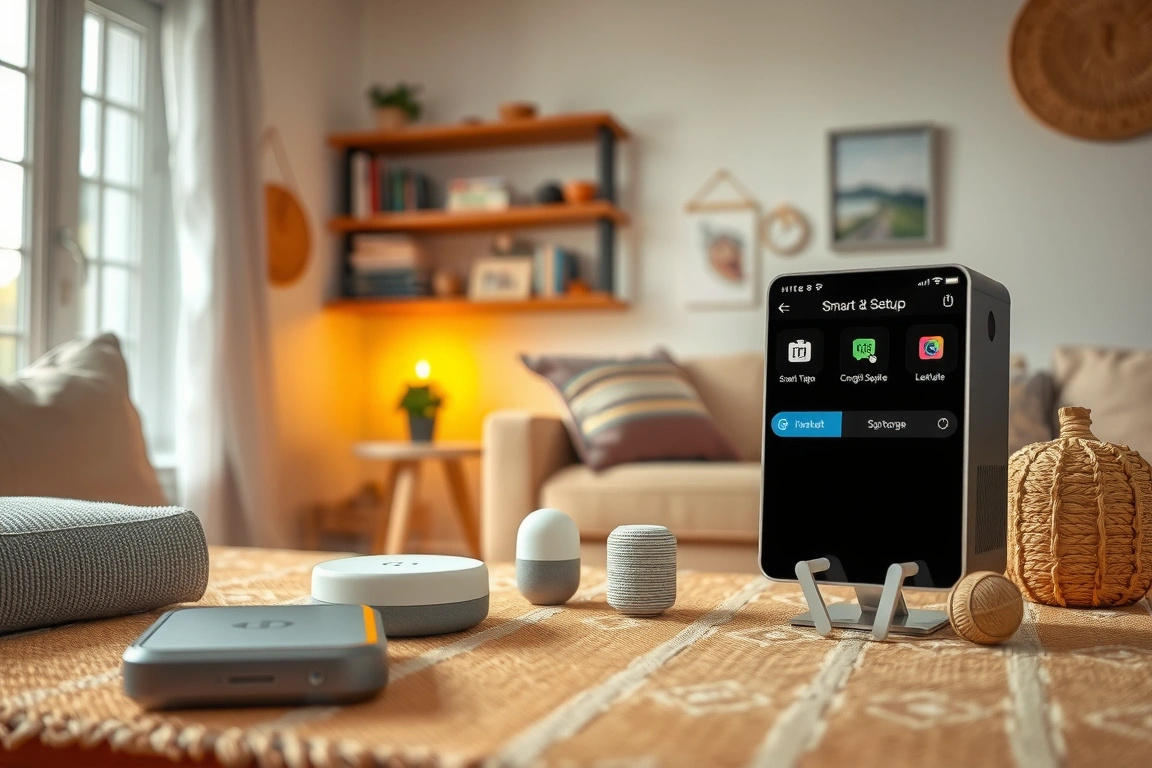
Kidde’s installation mirrors First Alert—primarily battery-powered with wall or ceiling mounting via screws. The app pairing is straightforward, though you’ll enter a pairing code rather than scanning QR codes like Nest. A critical consideration: placement matters for all three. Install detectors in hallways outside bedrooms, on each level of your home, and in kitchens (though not directly above stoves, which trigger false alarms). Here’s a step-by-step framework for any smart smoke detector:
- Turn off power to the area if hardwiring; otherwise, gather batteries and mounting hardware
- Mount the device to ceiling or wall according to manufacturer instructions (typically 4-12 inches from ceiling)
- Insert batteries or connect power; wait for startup confirmation light
- Download the manufacturer’s app and create an account
- Use the in-app pairing process (QR code, PIN, or serial number) to connect the device
- Ensure your Wi-Fi network is stable and verify the device shows as “connected” in the app
- Run a test alert through the app to confirm notifications work
- Install additional units and integrate with your smart home system (Google Home, Alexa, etc.)
Smart Home Integration: Building Your Connected Safety Net
Smart smoke detectors only truly shine when integrated into your broader home automation ecosystem. Nest Protect is the clear winner here for Google Home users: it integrates natively with Google Home, Google Assistant, and other Google devices. When Nest Protect detects smoke, it can automatically turn on all your lights, unlock doors for quick exit, and announce warnings through every Google speaker simultaneously. If you use Google Home routines, you can create custom automation like “Alert household, unlock back door, and call 911” triggered by smoke detection. This level of integration is difficult to match. First Alert Onelink works with Amazon Alexa, allowing voice control and conditional automations through Alexa routines. However, the integration is less seamless than Nest with Google—you can receive alerts and create basic automations, but multi-speaker voice announcements aren’t as sophisticated.
Kidde’s smart models have the most limited integration: they primarily work through their own app and cloud system. There’s no native Google Home or Alexa integration, which is a significant drawback if you’re building a cohesive smart home. However, Kidde detectors can often integrate through IFTTT (If This Then That) or third-party automation platforms, though this requires extra setup steps. If you’re already committed to Google or Amazon’s ecosystem, choosing a detector from the same manufacturer eliminates integration headaches. Consider this scenario: you’re at work when your smart home system detects smoke. With Nest Protect and Google Home, your phone receives an instant alert, your home’s speakers announce the emergency, and you can decide whether to trigger automatic door unlocks or emergency contacts—all from the app. With Kidde, you’ll receive the notification but lack that multi-layer response capability. For homeowners building truly connected homes, ecosystem alignment is non-negotiable.
Reliability, Battery Life, and Maintenance
Smart smoke detectors, by definition, are only useful if they’re actively connected and functioning. All three options perform well in independent testing, with detection times well within safety standards. Nest Protect comes with hardwired or battery power options; hardwired units last indefinitely (powered by your home’s electrical system), while battery-powered versions use AA batteries lasting up to 10 years under ideal conditions. The app alerts you months before battery depletion. First Alert Onelink battery life depends on model: most use AA batteries good for 5-7 years, with low-battery notifications starting weeks in advance. Kidde detectors similarly operate on 9V or AA batteries (depending on model) with comparable lifespans. The key difference: Nest Protect’s hardwired option eliminates battery replacement concerns entirely, though the upfront installation complexity is higher.
Maintenance for smart detectors is straightforward. All three benefit from monthly testing (you press a button to trigger the alarm), and the devices automatically perform weekly diagnostics. Dust buildup can degrade sensor performance, so vacuum near your detectors every six months using an extension hose—don’t open the device itself. If you receive repeated low-battery warnings despite recent battery replacement, or if self-tests consistently fail, the device likely needs replacement. Most manufacturers recommend replacing detectors every 7-10 years regardless of functionality, as sensor sensitivity degrades over time. Here’s a maintenance checklist: Test monthly (button press), Check app monthly for failure notifications, Vacuum around devices every 6 months, Replace batteries immediately when app alerts, Replace all detectors every 10 years. For peace of mind, set a calendar reminder for annual testing and battery checks—a small investment that ensures your family’s safety systems remain reliable.
Price, Warranty, and Long-Term Value
Cost is often the deciding factor, and here the three options diverge meaningfully. Nest Protect typically costs $119-$129 per unit, making it the most expensive option—but you’re paying for Google ecosystem integration and premium features like the pathlight. A typical home needs 3-5 detectors, so a full Nest setup runs $360-$645. First Alert Onelink ranges from $99-$109 per unit, reducing a typical home’s total to $300-$545. Kidde smart detectors fall between $100-$110, similarly totaling around $300-$550 for a complete home installation. These are list prices; you’ll frequently find discounts on Amazon or big-box retailers. Additionally, some insurance companies offer discounts for smart smoke detector installation—contact your provider to see if you qualify, as rebates can offset $20-$50 per unit. Warranties are comparable: most manufacturers offer 5-10 year limited warranties covering defects but not normal wear or damage.
When calculating long-term value, consider replacement cycles. Since detectors last 7-10 years, your initial purchase price impacts decisions across decades. If you’re already invested in Google’s smart home ecosystem, Nest’s integration value justifies the premium—you’re paying for seamless connectivity that enhances your entire home’s automation potential. If you use Alexa or prefer a more affordable entry point, First Alert Onelink delivers excellent features at lower cost. Kidde makes sense only if you prioritize simplicity and don’t care about deep smart home integration. Don’t skimp on safety: the $20-$30 price difference between options is trivial compared to the protection value. Invest in a system you’ll actually maintain and test regularly, even if it costs slightly more. The least expensive detector is worthless if it’s not connected, updated, and functioning—so choose based on which ecosystem you’ll actually use.
Troubleshooting Common Issues
Even the most reliable smart smoke detectors occasionally encounter problems. The most common issue is connectivity loss: the device drops offline and stops sending app notifications. First step: ensure your Wi-Fi is stable and your router is within range. Nest Protect requires a strong 2.4GHz signal; if you’re too far from the router, move the detector closer or relocate your router. For all three brands, try removing power (unplug hardwired units or remove batteries), waiting 30 seconds, and restoring power. This resets the device without losing your settings. If connectivity still fails, access your manufacturer’s app and re-pair the detector—delete it from your account and repeat the initial pairing process. Persistent failure usually indicates a hardware problem requiring replacement under warranty.
Related from our network
- 10 Ways to Automate Your Daily Tasks with AI Tools (clearainews)
- Crystals-under-full-moon/” rel=”nofollow noopener” target=”_blank”>How to Charge Crystals Under the Full Moon: Step-by-Step Guide (witchcraftforbeginners)
- Best Smartwatches Compared 2025: Complete Review & Buying Guide (wearablegearreviews)
🔌 Editor’s Pick
Editor’s Pick: Smart smoke detector with smart speaker integration for whole-home safety alerts.
What are the main differences between Nest Protect, First Alert Onelink, and Kidde smart smoke detectors?
Nest Protect excels in Google ecosystem integration and offers premium features like a pathlight. First Alert Onelink provides dual-sensor technology at a more affordable price point. Kidde focuses on straightforward, reliable functionality from a trusted safety brand. Your choice depends on your preferred smart home platform and desired feature set.
Do smart smoke detectors like these require professional installation?
No, all three models—Nest Protect, First Alert Onelink, and Kidde—are designed for straightforward DIY installation. They typically mount to your ceiling like a traditional detector and connect to your home’s Wi-Fi network via a companion smartphone app for setup and configuration.
How do these smart detectors integrate with my existing smart home?
Nest Protect works seamlessly with Google Home and Nest devices. First Alert Onelink is compatible with Amazon Alexa, Apple HomeKit, and Google Assistant. Kidde primarily connects via its own app and can integrate with some home automation platforms. Check each product’s specifics for your ecosystem.
Are smart smoke detectors worth the extra cost over traditional ones?
Yes, for most connected homes. Smart detectors like these offer crucial remote phone alerts, self-testing, and voice warnings. This means you’re notified of an alarm or a low-battery warning even when you’re away, adding a vital layer of safety and convenience that traditional alarms can’t provide.
Make Your Home Smarter
Device reviews, automations, and the deals worth grabbing.
Enjoyed this article?
Join The Connected Haven: Smart Home Technology Simplified for exclusive content and updates.
Subscribe FreeRelated from our network