- How Smart Smoke Detectors Enhance Home Safety
- Nest Protect: Google’s Premium Option
- First Alert Onelink: The HomeKit-Friendly Alternative
- Kidde: The Budget-Conscious Choice
- Installation, Wiring, and Setup Comparison
- Integration with Smart Home Ecosystems
- Self-Testing, Maintenance, and Reliability
- Cost Breakdown and Long-Term Value
- Related from our network
- What are the main benefits of a smart smoke detector over a traditional one?
- Which smart smoke detectors work with Apple HomeKit?
- How do interconnected smoke alarms improve safety in a large home?
- Do smart smoke detectors require professional installation?
- Related Articles
A working smoke detector is essential for home safety, but smart smoke detectors take protection to the next level. Beyond basic detection, interconnected smoke alarms offer app notifications, voice alerts, self-testing, and seamless integration with your smart home ecosystem. If you’re upgrading your home security system, choosing the right smart smoke detector can mean the difference between early warning and precious lost seconds. In this guide, we compare three leading options—Nest Protect, First Alert Onelink, and Kidde—to help you make an informed decision based on features, compatibility, installation, and overall value. Whether you’re protecting a single apartment or securing a multi-story home, understanding these devices’ strengths and limitations is crucial for building a truly connected, safety-first smart home.
How Smart Smoke Detectors Enhance Home Safety
Traditional smoke detectors alert you with a loud alarm—often only when you’re nearby. Amazon Echo vs. Google Nest vs. Apple HomePod – Which One Rules Your Connected Home?”>Smart smoke detectors do far more. They send real-time notifications to your smartphone, trigger voice announcements through smart speakers, and can activate other smart home devices (lights, sirens, or emergency contacts) when smoke or carbon monoxide is detected. This multi-layered approach is especially valuable if you’re away from home, asleep, or unable to hear the alarm due to hearing loss or earplugs.

Beyond emergency response, smart detectors offer proactive monitoring. Many models include self-testing capabilities, sending you alerts if batteries are low or if the device is malfunctioning. Some can differentiate between cooking smoke and genuine fire threats, reducing false alarms that plague traditional detectors. Integration with home automation platforms—like Google Home, Amazon Alexa, Apple HomeKit, or Samsung SmartThings—allows these devices to work in concert with other smart systems, creating a coordinated safety net across your entire home.
The investment in smart smoke detection is also an investment in peace of mind. According to the National Fire Protection Association (NFPA), nearly one-third of home fire deaths occur in homes with no working smoke alarms. Smart detectors address this challenge by keeping you informed and engaged with your home’s safety status, even when you’re miles away.
Nest Protect: Google’s Premium Option
Nest Protect stands out as a premium choice for households already invested in Google’s ecosystem. This wired-in-wall or battery-powered detector includes a sleek design, self-testing functionality, and seamless integration with Google Home devices and the Google Nest app. One of its most notable features is the “Nesting” capability—multiple units communicate with each other wirelessly, so if one detects smoke, all units sound the alarm simultaneously, alerting occupants throughout the entire home regardless of room location.
Key features of Nest Protect include Heads-Up alerts, which notify you of potential threats before sounding a full alarm (useful for minor kitchen smoke), and voice warnings that announce the danger in human language rather than relying solely on piercing beeps. The app provides real-time status updates on battery health, Wi-Fi connectivity, and device functionality. However, Nest Protect’s strength depends heavily on Google Home integration—if you’re invested in Apple HomeKit or Amazon Alexa, you’ll have limited automation options.
Setup involves either hardwiring the unit (requiring some electrical knowledge or professional installation for roughly $100–$150 per unit) or using battery-powered models. A subscription to Nest Aware (starting at $6/month) is required to access video history and advanced features, though basic smoke and CO detection works without a subscription. At around $120 per unit, Nest Protect is the most expensive option here, but Google’s brand reliability and deep automation integration justify the cost for many households.
First Alert Onelink: The HomeKit-Friendly Alternative
First Alert Onelink bridges the gap between affordability and advanced features, with native Apple HomeKit support making it the go-to choice for iPhone and iPad users. This battery-powered detector is remarkably easy to install—simply mount it on your ceiling, add it to HomeKit, and you’re protected. The HomeKit integration means Nest Protect’s advantage in home automation is matched here, allowing Onelink to trigger HomeKit scenes and automations when smoke or CO is detected (for example, unlocking doors for quick escape or turning on lights).
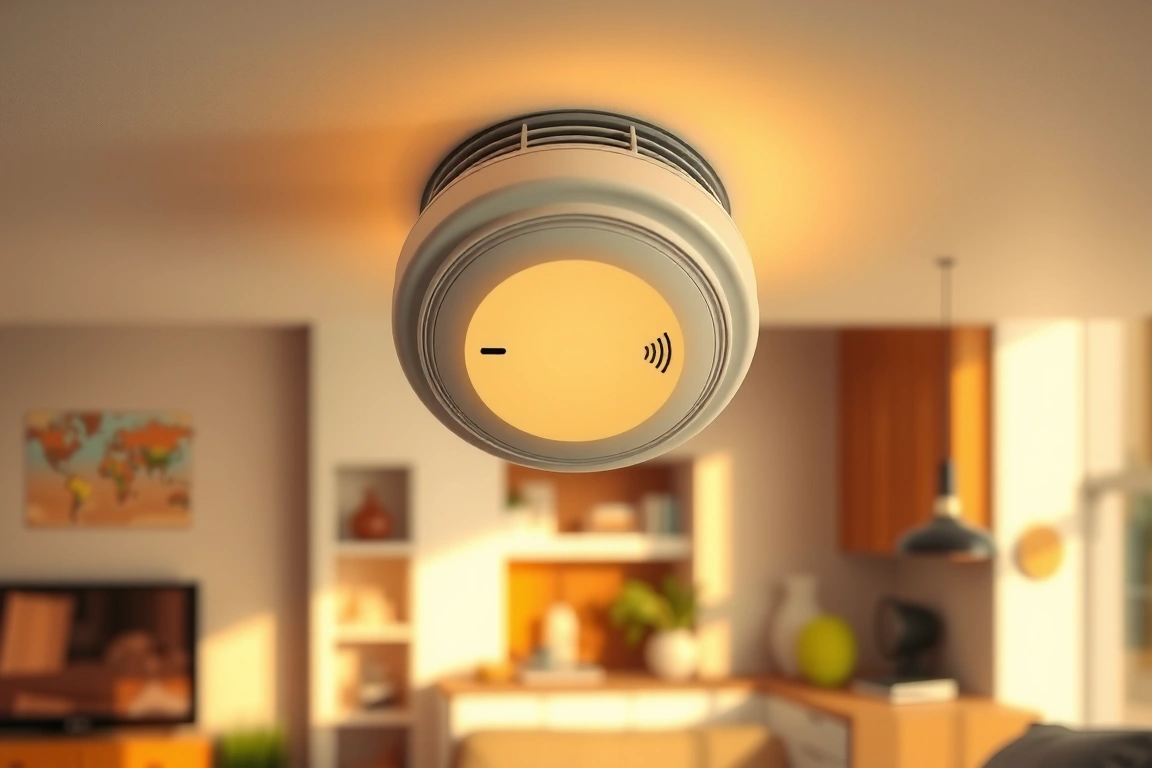
Onelink’s feature set is competitive for the price. It includes a battery-powered design (no hardwiring needed), interconnectivity between units via HomeKit, self-test functionality, and push notifications via the First Alert app and HomeKit. Voice announcements are available, though less polished than Nest’s offering. The battery design means no professional installation, making this an excellent DIY option. One limitation is that Onelink works exclusively within Apple’s ecosystem—Google Home and Amazon Alexa users will not benefit from the same level of automation.
At approximately $60–$80 per unit, First Alert Onelink offers excellent value for HomeKit households. The battery-powered design also appeals to renters or those hesitant about hardwiring. Customer reviews consistently praise the straightforward setup and reliable notifications, though some users note that HomeKit can occasionally be slower with notifications compared to proprietary apps. If you’re building a HomeKit-centric smart home, Onelink deserves serious consideration.
Kidde: The Budget-Conscious Choice
Kidde’s smart smoke detectors represent the most affordable entry point into interconnected home safety. Models like the Kidde Smoke Detector with Wi-Fi connectivity offer basic smart features at under $50 per unit, making them ideal for households seeking functionality without premium pricing. These devices connect directly to your home Wi-Fi network, sending notifications to your smartphone and allowing you to silence alarms remotely (with limitations for safety reasons). Some Kidde models feature self-testing and low-battery alerts, addressing common pain points of traditional detectors.
The trade-off for affordability is reduced feature richness and ecosystem integration. Kidde devices typically work with their proprietary app and may offer limited compatibility with major home automation platforms. While some newer Kidde models integrate with SmartThings or other platforms, the experience isn’t as seamless as Nest or Onelink. Installation remains simple—battery-powered options are available, and hardwired models are straightforward for anyone comfortable with basic electrical work. At this price point, you’re prioritizing essential notifications and remote access over sophisticated automation.
Kidde’s real strength lies in protecting budget-conscious households or serving as additional units in larger homes where cost accumulates quickly. For example, protecting a three-story home with six detectors at $40 each costs roughly $240 compared to $720 for Nest units—a meaningful difference for many families. Customer reviews highlight reliability and notification consistency, though users note that the app experience isn’t as polished as competitors and feature updates are slower.
Installation, Wiring, and Setup Comparison
Installation difficulty directly impacts total cost and timeline for your smart smoke detector project. Nest Protect wired models require electrical work; hardwiring involves connecting the device to your home’s electrical circuit. This demands either DIY confidence with electrical work or professional installation ($100–$200 per unit). Battery-powered Nest units are simpler—just mount on the ceiling and add to the Google Home app—but the Wi-Fi dependency means you need solid network coverage throughout your home. If your upstairs bedroom has weak Wi-Fi, notifications could be delayed during critical moments.
First Alert Onelink and Kidde’s battery-powered options are the most installation-friendly. Both mount easily to drywall or plaster ceilings using included brackets and screws—a task most homeowners complete in under 5 minutes per unit. Battery replacement is annual for most models, a straightforward maintenance task. The trade-off is that batteries add ongoing costs and the risk of forgetting replacement deadlines. Hardwired models eliminate this concern but require electrical expertise. Consider your comfort level: if you’ve never worked with household wiring, professional installation is a worthwhile investment for Nest’s hardwired option.
For setup, First Alert Onelink’s HomeKit onboarding is exceptionally smooth, leveraging Apple’s standardized setup process. Nest Protect requires downloading the Google Home app and adding devices to your Home, a process that takes a few minutes but feels slightly more complex. Kidde varies by model—some require downloading the Kidde app, others use SmartThings or alternative platforms. Pro tip: test your Wi-Fi coverage in each room where you’re installing detectors before committing to a model. Dead zones can compromise real-time notifications, defeating the primary benefit of smart detection.
Integration with Smart Home Ecosystems
Your existing smart home platform should heavily influence your detector choice. Google Home users benefit most from Nest Protect’s deep integration, which allows automations like “if Nest Protect detects smoke, turn on all lights and unlock the front door.” This capability can be life-saving if you’re asleep or away. Apple HomeKit users get similar functionality with First Alert Onelink, though HomeKit’s automation capabilities are slightly more limited than Google’s (for example, HomeKit can’t directly call emergency services, but it can unlock doors and trigger scenes). Amazon Alexa users are the least well-served; while some Kidde models integrate with Alexa via SmartThings, the experience is less direct than Nest or Onelink.
Cross-ecosystem compatibility is rare among smart detectors. Nest Protect doesn’t work natively with HomeKit or Alexa (though workarounds exist via third-party apps like Home). First Alert Onelink is HomeKit-exclusive, making it unsuitable for Alexa or Google Home automation, though you can still receive notifications on the First Alert app. Kidde offers the most flexibility, with some models supporting multiple platforms, but this flexibility comes at the cost of reduced deep integration. Your choice ultimately depends on your primary platform: if you’re already all-in on one ecosystem, choose the detector that matches it.
Consider future expansion when making your decision. If you’re early in building your smart home, investing in one ecosystem (Google, Apple, or Amazon) and selecting compatible devices—including smoke detectors—creates a cohesive experience. Mixing platforms is possible but creates notification fragmentation and reduces automation potential. For example, a fully Google-integrated home might trigger light activation, speaker announcements, and front-door unlock on smoke detection, while a mixed-platform home might only send you a push notification.
Self-Testing, Maintenance, and Reliability
Smart smoke detectors should be tested monthly to ensure they’re functioning properly, but modern smart detectors handle this partially through automated self-tests. Nest Protect conducts weekly self-tests automatically, checking sensors and alerting you if anything’s wrong—no manual testing required. First Alert Onelink also offers automatic self-testing, with results visible in the HomeKit app. Kidde’s approach varies by model; some include self-testing, others require manual testing or rely on basic indicator lights. Automatic self-testing is a genuine convenience feature that increases the likelihood you’ll catch a malfunctioning detector before it matters.
Battery maintenance differs across models. Nest’s hardwired option eliminates battery concerns, but battery-powered models require annual replacement (usually standard AA or 9V batteries, costing $5–$10 per unit annually). First Alert Onelink and Kidde battery units also require annual replacement, with notifications reminding you when batteries are low—a feature that’s appreciated by users but only works if you act on the alert promptly. Some households set calendar reminders for battery replacement (e.g., “change smoke detector batteries when clocks change”), eliminating the guesswork.
Reliability and warranty support matter during emergencies. Nest Protect includes a 5-year limited warranty and benefits from Google’s engineering resources; device failure rates are low, and customer support is accessible. First Alert Onelink is backed by BRK Brands’ warranty (typically 10 years for the alarm itself) and generally reliable, though app-level issues occasionally arise with HomeKit updates. Kidde offers manufacturer warranties but has a broader range of reliability reports; some users report devices that fail to connect or notify correctly. Read recent customer reviews for the specific model you’re considering—reliability trends become visible in user feedback. For life-safety devices, buying established brands with strong track records is non-negotiable.
Cost Breakdown and Long-Term Value
Total cost extends beyond the detector’s purchase price. Here’s a realistic breakdown for protecting a three-bedroom, two-story home (six detectors recommended):
- Nest Protect (battery-powered): 6 units × $120 = $720, plus ~$12/year
Related from our network
- 10 Ways to Automate Your Daily Tasks with AI Tools (clearainews)
- Crystals-under-full-moon/” rel=”nofollow noopener” target=”_blank”>How to Charge Crystals Under the Full Moon: Step-by-Step Guide (witchcraftforbeginners)
- Best Smartwatches Compared 2025: Complete Review & Buying Guide (wearablegearreviews)
🔌 Editor’s Pick
Editor’s Pick: Smart smoke detector with voice alerts, for pairing with smart speaker and starter kit.
What are the main benefits of a smart smoke detector over a traditional one?
Smart smoke detectors like Nest Protect, First Alert Onelink, and Kidde offer significant upgrades. Beyond a loud alarm, they send smartphone alerts, provide voice warnings through smart speakers, and can automatically turn on lights. They also feature self-testing to ensure they’re working and can often distinguish between dangerous fires and minor cooking smoke, drastically reducing false alarms for a more reliable safety net.
Which smart smoke detectors work with Apple HomeKit?
If you’re invested in the Apple ecosystem, the First Alert Onelink is your primary choice, as it’s designed with explicit Apple HomeKit compatibility. This allows for seamless control via the Home app and voice commands through Siri. It’s important to check the specific model, as compatibility can vary. The Nest Protect, for example, does not natively support HomeKit.
How do interconnected smoke alarms improve safety in a large home?
Interconnected alarms, a standard feature with Nest Protect, First Alert Onelink, and Kidde, create a unified system. When one detector senses smoke or carbon monoxide, all alarms in the house will sound. This provides an immediate, whole-home alert, giving everyone, no matter their location, the earliest possible warning to evacuate, which is crucial for multi-story houses where a distant alarm might not be heard.
Do smart smoke detectors require professional installation?
Most models are designed for straightforward DIY installation. The Nest Protect and battery-powered versions of the First Alert Onelink and Kidde detectors typically mount like traditional units. However, if you opt for hardwired smart detectors to replace existing wired systems, you may need professional help to ensure safe and correct integration with your home’s electrical system. Always check the manufacturer’s instructions for your specific model.
Make Your Home Smarter
Device reviews, automations, and the deals worth grabbing.
Enjoyed this article?
Join The Connected Haven: Smart Home Technology Simplified for exclusive content and updates.
Subscribe FreeRelated from our network